Nikhil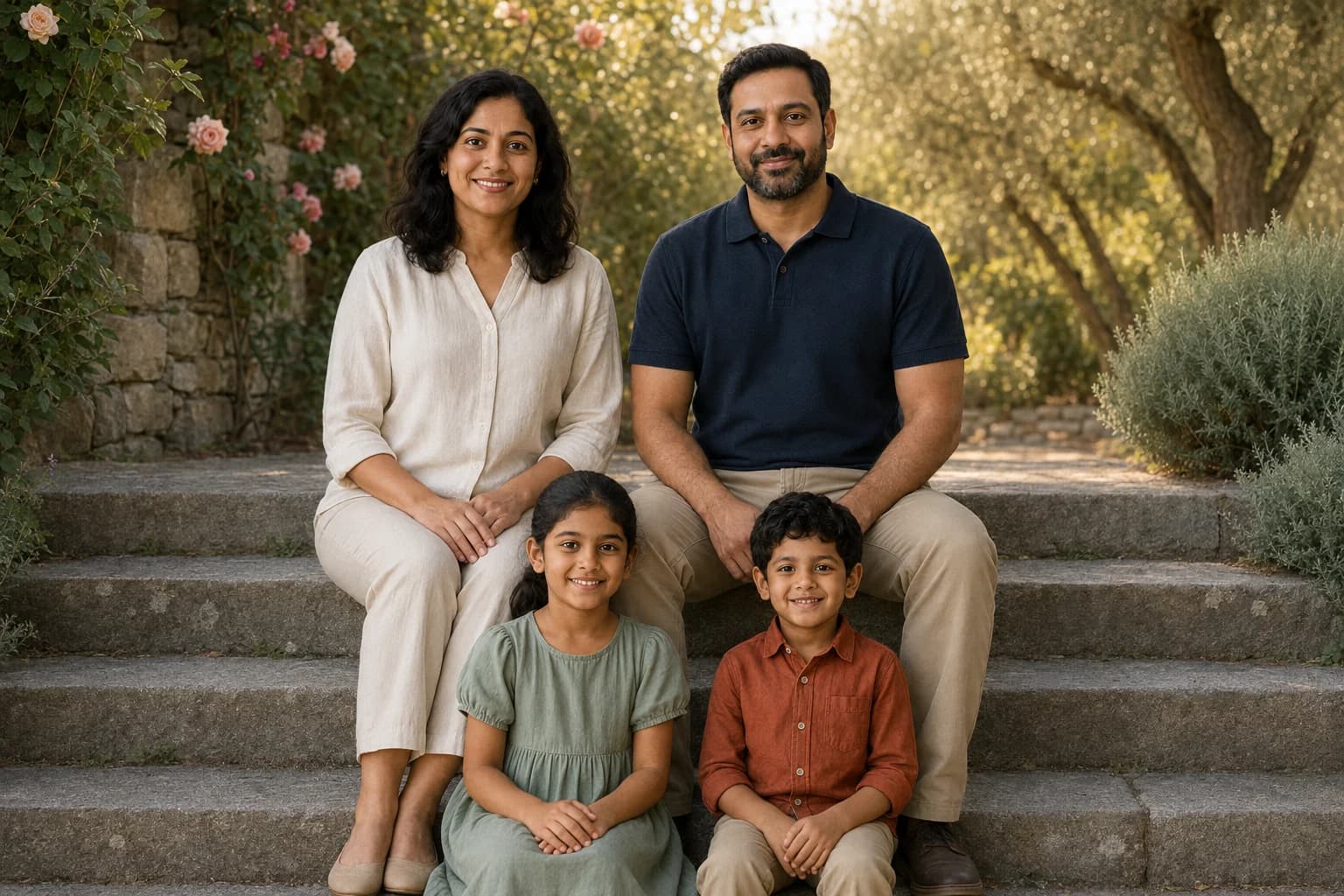
A sunlit garden portrait, a windswept beach afternoon, a quiet moment with a picture book: the setting gives a family photo its mood, but the people make it worth keeping. Good AI family photo prompts describe both. They tell the model who belongs in the picture, what should stay familiar, and what you want to change.
This collection includes 18 copyable prompts, with eight illustrated styles made from one fictional family reference. Explore classic studio portraits, outdoor settings, candid home scenes, festive outfits and a watercolor keepsake. Then adapt the group-size prompts to your own family.
For individual portraits and other subjects, visit the broader AI photoshoot prompt library. For two adults, the couple photo prompt guide goes deeper into shared poses and interaction.
Choose your family photoshoot style
| The picture you have in mind | Start with | The detail to personalize |
|---|---|---|
| A timeless framed portrait | 1. Classic monochrome | Clothing, expressions and crop |
| A relaxed outdoor photograph | 2. Garden steps | Seating order and favorite colors |
| A summer travel-style scene | 3. Sunset on the beach | Outfits and standing positions |
| An energetic seasonal picture | 4. Autumn walk | Visible steps and space between bodies |
| A candid everyday moment | 5. Sunday story time | One shared activity |
| A festive family portrait | 6. Festive courtyard | Your celebration and clothing preferences |
| A cozy winter scene | 7. Winter cabin | Warm layers that keep faces visible |
| An illustrated gift | 8. Watercolor keepsake | Palette and paper texture |
| A different family size | 9-14 | Exact people, ages and seating plan |
| A card, celebration or editorial look | 15-18 | Composition and intended use |
Start with a reference everyone can recognize
For a recognizable family portrait, begin with a clear group photograph. A text-only description can create a fictional family, but it does not provide the facial information needed to reproduce your relatives.
Choose a photo with all faces visible, a reasonable amount of space between heads, and similar lighting across the group. Avoid tiny faces in the background, sunglasses over the eyes, and a child mostly hidden behind an adult. If the intended result is full length, a source that shows more of each person's body gives the model more visual information.
One useful prompt formula:
Use the people in the uploaded photo. Preserve their individual faces, apparent ages, skin tones, hairstyles and relative heights. Place [exact people and positions] in [setting], doing [one simple action]. Use [clothing], [light] and [framing]. Keep every face visible and include exactly [number] people.
Change the people descriptions to fit your family. Two parents and two children are the example group in this article, not a required family structure. Use only photos you have permission to process; for children, involve their parent or guardian and keep identifying details out of prompts and public galleries.
Our shared family reference
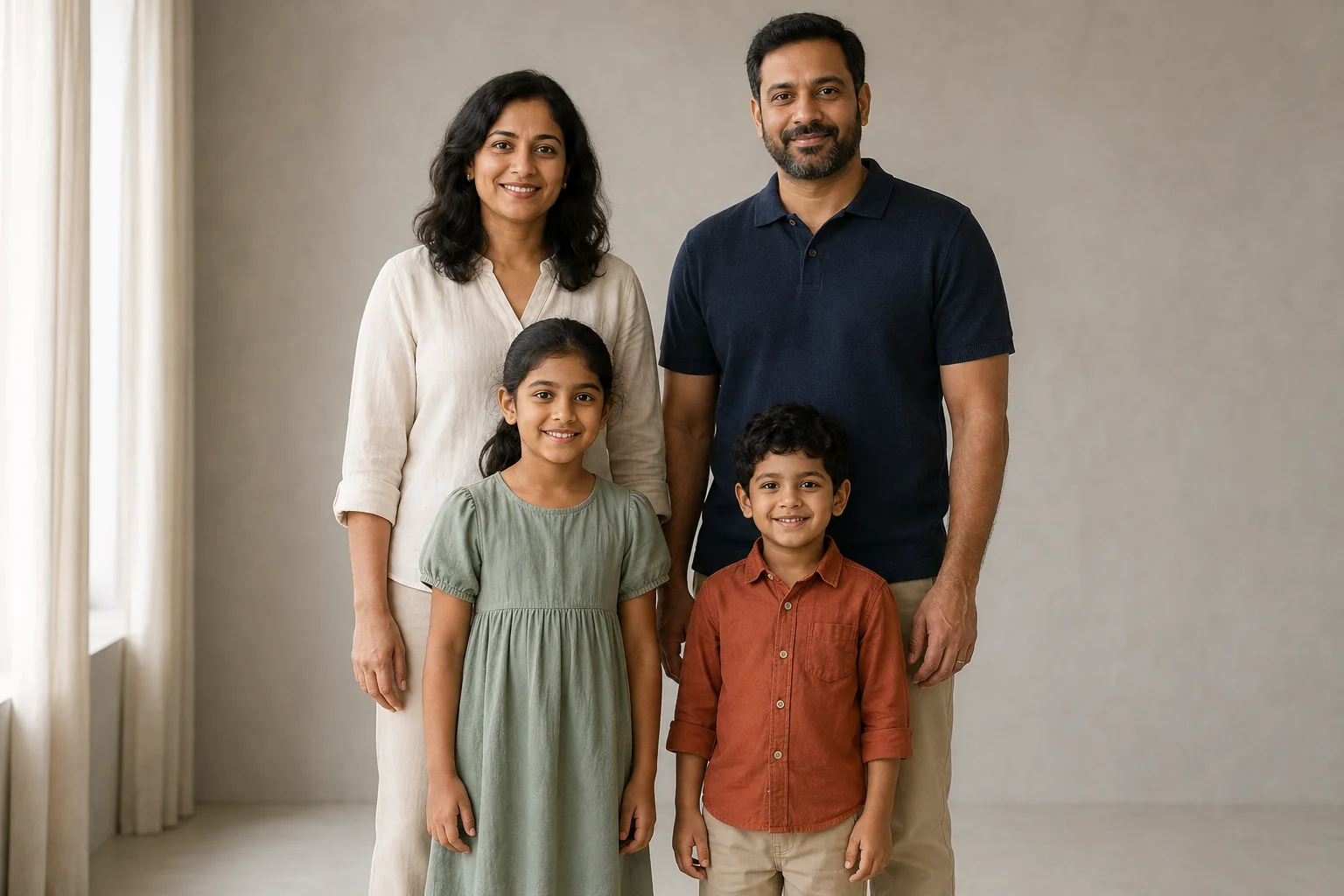
About the images: The reference, eight style examples and one garden revision were generated on September 8, 2026 using Codex's built-in OpenAI image tool. Each edit received this original reference and the exact accompanying prompt. The nine edits are illustrations of these directions, not examples generated inside HighReach or a comparison of its models. The tool did not expose a selectable model version or seed. Prompts 9-18 are additional ideas without published outputs. No prompt guarantees an exact facial match.
Classic and outdoor family portrait prompts
1. Classic black-and-white studio portrait
Best for: a simple framed portrait, an anniversary gift or a family album cover.
Keep the pose and clothing close to the source while changing the photographic treatment. This is a useful first edit because you can compare the same faces without also evaluating a completely new pose.
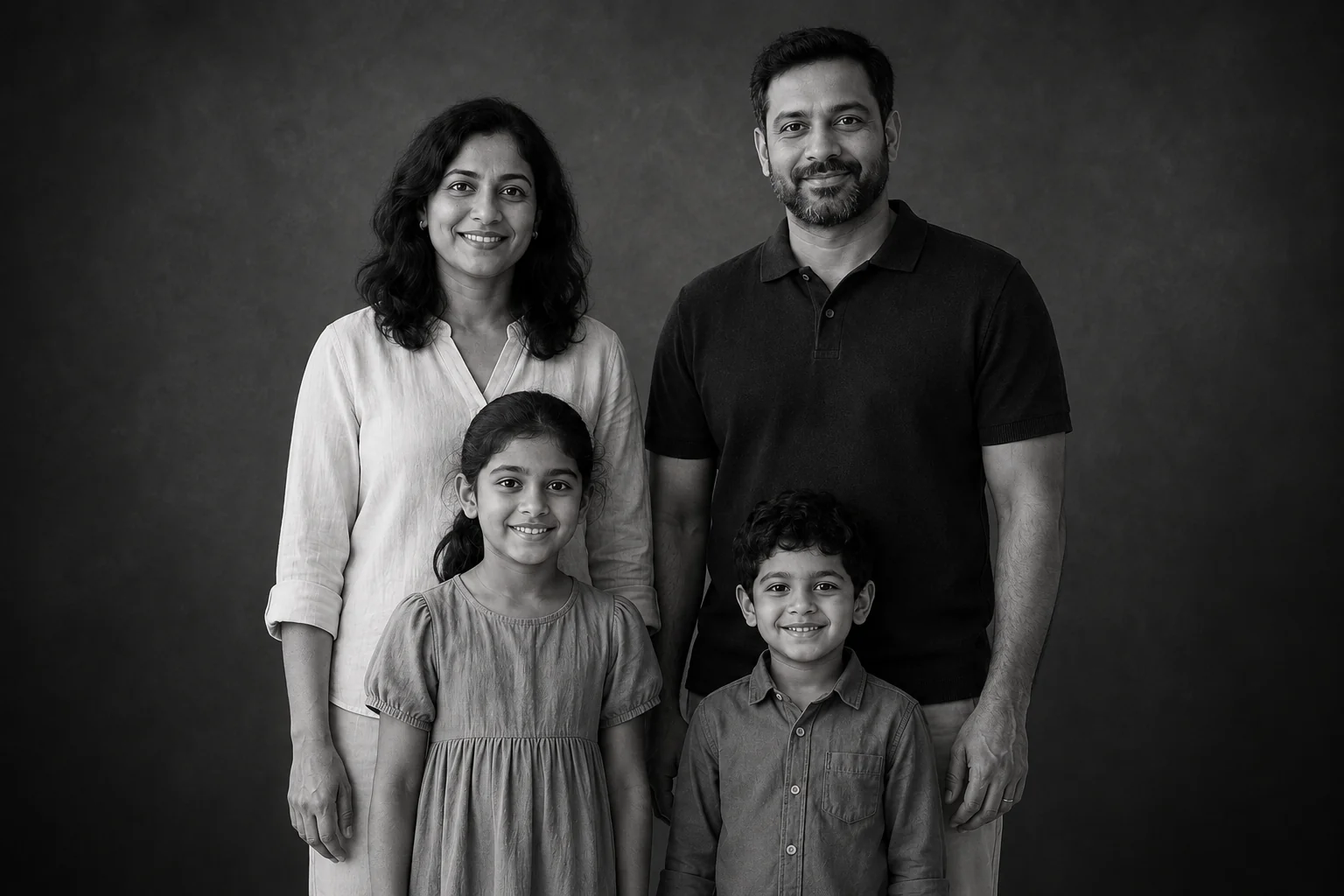
Use the uploaded family photo as the identity reference for exactly the same four people. Keep their individual faces, apparent ages, skin tones, hairstyles and relative heights recognizable. Mother back left, father back right, daughter front left, son front right; leave space around every face. Create a black-and-white family studio portrait against a charcoal seamless backdrop. Keep the original clothing and standing arrangement, with relaxed smiles toward camera and hands separate. One large softbox camera-left and soft fill, detailed eyes, natural skin, gentle tonal contrast rather than crushed shadows. Medium-wide landscape 3:2 photograph, crop below the children's hands. No extra people, lettering, logos or heavy retouching.
What to notice: The monochrome treatment and head arrangement followed the brief, but the children's hands fell outside the crop despite the instruction. Ask for a wider frame if hands are important to your portrait.
Personalize it: Replace charcoal with pale gray for a lighter print. Ask for soft contrast if you want detail to remain visible in dark clothing.
2. Garden steps in late-afternoon light
Best for: a relaxed outdoor family portrait with coordinated, individual outfits.
Two broad steps give the group a natural arrangement. The children do not need to stand at an adult's shoulder height, and nobody needs to lean across another person's face.
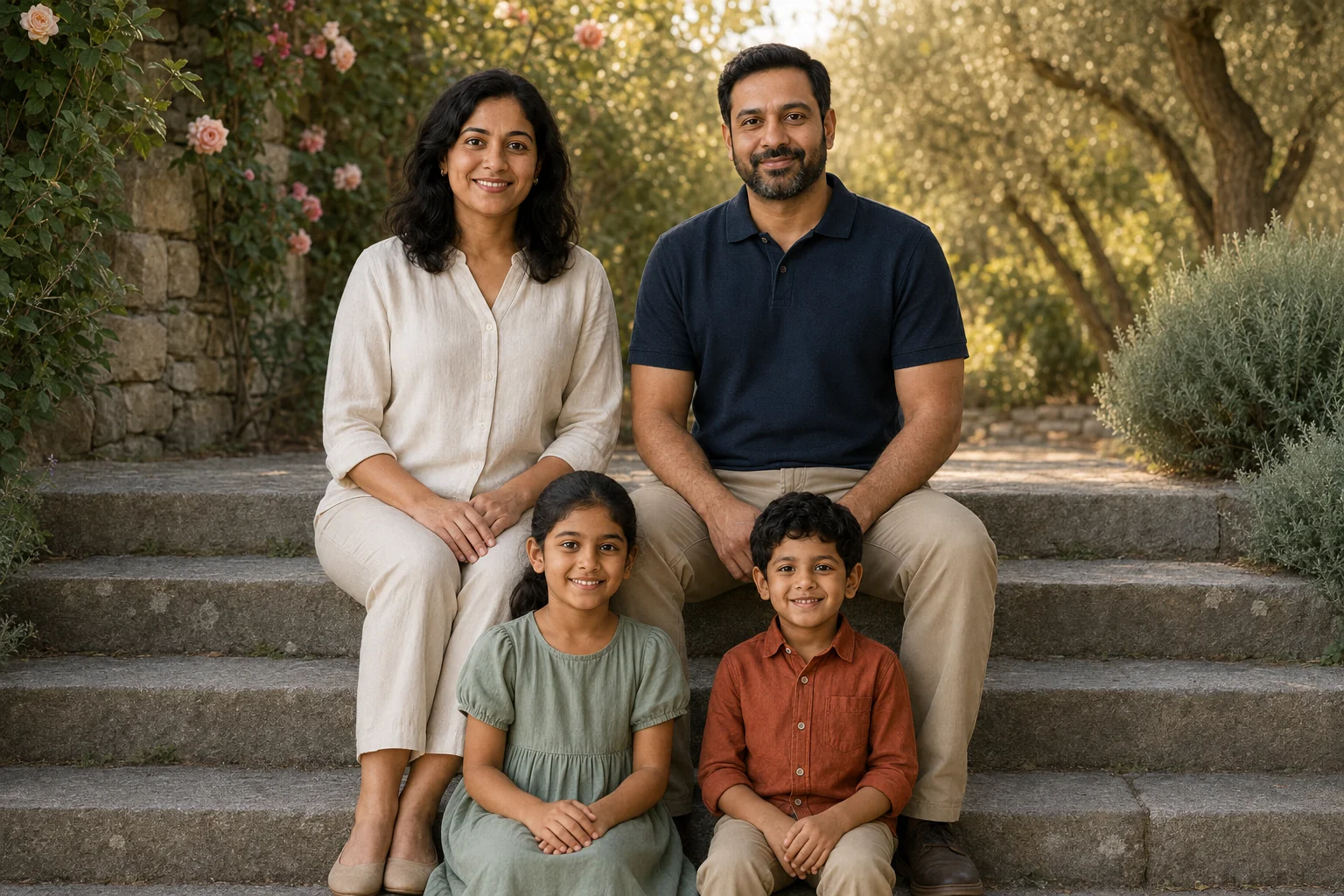
Use the uploaded family photo as the identity reference for exactly the same four people. Preserve their distinct faces, apparent ages, skin tones and hairstyles. Photograph the family seated on broad stone garden steps in late-afternoon open shade. Mother left and father right on the upper step, daughter left and son right on the lower step, faces separated and clearly visible. Keep cream, navy, sage and rust clothing. Let the children share a small smile while the parents look toward camera. Climbing roses, soft olive foliage, warm sunlight behind the group, gentle fill on faces, 50mm environmental portrait. Landscape 3:2 with breathing room around the family. Hands on each person's own lap. No additional people, text or logos.
What to notice: The setting, clothing and two-row seating appeared, but both children looked into the camera. The phrase "share a small smile" did not produce the exchanged glance we intended. See the revision below.
Personalize it: Choose a garden, front porch or courtyard with a similar seating arrangement. Keep the instruction about separate laps if intertwined hands distract from the faces.
3. Sunset family photo on the beach
Best for: a summer album, coastal wall art or a travel-inspired portrait.
The beach example changes the clothing and expands the group into a full-length arrangement. That creates more to inspect: relative height, bare feet and the transitions between arms and sleeves.
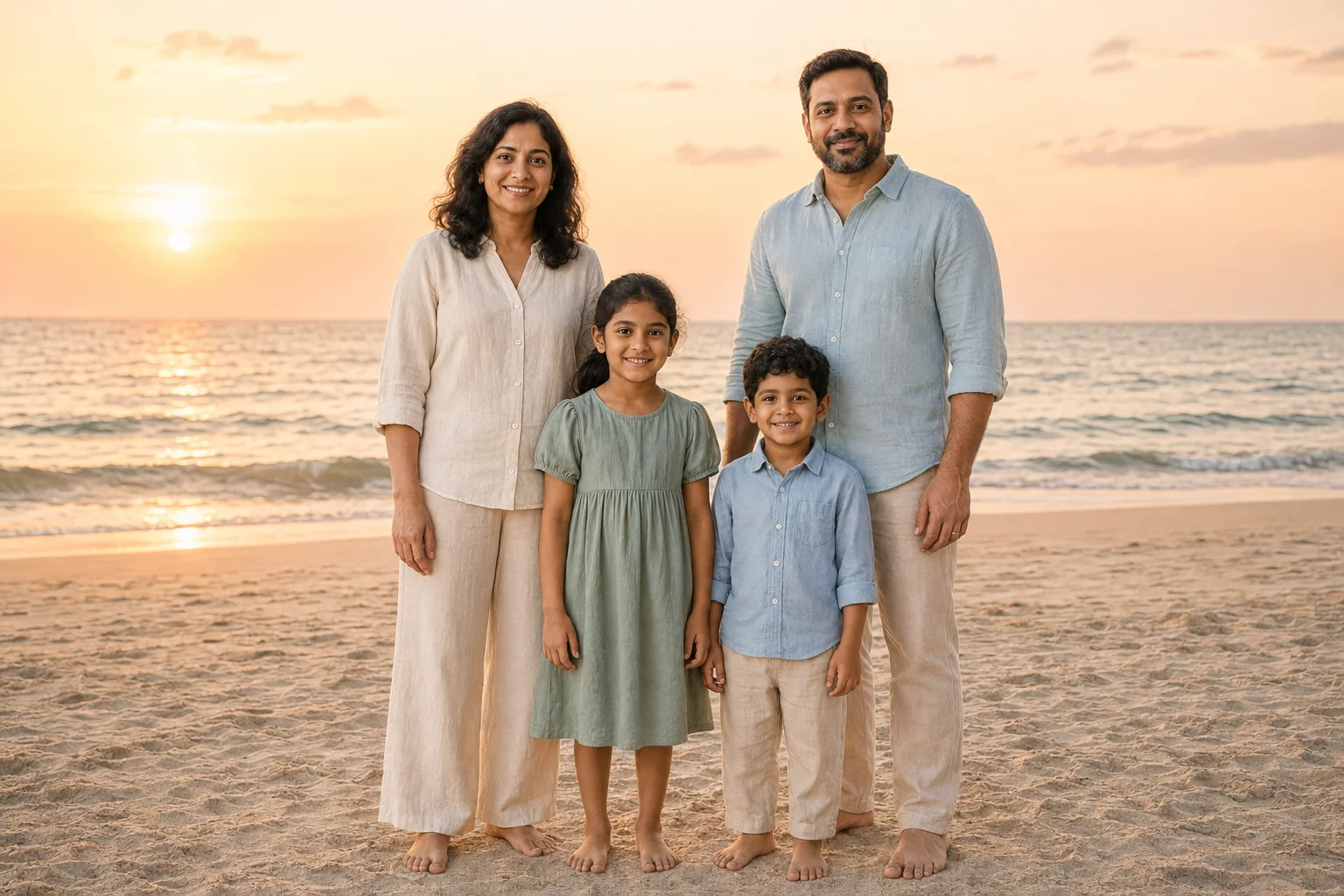
Use the uploaded family photo for the same four identities, preserving their individual faces, ages, skin tones and hair. Make a full-length family photograph on broad dry sand near the sea at sunset. Mother on the left, daughter center-left, son center-right, father on the right, all standing close at similar camera distance with distinct silhouettes. Bare feet fully visible, children safely on dry sand, arms relaxed separately. Dress the family in complementary cream, muted sage and light blue linen. Gentle breeze without hair across eyes, warm rim light and soft face fill, pale waves and a peach sky, natural photographic color. Landscape 3:2, no crowds, text or logos.
Personalize it: Substitute a lake shore or dunes, and keep everyone at a similar distance from the camera. Label a generated travel scene as an AI creation when sharing it.
4. An autumn walk with visible steps
Best for: a lively seasonal portrait with less formal body language.
Walking needs something visible to communicate the action. Include the shoes, the ground and a clear step; a tight crop can turn the same idea into an ordinary standing portrait.
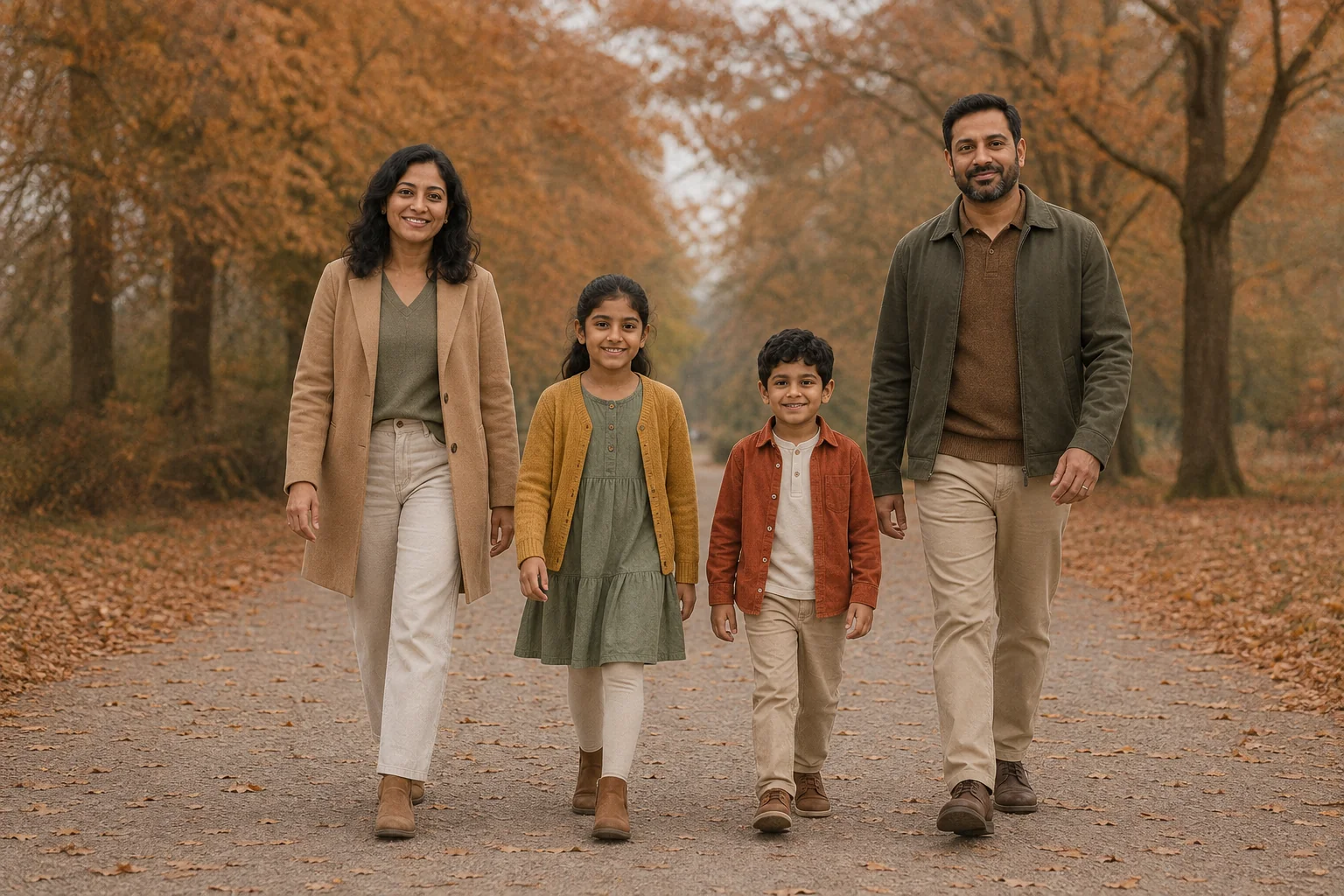
Use the uploaded family photo for exactly the same four people, keeping their individual faces, ages, skin tones, hair and relative heights recognizable. Capture a slow family walk on a wide autumn park path. Mother left, daughter center-left, son center-right, father right. Everyone faces generally toward camera with a small relaxed smile. Show an observable step from each person, both shoes and ground below every foot. Arms swing separately without holding hands. Camel and olive layers for the adults, mustard and rust layers for the children, soft overcast light, copper leaves and muted trees. Full-length landscape 3:2 photograph, level camera, 50mm feel. No other people, text or logos.
Personalize it: Start without hand-holding. If you later add contact, specify just one pair of hands and check the result closely.
Candid, festive and creative family photo styles
5. Sunday story time at home
Best for: a warm, everyday family scene.
One book gives everyone a shared point of interest. There is no need to ask four people to cook, laugh, hug and reach for different objects at once.
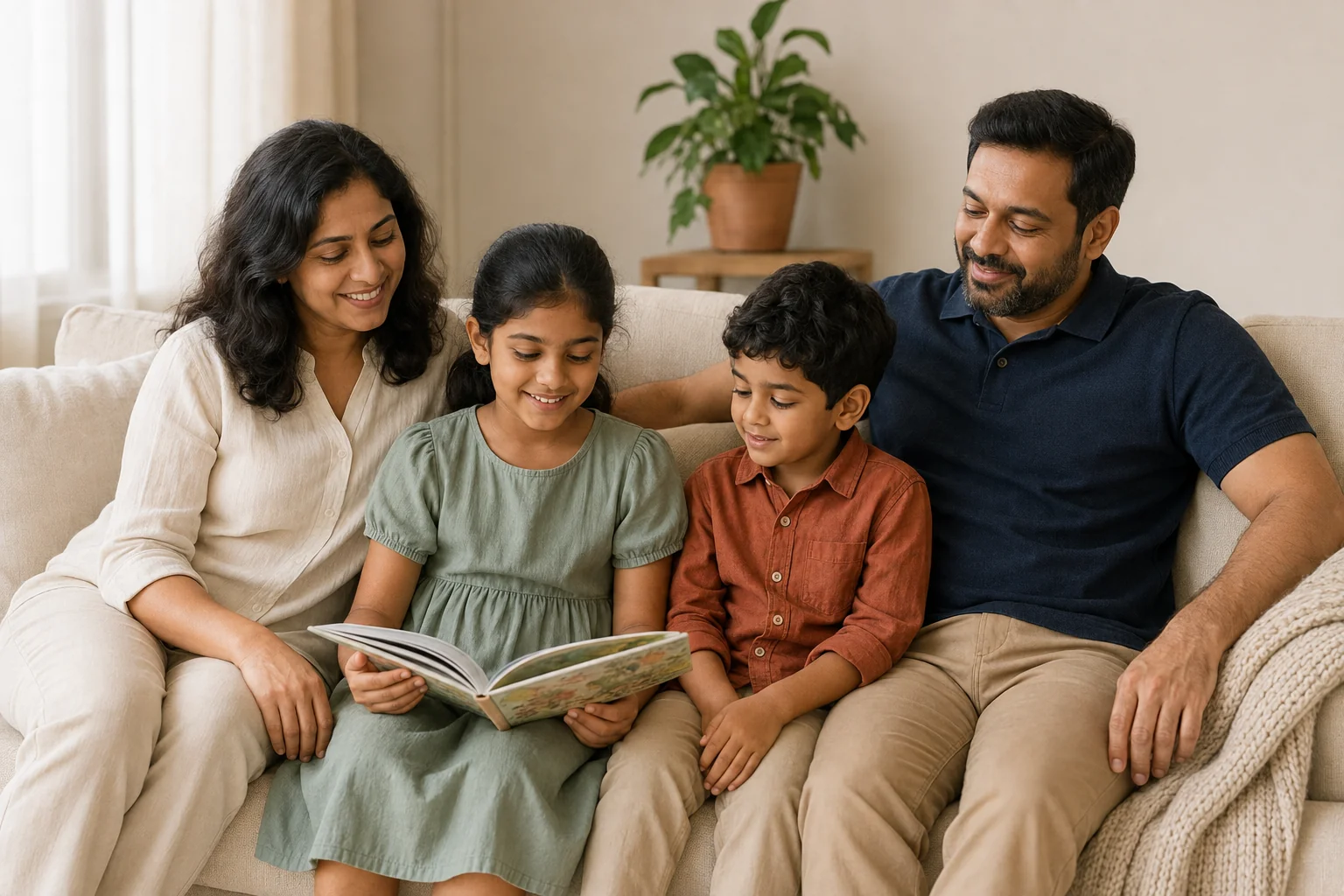
Use the uploaded family photo for the same four identities. Keep each face, apparent age, skin tone and hairstyle recognizable. Create a candid Sunday morning family scene on a cream living-room sofa. Mother left and father right, daughter center-left and son center-right. The daughter holds an open picture book on her own lap and the son glances toward it while the parents smile toward the children. All faces visible in gentle three-quarter view, with heads separated. Comfortable cream, navy, sage and rust cotton clothing, soft window light, a wool throw and one plant in the background, warm lived-in atmosphere. Medium-wide landscape 3:2 photo, natural skin and fabric, no readable book text, extra people or logos.
Personalize it: Swap the picture book for a board game only if you are comfortable reviewing more small objects and hands. Keep production notes about text outside the image itself.
6. A festive courtyard portrait
Best for: a Diwali-inspired creative portrait or a family celebration concept.
Coordinated colors can feel festive without identical clothing. This prompt specifies the outfit for each person so the model has a clear wardrobe plan.
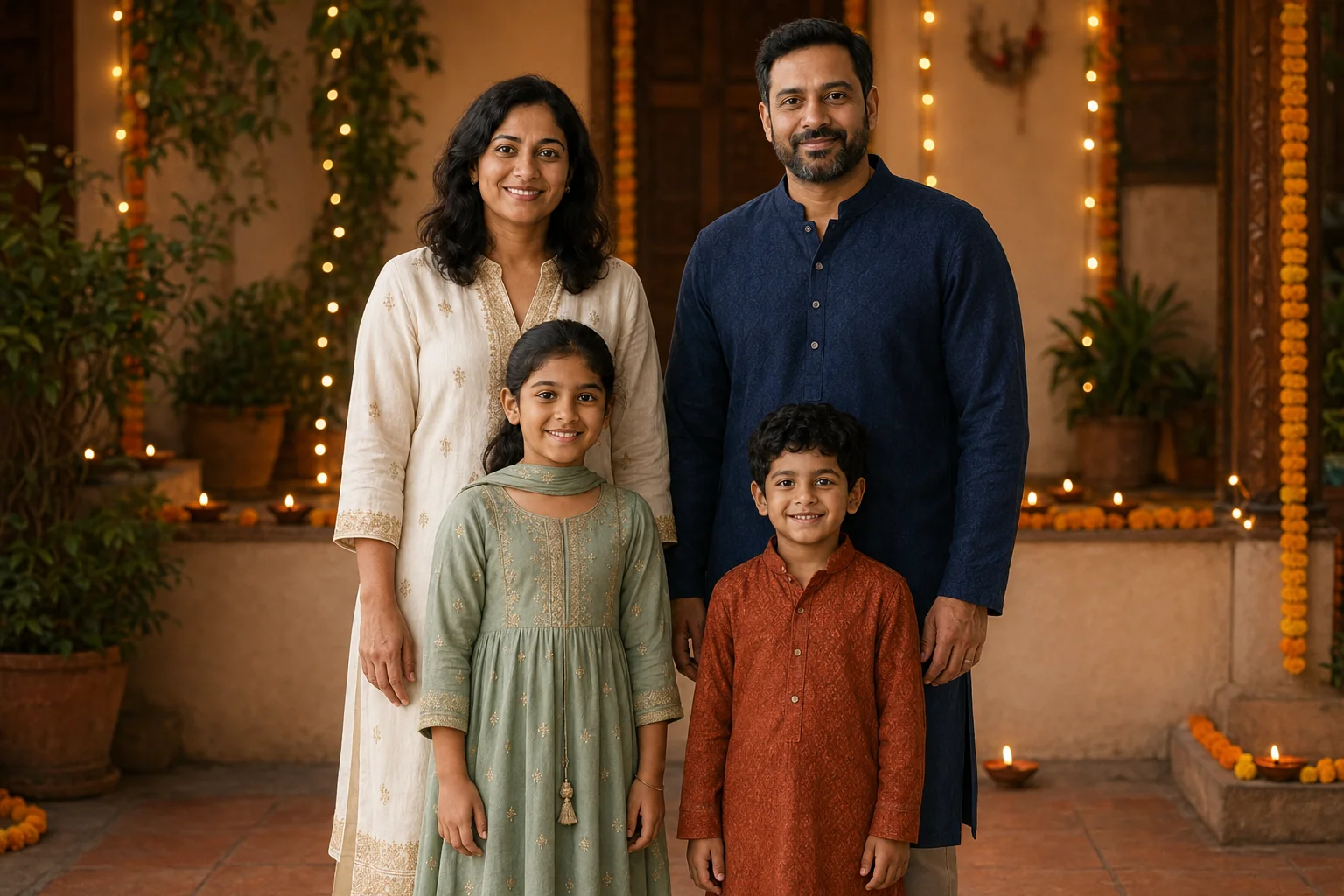
Use the uploaded family photo as the reference for exactly the same four people. Preserve each person's face, apparent age, skin tone, hair and natural proportions. Make a Diwali-inspired family portrait in a warm home courtyard. Mother back left in an ivory kurta with restrained gold embroidery, father back right in a deep navy kurta, daughter front left in a sage festive outfit, son front right in a rust kurta, all fully clothed. Keep all four heads separate and their faces lit clearly by a broad warm light. Small lamps sit on a distant ledge behind the family, with marigold garlands and subtle fairy-light bokeh. Hands relaxed separately, gentle smiles toward camera, medium-wide landscape 3:2, realistic fabric texture. No fireworks, flames near children, text, logos or extra people.
Personalize it: Describe clothing your family would actually choose. Replace the decor for your celebration instead of mixing unrelated festive symbols into one image.
7. A winter cabin family portrait
Best for: a seasonal card or a cozy winter scene.
Coats and scarves provide the winter styling while leaving hair, eyes and jawlines visible. Avoid asking for snowflakes directly across faces.
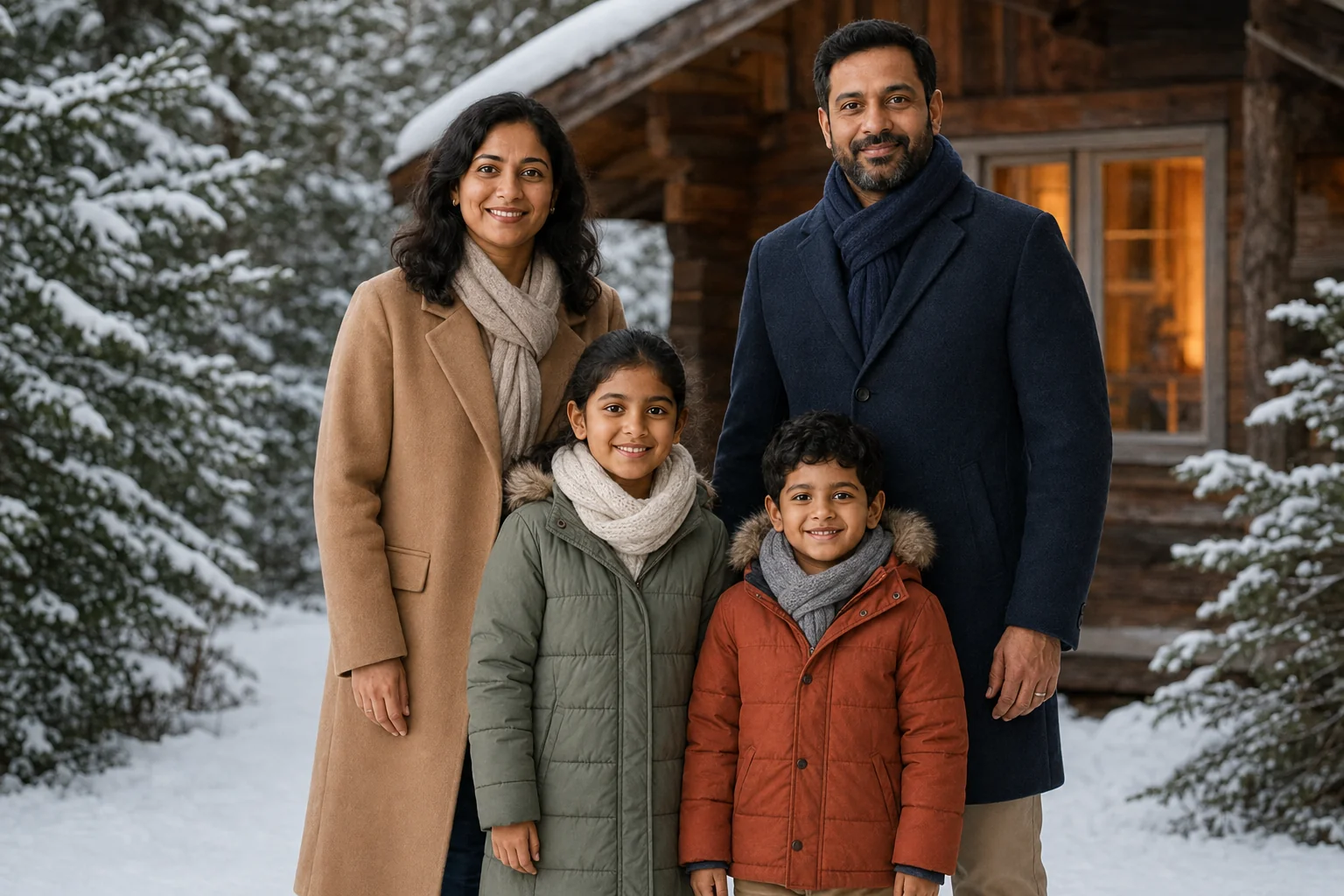
Use the uploaded family photo for the same four identities, keeping each face, apparent age, skin tone and hairstyle recognizable. Photograph them outside a wood cabin on a quiet snowy afternoon. Mother left, daughter center-left, son center-right, father right, all looking toward camera with relaxed smiles. Camel and navy wool coats for the adults, sage and rust winter coats for the children, warm scarves below the chin and no hats hiding hair or faces. Snow rests on pine branches, soft cool daylight on faces with a warm cabin window behind, no falling snow across eyes. Three-quarter-length landscape 3:2 photograph, distinct silhouettes, hands resting separately at their sides, realistic winter textures. Exactly four people, no text or logos.
Personalize it: Replace the cabin with a plain snowy garden if the background feels too elaborate. For a greeting card, leave extra room beside the group and add your wording afterward.
What to notice: The winter clothing and cabin appeared, but the model kept the adults behind the children rather than putting everyone side by side. The source arrangement influenced this result more strongly than the new position instructions.
8. A watercolor family keepsake
Best for: an illustrated gift, a card or a softer alternative to a photograph.
This style intentionally changes the medium. The useful question is whether the illustration keeps recognizable family traits, rather than whether it looks like untouched photography.
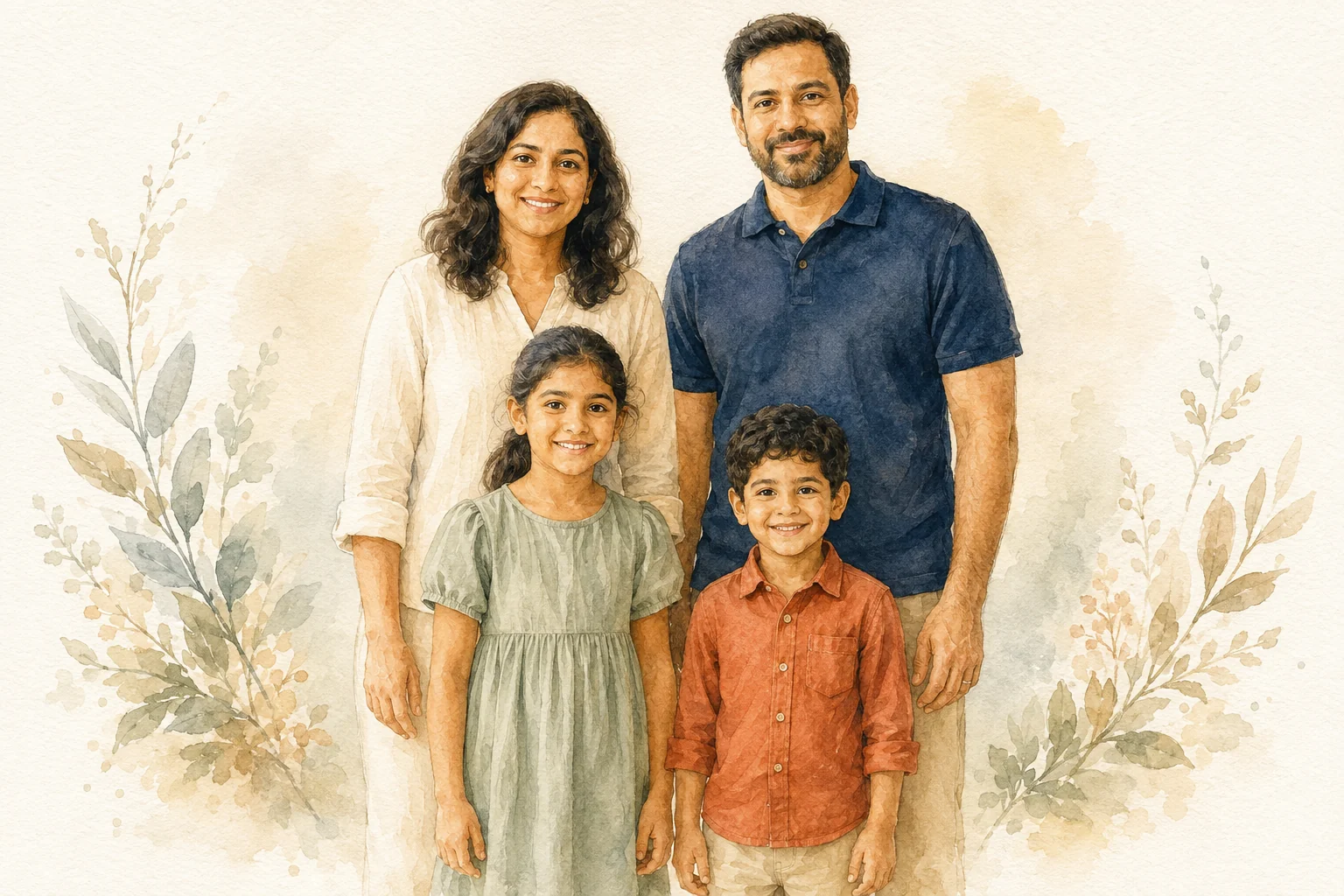
Transform the uploaded family photograph into a hand-painted watercolor family illustration on textured warm-white paper. Keep exactly the same four people, recognizable individual facial shapes, hairstyles, apparent ages and relative heights. Mother back left, father back right, daughter front left, son front right. Retain the cream, navy, sage and rust clothing and the original relaxed standing pose. Delicate transparent washes, soft botanical details around the edges, restrained pencil lines around eyes and smiles, generous pale negative space, warm affectionate mood. Landscape 3:2. Keep heads distinct and hands simple but anatomically plausible. No lettering, frame, logos or additional people. The result should visibly be an illustration, not a retouched photograph.
Personalize it: Ask for fewer botanical details for a cleaner print. Add family names in an editor afterward so spelling and typography stay under your control.
Prompts for different family sizes
The following ten prompts are adaptable starting points without illustrated outputs. Use references that include the people named in the prompt. Do not expect the four-person reference above to supply a recognizable grandparent or another relative who is not pictured.
9. One parent and two children
Use the uploaded photograph of one parent and two children as the reference for exactly those three people. Preserve each face, skin tone, hairstyle, apparent age and relative height. Seat the parent at the center of a broad garden bench, with one child on either side, all looking toward camera with relaxed smiles. Keep heads separate and each person's hands on their own lap. Retain their preferred everyday clothing, soft open shade, quiet green foliage, medium-wide 50mm portrait, natural skin and fabric texture. Landscape 3:2. Do not add another parent, extra children, text or logos.
Arrange it: A central seated adult makes room for children of different heights without asking anyone to bend dramatically.
10. Two parents and a teenager
Create a natural studio portrait using exactly the two parents and teenager in the uploaded family photo. Preserve all three individual faces, skin tones, hairstyles, apparent ages and natural body proportions. Place the teenager between the parents at the same camera distance, with relaxed shoulders and a little space between each head. Keep the teenager's own clothing style instead of matching everyone. Warm off-white background, broad diffused daylight, waist-up 85mm portrait feel, gentle smiles and realistic skin texture. Landscape 3:2. No age changes, additional people, lettering or logos.
Arrange it: Let the teenager keep their own style; a shared color palette is enough to tie the portrait together.
11. A family of five on the porch
Use the uploaded five-person family photograph to preserve exactly those five identities, their apparent ages, skin tones, hair and relative heights. Arrange the two adults on the upper porch step and the three children on a lower broad step, preserving the children's left-to-right order from the source. Give every face a clear gap from surrounding shoulders and heads. Keep the original clothing with a muted natural color grade, soft overcast daylight, simple painted porch, medium-wide 50mm photograph. Show each person's hands separately on their lap. Landscape 3:2, exactly five people, no added relatives, text or logos.
Arrange it: With more people, choose a wider frame before asking for stronger background blur. You want the faces in both rows to read clearly.
12. A three-generation portrait
Use the uploaded group photograph showing two grandparents, two parents and two children as the identity reference for exactly six people. Preserve each person's distinct face, actual apparent age, gray hair and age lines where present, skin tone and relative proportions. Seat the grandparents on two adjacent chairs, place the parents behind with clear head separation, and stand the children to either side in front. Soft daylight courtyard, coordinated but individual earth-tone clothing, level medium-wide photograph with every face in focus. Landscape 3:2. Keep hands separate and faces unobstructed. Do not rejuvenate grandparents or add people, text or logos.
Arrange it: Preserve age details explicitly. A portrait can be flattering without turning everyone into the same age.
13. Two mothers and their children
Use the uploaded photograph of two mothers and their two children as the reference for exactly those four people. Preserve each person's individual facial features, skin tone, hairstyle, age, gender expression and preferred clothing. Seat the family together on a broad sofa, one mother at each end and the children between them, with relaxed smiles toward camera and distinct, unobstructed faces. Soft window light, warm neutral room, medium-wide 50mm photograph, natural skin texture, each person's hands on their own lap. Landscape 3:2. Do not replace a parent or add stereotyped roles, extra people, text or logos.
Personalize it: Use the family relationships and preferred descriptions that fit your reference, including two fathers or other caregivers.
14. Grandparent and grandchildren
Use the uploaded photo of one grandparent and two grandchildren to preserve exactly those three people. Retain the grandparent's age lines, gray hair and distinct face, and keep both children's ages, skin tones, hair and individual features recognizable. Seat the grandparent on a low garden bench with one child on each side. They exchange relaxed smiles, all faces visible in gentle three-quarter view, hands separately on laps. Soft tree shade, a quiet garden backdrop, comfortable original clothing, medium-wide 50mm family photograph, realistic skin detail. Landscape 3:2. No new people, age reduction, text or logos.
More celebration and editorial family prompts
15. A simple birthday-table portrait
Use exactly the family members in the uploaded group photo, preserving their individual faces, apparent ages, skin tones and hair. Place them behind a small birthday table, children at the front and adults slightly behind with every head clearly separated. A plain frosted cake sits on the table below the faces; hands rest separately on the table edge. Soft window light, a few muted balloons at the side, candid smiles toward camera, coordinated casual clothes, medium-wide landscape 3:2 photograph. Keep the original number of people. No cake lettering, invented names, printed ages, logos or extra guests.
Personalize it: Add names and numbers later. Keep the cake below face level so it supports the scene without obscuring a child.
16. A holiday-card composition
Restyle the uploaded family photo as a relaxed holiday-card portrait while preserving the same people, individual faces, ages, skin tones, hairstyles and relative heights. Keep the family's familiar standing arrangement, grouped slightly to the right of a wide frame. Leave the left third as a simple warm cream wall for a greeting to be added later. Soft daylight, restrained evergreen branches near the far edge, natural knit clothing, relaxed smiles and hands separate. Landscape 3:2 photograph with clear faces and realistic skin texture. Keep the original person count. Do not generate any text, names, logos or additional people.
Personalize it: If the group gets too small, generate the portrait first and use an image extender to explore extra background.
17. A 1990s film-album look
Use the uploaded family photograph to create a nostalgic family-album image of the same people. Preserve their distinct faces, skin tones, apparent ages, hair and relative heights. Keep the original pose and clothing while changing the setting to a modest home with a plain wall and a small framed landscape in the background. Gentle direct flash, slightly warm color, restrained film grain and subtle shadow behind the group, natural expressions. Landscape 3:2, clear facial detail rather than heavy blur. Keep exactly the original people, no date stamp, readable text, border or logos.
Personalize it: Keep the film treatment subtle if you want to compare faces. Grain and blur can hide changes as easily as they create atmosphere.
18. A colorful editorial family portrait
Use the family in the uploaded photo as the only subjects. Preserve each person's face, age, skin tone, hairstyle and relative height. Create a playful editorial family portrait against a matte pale-blue studio backdrop with a single terracotta bench. Seat the children on the bench and stand the adults behind, all faces separate and looking toward camera with relaxed expressions. Use individual plain outfits in cream, navy, mustard and sage; no matching uniforms. Large softbox, gentle grounding shadows, crisp natural skin and fabric, medium-wide landscape 3:2 composition. Keep the original person count. No extra people, lettering or logos.
Keep every person recognizable
Review a family edit one person at a time. Start with the face you know best, then deliberately inspect everyone else; a good likeness of one parent can distract from a changed child or grandparent.
| Check | Compare with the source | If it needs another attempt |
|---|---|---|
| Person count | Everyone present exactly once | State the count and map each position |
| Faces | Eye shape, nose, smile, jaw and hairline | Return to the original and keep the pose closer |
| Ages | Children's proportions and older relatives' age cues | State what should remain, including gray hair and age lines |
| Relative size | Heights and camera distance | Put people on the same plane or use clearly defined rows |
| Hands and contact | Fingers, wrists, sleeves and who touches whom | Separate hands or simplify the activity |
| Clothing | Garment identity, fit and preferred expression | Describe each outfit individually |
| Light | Consistent face lighting and shadows | Choose one main light direction |
| Crop | Heads, hands and feet that the prompt needs | Request visible margins or a wider frame |
A real revision: give each child a gaze direction
In the first garden output, the children faced the camera. For another attempt, we returned to the original reference and replaced the single sentence about a shared smile with specific directions for each child's head and eyes.
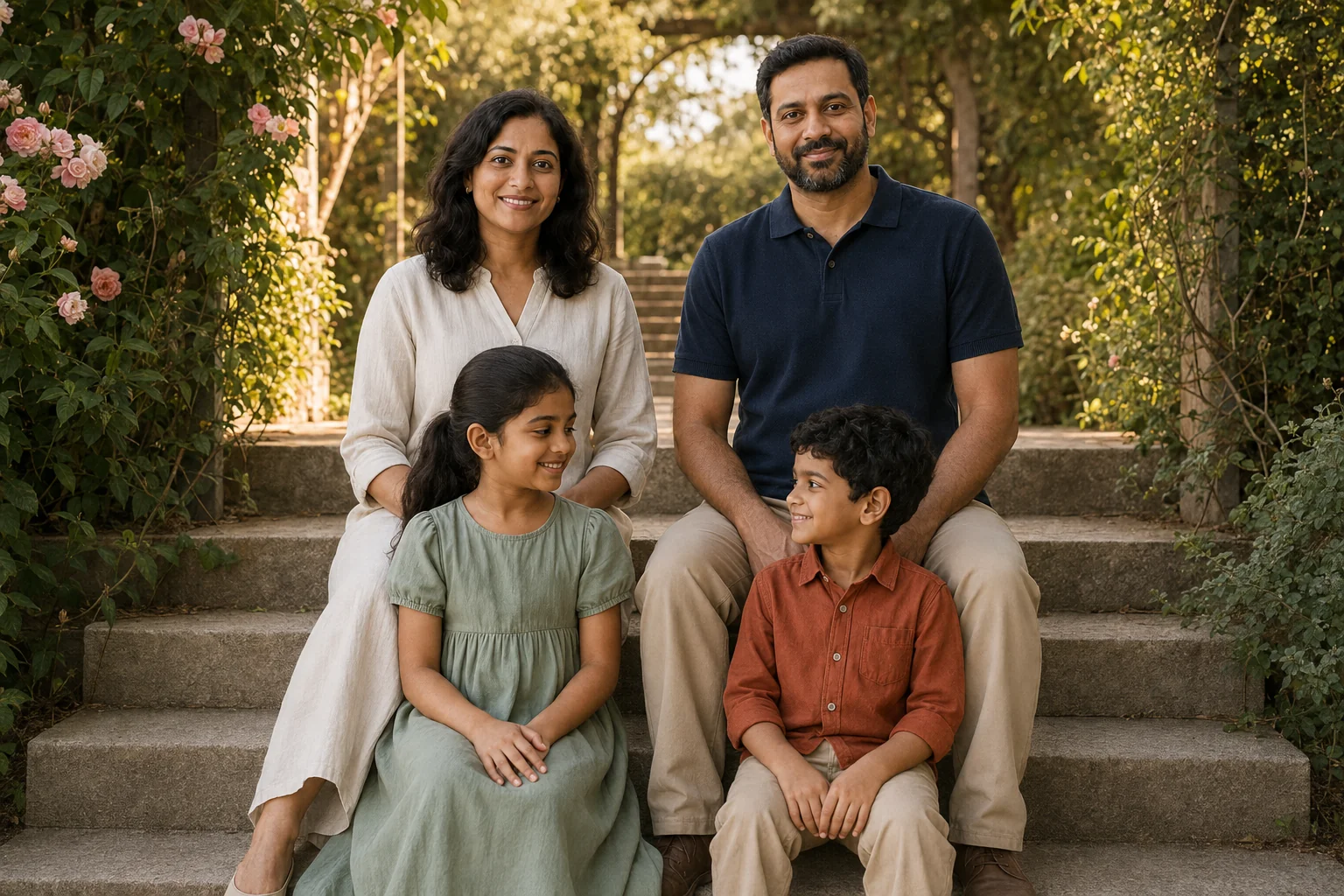
The second result follows the intended gaze more clearly. The background, seating details and facial rendering also changed, even though most prompt text stayed the same. A fresh generation does not isolate one variable perfectly.
Use the uploaded family photo as the identity reference for exactly the same four people. Preserve their distinct faces, apparent ages, skin tones and hairstyles. Photograph the family seated on broad stone garden steps in late-afternoon open shade. Mother left and father right on the upper step, daughter left and son right on the lower step, faces separated and clearly visible. Keep cream, navy, sage and rust clothing. The daughter turns her head slightly right to look at the son's face; the son turns his head slightly left to meet her gaze. Neither child looks into the camera. Show their smiles in three-quarter view, not full profile. Both parents look toward the camera. Climbing roses, soft olive foliage, warm sunlight behind the group, gentle fill on faces, 50mm environmental portrait. Landscape 3:2 with breathing room around the family. Hands on each person's own lap. No additional people, text or logos.
Fix other missed instructions one at a time
If a walking portrait looks static, replace a vague request such as "a candid walk" with a visible action: "show each person mid-step, both shoes visible, with space below their feet." If a face changes, return to the original reference and reduce the pose change before spending another attempt on decorations.
For a targeted correction, use a short instruction such as:
Keep the setting, clothes and person count. Return the faces to the original reference. Separate the two front heads, keep all four faces visible, and place each person's hands on their own lap.
This is a repair template, not a guarantee. If the model supports localized image edits, the AI image editor may provide a more suitable workflow for a small change. Inspect the result again before keeping it.
Keep the review table handy with this family-photo review checklist.
Can you combine separate family photos?
Check the selected model's upload controls first. A model that accepts several reference images can receive separate portraits, but matching their scale, light and camera angles still takes review. Describe which person belongs to each reference using the labels the tool supports.
Avoid stacking multiple conflicting selfies and expecting the model to resolve them automatically. For a first attempt, use a simple side-by-side or two-row portrait and similar source camera angles. If only one reference is supported, begin with a suitable joint photo.
Adding a relative who is absent from every reference creates an invented person. It does not recover that relative's likeness. Likewise, generating details from a very blurry older photograph is an interpretation of missing detail.
Create your family photo in HighReach
- Choose one illustrated style or group-size prompt and select Use this prompt.
- In Image Variations, upload your reference. Replace the example family count, positions and clothing with your own.
- Choose an available image model and review its reference support, output options and displayed credit cost.
- Generate a first image and compare every person against the source at full size.
- Revise the largest problem first. Keep the original reference for fresh attempts rather than repeatedly editing regenerated faces.
- Save the result you like. Add greeting-card text afterward, and review faces and resolution before printing.
The prompts are free to read and copy; generating images in HighReach uses credits. If you use a Gemini-family model, adapt the reference instructions to its controls and explore the Gemini photo prompt guide. For broader inspiration, return to the photoshoot collection.
Frequently Asked Questions
What is a good AI family photo prompt?
Describe the reference people first: their number, individual identities, apparent ages and relative positions. Then add one setting, a simple pose, clothing, lighting and framing. Include a clear instruction to keep every face visible.
How do I keep the same faces in an AI family portrait?
Start with a clear reference and keep the first pose close to it. Ask for each person's features and age cues to remain recognizable, and compare every face after generation. No wording guarantees exact identity preservation.
Can I use these family photo prompts in Gemini?
You can adapt the scene descriptions for a Gemini-family image model that supports the reference workflow you need. Check its actual upload and output controls. The examples here were generated with the built-in OpenAI image tool, so they do not demonstrate Gemini results.
How do I write a prompt for a family of three, four or five?
State the exact count and name a position for each person. A family of three can fit on one bench; a larger group may need two rows. Describe your actual relatives rather than keeping the example relationships unchanged.
What should the family wear in an AI photoshoot?
Use a small palette with individual outfits: cream, navy, sage and rust are used in this article. Describe each garment if you want a specific look. Keeping the original clothing makes an initial comparison easier.
Are all eighteen prompts illustrated?
The first eight have generated examples made from the same fictional family reference. There is also a garden revision showing a missed gaze instruction and a second attempt. Prompts 9-18 are additional directions without published outputs. Results vary with the model, reference photo and settings.
Can I print the generated family portrait?
Check the exported pixel dimensions against your intended print size, inspect each face at full resolution, and review a proof before ordering a large print. A sharp screen preview alone does not establish print quality.