Research-backed product profile
Last checked August 26, 2026
Luma AI review: Dream Machine, Ray video, Photon images, and licensing
Luma Dream Machine creates and modifies images and videos with Photon and Ray models, organized through conversational boards, references, keyframes, reframing, extension, and upscaling.
Best for
Creators exploring cinematic image and video generation in one visual workspace
Learning curve
Moderate because models, resolutions, keyframes, and credit costs vary
Platform
Web, iOS, and API
Main trade-off
High-resolution video and modification can consume credits rapidly, and commercial rights begin at Plus
About Luma AI
What the product does and where it fits
Dream Machine is Luma's creator workspace for generating images and videos rather than only an API demo. Projects live in boards, where users can prompt new ideas, animate images, create variations, modify existing footage, extend sequences, and manage related assets.
Luma's credit system changes by model, resolution, duration, HDR mode, modification, and upscale. Draft modes make exploration cheaper, while high-resolution and HDR output can consume allowances quickly. Web subscriptions and API billing are separate.
Licensing is a particularly important distinction: Free and Lite generations are watermarked and limited to personal use, while Plus, Unlimited, and Enterprise output includes commercial rights under Luma's published summary.
Ideal users
Who is Luma AI best for?
The strongest use cases for Luma AI come from teams whose production needs match its most opinionated workflows.
Visual storytellers
Build cinematic shots from prompts, images, and keyframes.
Concept artists
Generate Photon image boards and animate selected directions.
Video experimenters
Modify, reframe, extend, or upscale existing footage.
Developers
Integrate Luma models through separately billed APIs.
Capabilities
Top Luma AI features
These are the capabilities most likely to affect the buying decision and day-to-day creative workflow.
Ray video models
Generate text-to-video and image-to-video clips across draft, SDR, HDR, and higher-resolution modes.
Photon image models
Create image batches and related visual directions inside project boards.
Modify and reframe
Restyle footage, alter composition, change aspect ratio, and upscale selected clips.
Boards and references
Keep prompts, assets, iterations, and reference-driven generations together.
Creator and API products
Offers consumer workflows and a separately billed developer platform.
Create across leading video, image, and audio models in one studio
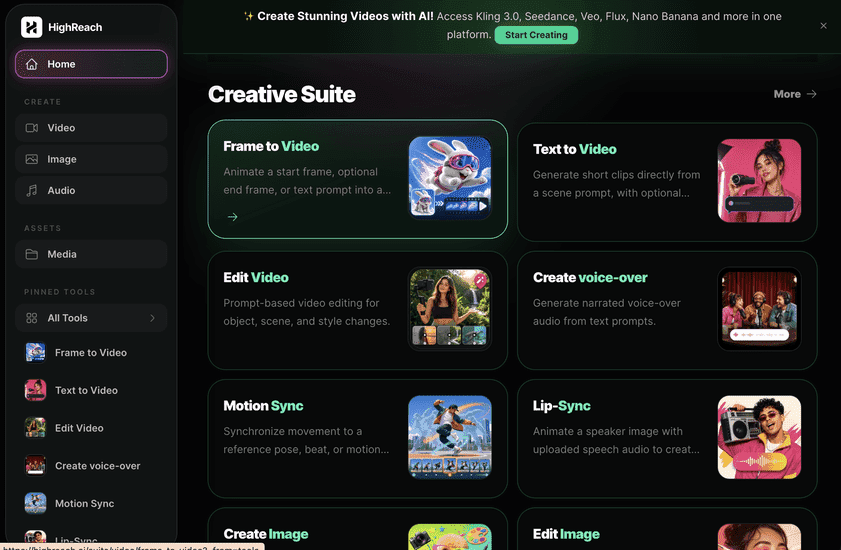
Luma AI is deepest when a team specifically wants the Dream Machine and Ray ecosystem. HighReach provides access to multiple external model families plus image and audio workflows in one account. Choose Luma for its proprietary workspace; choose HighReach for cross-model selection.
Pricing
Luma AI pricing snapshot
Free; Lite $9.99; Plus $29.99; Unlimited $94.99 monthly on web; Enterprise custom. Compare included usage, exports, storage, collaboration, and AI limits rather than choosing on headline price alone.
Free
$0
Limited Photon and Ray draft access with watermarks and personal-use licensing.
Lite
$9.99/mo
3,200 monthly credits and priority processing; watermarked, non-commercial output.
Plus
$29.99/mo
10,000 monthly credits, no watermark, commercial rights, and priority processing.
Unlimited
$94.99/mo
10,000 fast credits plus unlimited relaxed generations and commercial rights.
Enterprise
Custom
Adds organizational controls and stronger data-privacy terms.
Pricing checked August 26, 2026. Promotions, annual discounts, regional pricing, taxes, credits, and plan limits can change.
Check current pricingTrade-offs
Luma AI pros and cons
The practical strengths and limitations to consider before adopting the product for a recurring workflow.
Pros
- Strong cinematic video direction
- Images and videos share one project system
- Published credit calculator and operation costs
- Commercial rights are clearly differentiated by plan
Cons
- High-quality video can be credit intensive
- Free and Lite output is non-commercial
- Web and API credits do not transfer
- Model and mode choices add complexity
Verdict
Is Luma AI worth it?
Luma Dream Machine is a serious creative environment with useful generation and transformation controls. Buyers should model the cost of their target resolution and confirm that their plan grants the required commercial rights.
FAQ
Luma AI frequently asked questions
Short answers to the questions buyers commonly ask before choosing a creative software platform.
What is Luma AI?
Luma Dream Machine creates and modifies images and videos with Photon and Ray models, organized through conversational boards, references, keyframes, reframing, extension, and upscaling.
Is Luma AI free to use?
Yes, with draft image and video access, watermarks, and personal-use restrictions. Free-plan limits and availability can change, so confirm the current allowance on Luma AI's official pricing page before beginning a production workflow.
How much does Luma AI cost?
Free; Lite $9.99; Plus $29.99; Unlimited $94.99 monthly on web; Enterprise custom. Prices, promotions, included credits, and regional taxes can change. The pricing snapshot on this page was checked on August 26, 2026.
Who is Luma AI best for?
Luma AI is best for creators exploring cinematic image and video generation in one visual workspace. Its strongest fit depends on whether that focused workflow matters more than having broad generative image, video, and audio tools in one studio.
What is the main disadvantage of Luma AI?
High-resolution video and modification can consume credits rapidly, and commercial rights begin at Plus
How is Luma AI different from HighReach?
Luma AI is deepest when a team specifically wants the Dream Machine and Ray ecosystem. HighReach provides access to multiple external model families plus image and audio workflows in one account. Choose Luma for its proprietary workspace; choose HighReach for cross-model selection.
Research notes
Sources and disclosure
HighReach is not affiliated with Luma AI. Product names and trademarks belong to their owners. We checked official product and pricing documentation on August 26, 2026, kept factual claims separate from our assessment, and linked the sources below. Features and prices can change after that date.