✨ Create Stunning Videos with AI!Access Kling 3.0, Seedance, Veo, Flux, Nano Banana and more in one platform. Start Creating

ByteDance AI video model

Seedance 2.0, story, motion, and sound in one generation.

Build Seedance AI video from text, directed frames, image, video, and audio references. Plan connected shots, generate native sound, choose broad formats, and render up to 4K on supported HighReach workflows.

Multimodal referencesNative audioMulti-shotUp to 4K
HighReach video suiteSeedance 2.0
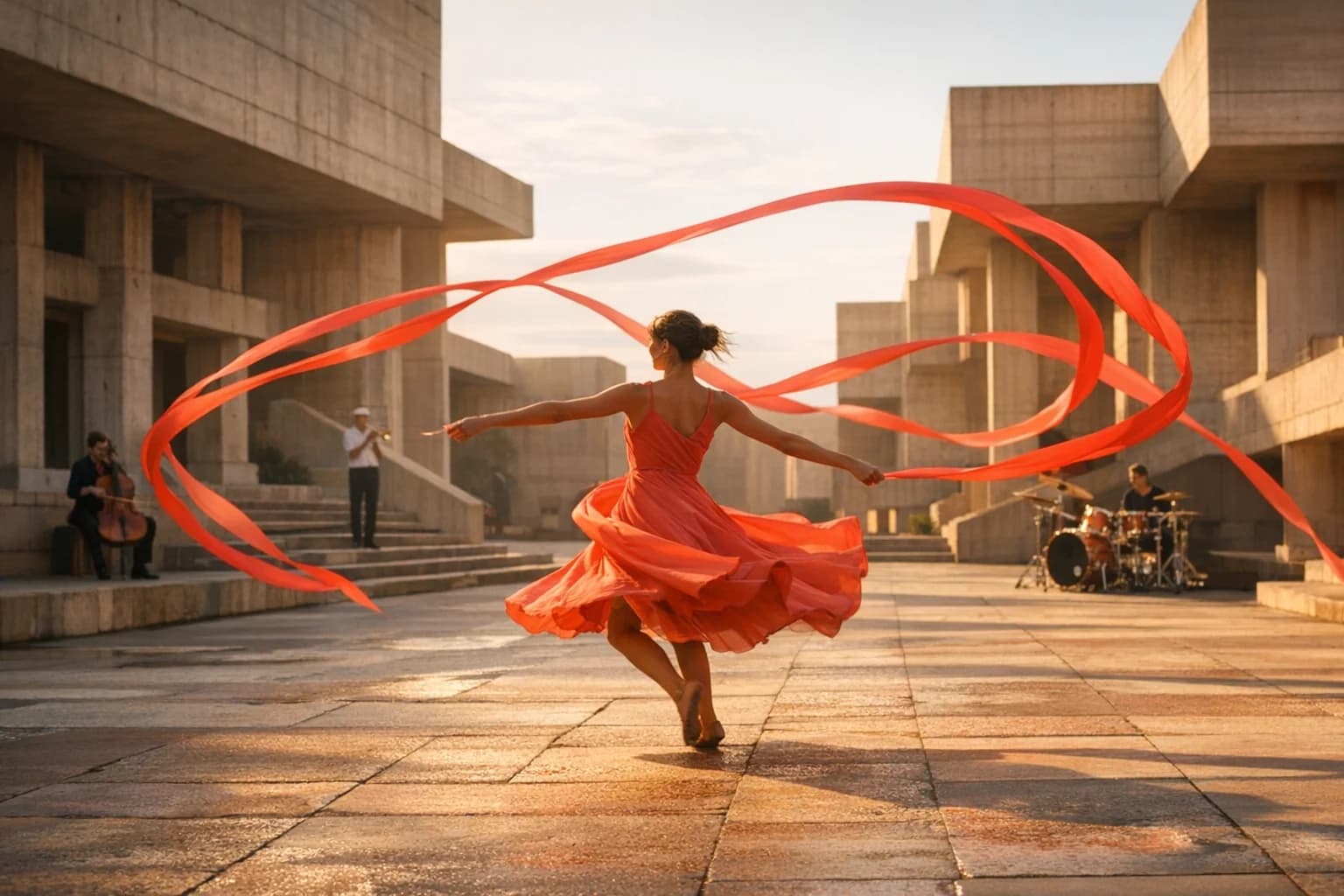
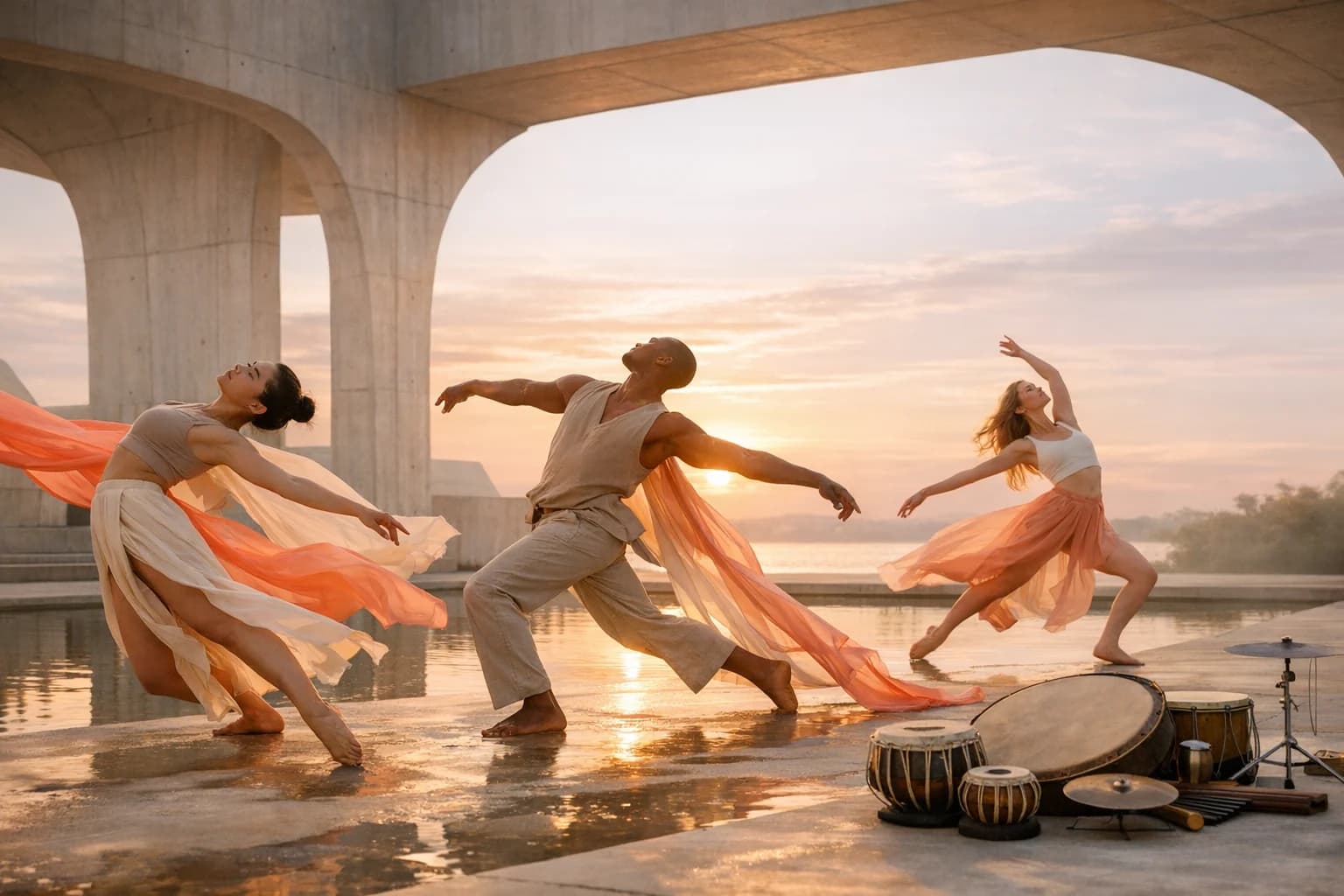
Three dancers performing in a monumental pavilion for a Seedance 2.0 video concept
Prompt direction

Three connected shots follow a synchronized dance through a monumental sunrise pavilion; coral fabric, precise footwork, changing camera distance, live drums, and natural cloth physics.

BriefGenerateReview

Input types

Text, image, video, and audio

Generation length

4-15 second clips

Formats

21:9 through 9:16

Full model output

480p, 720p, 1080p, and 4K

What is Seedance 2.0?

A unified audio-video model for complex scenes and connected stories.

Seedance 2.0 is ByteDance's multimodal video generation model, designed to combine visual direction, motion, editing rhythm, and sound in one production brief.

01

Seedance 2.0 accepts text, images, video, and audio as creative inputs. References can guide character appearance, product identity, setting, performance, camera rhythm, sound, or the structure of a sequence.

02

The model is built for stable motion, stronger physical interaction, precise camera and lighting direction, multi-shot continuity, and synchronized audio-video generation across clips up to 15 seconds.

03

HighReach includes the full and Fast generation endpoints, dedicated reference workflows, and video extension, with flexible aspect ratios and resolution options that cover concept drafts through high-resolution delivery.

Seedance 2.0 capabilities

Direct the shot with more than a one-line prompt.

Use Seedance 2.0 as part of a complete AI video workflow in HighReach, from the first reference frame to final output review.

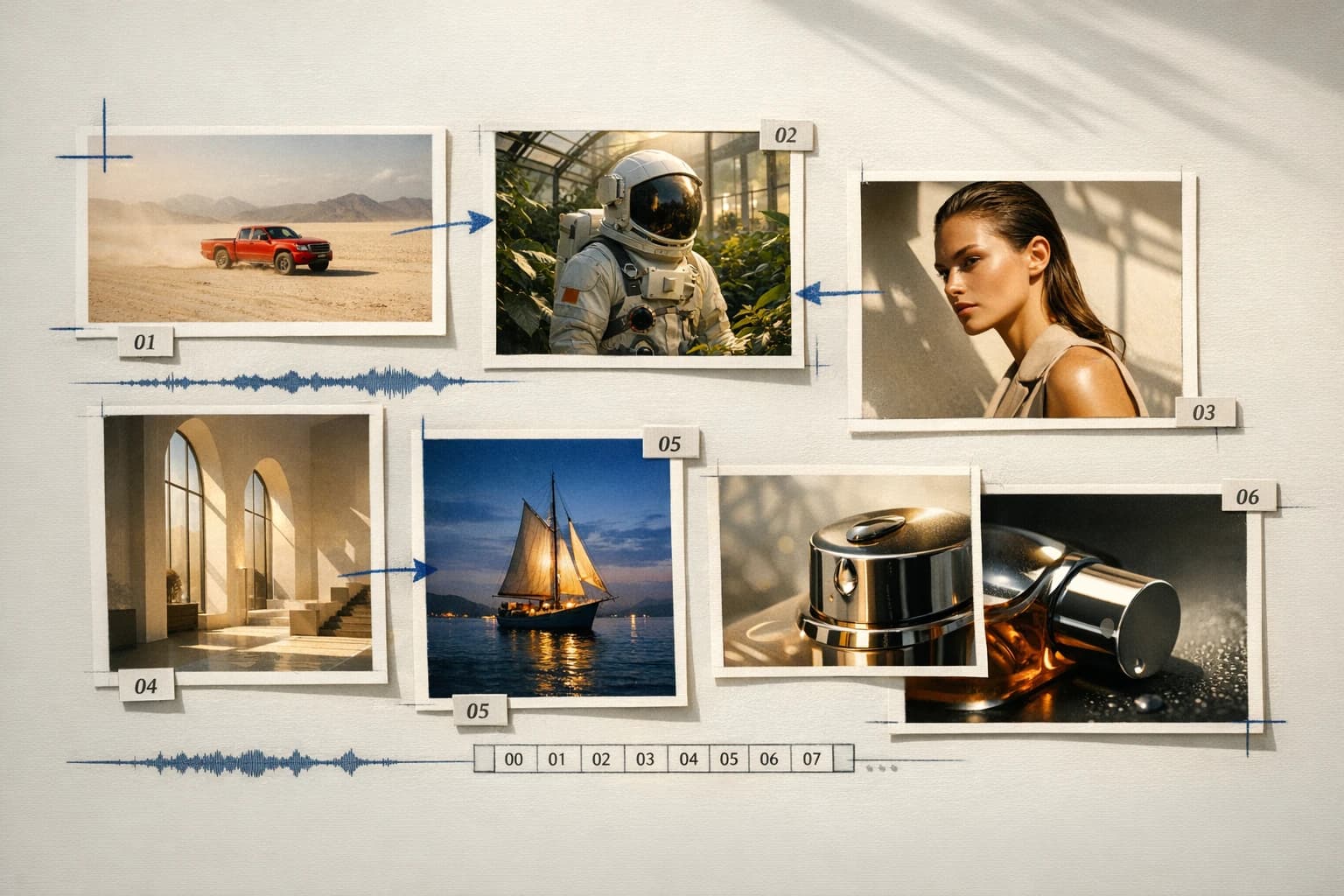
Reference board combining images, scenes, and audio for Seedance 2.001

Multimodal references

Assign identity, motion, pacing, and sound separately.

Combine up to nine images with supported video and audio references. Tell Seedance what each file controls so product accuracy, character identity, camera rhythm, and soundtrack have distinct anchors.
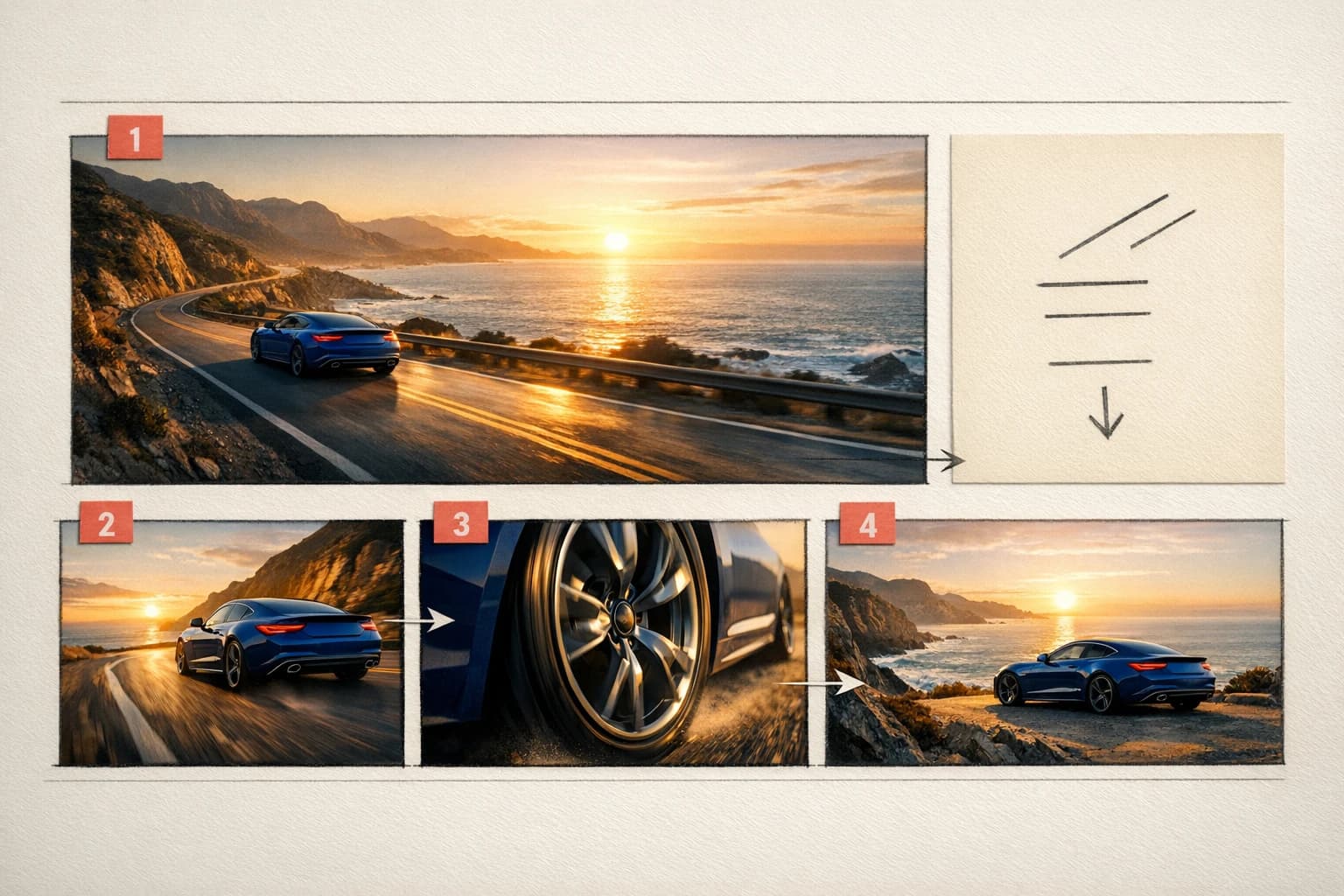
Multi-shot storyboard for a Seedance 2.0 AI video02

Multi-shot narrative

Create progression, not only movement.

Write connected beats with timing and transitions. Seedance can move from an establishing shot to action, reaction, and a final reveal while maintaining a more coherent visual and narrative thread.

Dance performance with live drums for a synchronized Seedance audio-video concept03

Joint audio-video generation

Direct what the audience hears as well as sees.

Include ambience, dialogue, effects, musical energy, and intentional silence in the same brief. Supported Seedance workflows generate native sound alongside the moving image.

Directed multi-shot dance sequence demonstrating Seedance 2.0

Connected production

Brief, generate, compare, and refine without losing the creative thread.

How it works

Build the scene as a sequence of visual and audio decisions.

Seedance performs best when every input has a role and every shot has a purpose. HighReach keeps those references, controls, and generations in one connected workspace.

01

Choose generation or reference mode

Start from text or a frame, or open a reference workflow when multiple images, videos, and audio files must guide the result.

02

Map every reference to a job

Identify which asset controls the character, product, setting, action, camera language, soundtrack, or edit rhythm.

03

Write a timed shot sequence

Give each beat an action, camera position, lighting cue, transition, sound direction, and approximate duration.

04

Choose speed and delivery quality

Use Fast for 480p or 720p drafts, or the full model for supported output through 4K, then review continuity and sound.

Generate with Seedance 2.0

Model lineup in HighReach

Move from fast draft to reference-rich final output.

Seedance endpoints cover direct generation, lower-cost iteration, multimodal reference control, and continuation of an existing shot.

Full generation

Seedance 2.0

01

The higher-resolution text and image workflow for directed scenes, optional end frames, native audio, and multi-shot production.

  • 4-15 second generations
  • 480p through 4K where supported
  • Broad cinematic and social formats

Rapid drafting

Seedance 2.0 Fast

02

A faster, lower-credit route for testing prompts, motion, composition, and story structure before a higher-resolution render.

  • 480p and 720p output
  • Text and image workflows
  • End frame, multi-shot, and audio controls

Multimodal control

Seedance 2.0 Reference

03

A dedicated workflow for combining visual, motion, and sound references into one explicit creative direction.

  • Up to 9 image references
  • Supported video and audio references
  • Identity, motion, rhythm, and sound guidance

Continue a clip

Seedance 2.0 Extend

04

Develop the next moment from an existing source video while asking the model to preserve established visual and audio continuity.

  • Source-video continuation
  • Prompt-directed next action
  • Continuity-focused workflow

Prompt playbook

Write better Seedance 2.0 prompts.

A useful prompt behaves like a compact director's brief. Give every detail a job instead of stacking visual adjectives.

Treat images, videos, and audio files as named production references, not a loose mood board.
Give every shot one primary action, one camera behavior, and an approximate duration.
Describe the audio arc with ambience, effects, dialogue, music, and silence as separate layers.
Repeat critical continuity rules for faces, wardrobe, products, lighting, and location across transitions.

Multi-shot performance

01

Write the edit into the brief

Shot 1, 4 seconds: wide sunrise pavilion as three dancers enter in synchronized steps. Shot 2, 6 seconds: low tracking camera moves beside the lead dancer; coral fabric responds naturally to turns. Shot 3, 5 seconds: close circular move around all three as drums reach a clean final beat. Preserve faces, wardrobe, architecture, and morning light.

Reference-led campaign

02

Give each file a production role

Use @Image1 for the exact product, @Image2 for the limestone set, @Image3 for color and wardrobe, @Video1 for camera pacing, and @Audio1 for edit rhythm. Build three connected product shots with accurate label detail, realistic contact shadows, restrained movement, and a clean final hero frame.

Native audio

03

Design a sound arc

A quiet coastal kitchen before sunrise. Begin with room tone and distant waves. As the kettle steams, add a soft ceramic cup placement and subtle fabric movement. No music for the first six seconds; introduce one warm sustained note during the final window-light reveal. No dialogue.

Choose the right model

Compare Seedance 2.0 with other leading video models.

No single model is best for every shot. Move between model families while keeping your source frames and production workflow in HighReach.

Gemini Omni Flash AI video model previewGoogle

Gemini Omni Flash

Best for Rapid reference-led iteration

Fast multimodal video generation with image references and conversational creative direction.

Explore Gemini Omni Flash
Kling 3.0 AI video model previewKuaishou

Kling 3.0

Best for Directed camera and character motion

Cinematic text and image animation with start/end frames, multi-shot timing, audio, and motion control.

Explore Kling 3.0

Production notes

What to check before the final export.

Check 01

Review multi-subject identity and small character details across every shot transition.

Check 02

Complex physical interactions, hands, contact points, and fast motion can still require regeneration.

Check 03

Native audio may contain distortion, unclear dialogue, or sounds that do not align perfectly with the visible action.

Check 04

Readable text, logos, packaging, and fine product geometry should be checked at full resolution before publishing.

Seedance 2.0 FAQ

Questions before you generate.

Practical answers about Seedance 2.0, available HighReach workflows, output controls, and prompt direction.

01What is Seedance 2.0?

Seedance 2.0 is ByteDance's unified multimodal audio-video generation model. It can use text, images, video, and audio references to guide appearance, motion, camera, pacing, story structure, and synchronized sound.

02Can I use Seedance 2.0 in HighReach?

Yes. HighReach includes Seedance 2.0, Seedance 2.0 Fast, dedicated reference workflows, and Seedance video extension.

03Can Seedance generate video from an image?

Yes. Upload a starting frame in HighReach Frame to Video. Compatible Seedance workflows also accept an optional end frame to guide the final composition.

04How many references can Seedance 2.0 use?

The dedicated HighReach reference workflow supports up to nine images plus supported video and audio references. Clearly state what each file should control.

05Does Seedance 2.0 generate audio?

Yes. Supported Seedance 2.0 workflows include native audio generation. Describe ambience, effects, dialogue, music, and silence in the prompt, then review synchronization before publication.

06What resolution does Seedance 2.0 support?

The full Seedance 2.0 workflow in HighReach exposes 480p, 720p, 1080p, and 4K where supported. Seedance 2.0 Fast focuses on 480p and 720p output.

07How long can a Seedance 2.0 video be?

HighReach currently exposes 4-15 second generation for Seedance 2.0. A separate Extend Video workflow can continue an existing clip.

08What is the difference between Seedance 2.0 and Kling 3.0?

Seedance 2.0 emphasizes multimodal references, broad formats, native audio, multi-shot stories, and high-resolution options. Kling 3.0 is a strong choice for cinematic motion, start/end frame control, 3-15 second 720p output, and dedicated motion-control variants.

09What is the difference between Seedance 2.0 and Gemini Omni Flash?

Seedance 2.0 supports longer clips, broad aspect ratios, multi-shot and audio controls, and output through 4K where available. Gemini Omni Flash is a faster, focused option for short 720p clips guided by a starting frame and up to ten image references.

Seedance 2.0 in HighReach

Build the story, the motion, and the soundtrack together.

Bring your shot list and references into HighReach, choose the Seedance workflow that fits the production, and generate from fast drafts through high-resolution final concepts.