Nikhil
ChatGPT is still one of the strongest general-purpose AI assistants. It can research, write, analyze files, help with code, create images, and handle many everyday tasks in one place. But that does not make it the best choice for every person or every workflow.
Some alternatives are better suited to source-heavy web research. Others fit more naturally into Google Workspace or Microsoft 365, give you access to several model providers, emphasize long-form writing, or offer capable free access for technical work.
So the useful question is not simply, “What is the best ChatGPT alternative?” It is:
Which ChatGPT alternative removes the most friction from the work you do repeatedly?
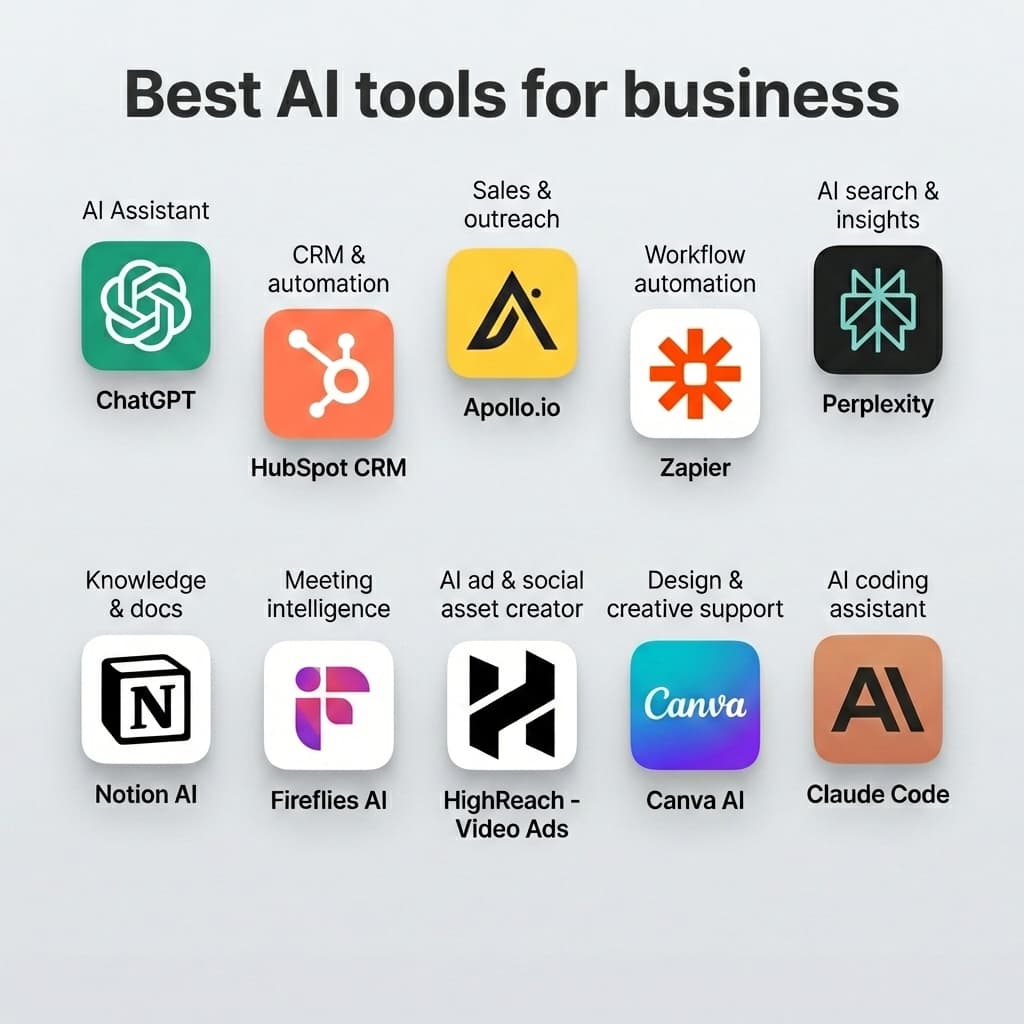
For most people, the shortlist is straightforward: start with Claude for a close general-purpose alternative, Perplexity for research, Gemini for Google apps, or Microsoft Copilot for Microsoft 365. The other tools in this guide become compelling when you need real-time X context, multiple model families, a European AI provider, or free technical experimentation.
The best ChatGPT alternatives in 2026 at a glance
| ChatGPT alternative | Best for | Free access | Paid entry point* | Main trade-off |
|---|---|---|---|---|
| Claude | Writing, coding, and complex document work | Yes | Pro: $20/month | Smaller all-in-one media ecosystem than ChatGPT |
| Google Gemini | Gmail, Docs, Drive, and Google users | Yes | Google AI Pro: $19.99/month | Most valuable when you already use Google products |
| Perplexity | Web research and answers with visible sources | Yes | Pro: $20/month | Less natural for open-ended creation and long projects |
| Microsoft Copilot | Word, Excel, PowerPoint, and Outlook | Yes | Microsoft 365 Personal: $9.99/month | Standalone chat is less differentiated than its app integrations |
| DeepSeek | Free technical reasoning and coding experiments | Yes | Consumer chat is free | Privacy and jurisdiction require careful review |
| Grok | Current web and X-related conversations | Yes | SuperGrok: $30/month | Live social content can be noisy or unreliable |
| Mistral Vibe | European AI, connected work, and model flexibility | Yes | Pro: $14.99/month | Smaller consumer ecosystem than the largest providers |
| Poe | Trying several AI model families in one interface | Yes | Plans start around $4.99/month | Point-based limits and fewer first-party features |
*Public U.S. prices checked on August 26, 2026. Taxes, annual discounts, regional availability, features, and usage limits vary. Always verify the current plan before subscribing.
Quick recommendations
- Best overall ChatGPT alternative: Claude
- Best for Google Workspace: Google Gemini
- Best for research with sources: Perplexity
- Best for Microsoft 365: Microsoft Copilot
- Best free technical option: DeepSeek
- Best for X and fast-moving online conversations: Grok
- Best European alternative: Mistral Vibe
- Best for accessing multiple AI models: Poe
How we chose these alternatives
There are hundreds of products marketed as AI assistants. Many are narrow tools or thin interfaces over the same underlying models. We limited this guide to products that provide a meaningful reason to use them instead of—or alongside—ChatGPT.
We compared each option using six practical criteria:
- Everyday answer quality: Can it follow instructions, explain ideas clearly, and handle multi-step work?
- Writing and coding usefulness: Does it help with real drafts, documents, code, and revisions rather than one-off demos?
- Research and recency: Can it access current information, and does it make sources easy to inspect?
- Workflow fit: Does it connect to the documents, email, files, or social sources you already use?
- Price and access: Is there a useful free version, and does the paid plan justify its limits?
- Privacy and control: What should a user consider before uploading sensitive or proprietary material?
We deliberately did not rank these products by a single benchmark score. Models change quickly, benchmark results can be optimized, and a small score difference rarely tells you which product will save the most time in your actual workflow.
1. Claude: best overall ChatGPT alternative
Claude is the closest direct alternative for someone who wants another general-purpose assistant rather than a specialized search or office tool.
Its strongest use cases are writing, coding, document analysis, and projects that involve a large amount of context. Claude is particularly comfortable when you provide a detailed brief, a long draft, several files, or an extended conversation and expect it to preserve the structure and constraints.
Where Claude stands out
- Editing, restructuring, and rewriting long documents
- Following detailed tone and formatting instructions
- Analyzing reports, specifications, and uploaded files
- Explaining, reviewing, and generating code
- Working through multi-step professional tasks
- Organizing ongoing work in Projects
Anthropic's current Claude plans include a free tier. Claude Pro costs $20 per month when billed monthly, or $17 per month when paid annually, and adds more usage plus features such as Research, Projects, Claude Code, and supported connections.
Claude vs. ChatGPT
The difference is smaller than many comparison pages imply. Both are broad assistants capable of writing, research, file work, and coding.
Claude is the better first alternative to try when most of your work is text, code, or long documents. ChatGPT may remain the better fit when you value the widest collection of media, voice, creation, and connected work capabilities in one product.
Choose Claude if: you want a close general-purpose replacement and your most important tasks involve writing, coding, analysis, or sustained work with long context.
2. Google Gemini: best for Google Workspace
Google Gemini becomes most useful when your work already lives in Gmail, Google Docs, Drive, and the rest of Google's ecosystem.
That integration is the real differentiator. An assistant inside the application that already contains your email or document can be more valuable than a marginally better model in a separate browser tab. It reduces the repetitive process of copying context into a chatbot and moving the result back into your work.
Where Gemini stands out
- Drafting and summarizing in Gmail and Docs
- Working with files stored in Google Drive
- Research through Google's search ecosystem
- Image, audio, video, and other multimodal inputs
- Large files and mixed-media context
- Users who already pay for Google storage or Workspace
Google offers free Gemini access. Its Google AI plans add higher limits and deeper integrations. In the U.S., Google AI Pro is listed at $19.99 per month and includes expanded Gemini access, Gemini in Gmail and Docs, and additional AI features across Google products.
Gemini vs. ChatGPT
ChatGPT is often the more neutral all-purpose workspace. Gemini's advantage becomes much clearer when the information and applications you need are already inside Google.
Choose Gemini if: Gmail, Docs, Drive, Search, and Google's broader ecosystem are central to your day.
3. Perplexity: best for web research and visible sources
Perplexity is best understood as an answer engine: part conversational assistant, part search and research interface.
Its defining feature is not that it can never be wrong. It is that sources are placed close to the answer, making it easier to inspect the evidence, open the original page, and notice when a citation does not actually support a claim.
That makes Perplexity especially useful for researching:
- Companies and markets
- Products and purchasing decisions
- Current events
- Academic and technical topics
- Travel planning
- Competitors and industry trends
- Questions where the source matters as much as the summary
Perplexity's Pro plan costs $20 per month or $200 per year. It adds higher limits, advanced research features, file analysis, and access to several model options. The free version remains useful for ordinary searches.
Perplexity vs. ChatGPT
ChatGPT also supports web search and research, so this is no longer a simple “one browses and one does not” comparison.
The practical difference is emphasis. Perplexity feels search-first: it encourages you to follow citations and refine a research trail. ChatGPT feels assistant-first: it is often more natural for transforming research into a draft, plan, analysis, or creative output.
Choose Perplexity if: many of your prompts begin with “find,” “research,” “compare,” “what changed,” or “show me the sources.”
4. Microsoft Copilot: best for Microsoft 365
Microsoft Copilot is most compelling as an AI layer across Word, Excel, PowerPoint, Outlook, and other Microsoft products.
If your work already happens in those applications, integration can matter more than small differences in model behavior. Asking for help inside a spreadsheet or presentation is usually more convenient than exporting the content, uploading it to another assistant, and then moving the answer back.
Where Copilot stands out
- Drafting and revising in Word
- Exploring or explaining data in Excel
- Building and refining PowerPoint presentations
- Summarizing and drafting email in Outlook
- Working inside an existing Microsoft 365 subscription
- Business environments already centered on Microsoft accounts and files
Microsoft's consumer plan page lists Microsoft 365 Personal at $9.99 per month or $99.99 per year, with Copilot available in the desktop versions of Word, Excel, PowerPoint, and Outlook. Availability and usage allowances vary by account and plan.
Copilot vs. ChatGPT
If you only need a standalone chatbot, Copilot is less differentiated. Its clearest advantage appears when the AI is embedded directly in the Microsoft applications where the work happens.
Choose Copilot if: Word, Excel, PowerPoint, and Outlook are already your primary work environment.
5. DeepSeek: best free option for technical experimentation
DeepSeek is a capable option for users who prioritize free access, technical reasoning, long context, and coding-oriented work. Its official consumer site currently provides free access to its chat product, while developers can also use its models through an API.
DeepSeek is worth considering for:
- Programming and code explanation
- Mathematics and technical questions
- Long documents and large context
- Step-by-step problem solving
- Developers evaluating alternative model providers
- Users who want to experiment before paying for a subscription
The privacy trade-off deserves attention
DeepSeek's own privacy policy says its consumer services are controlled by Hangzhou DeepSeek Artificial Intelligence Co., Ltd. in China. It also states that the service may collect prompts, uploaded files, photos, chat history, device information, and related usage data. The policy provides account and training controls, but jurisdiction and organizational requirements may still make the service unsuitable for sensitive work.
This does not mean other AI products should automatically be trusted with confidential material. It means you should make the decision deliberately instead of treating “free” as the only criterion.
DeepSeek vs. ChatGPT
DeepSeek can be attractive for individual technical tasks and free experimentation. ChatGPT provides a broader, more polished general-purpose product and a larger collection of integrated workflows.
Choose DeepSeek if: you want free technical or coding assistance and have reviewed its data practices. Do not upload confidential client information, proprietary code, credentials, or regulated data without an approved organizational policy.
6. Grok: best for X and fast-moving online conversations
Grok, built by xAI, is differentiated by its access to real-time web and X search. That makes it useful when the conversation itself is the subject: breaking news reactions, developing narratives, product launches, or topics spreading across X.
Where Grok stands out
- Exploring current discussions on X
- Following fast-moving online topics
- Comparing reactions to news or announcements
- Web research where recent social context matters
- General chat, code, files, image creation, and voice
xAI offers free Grok access. Its current pricing page lists SuperGrok at $30 per month, with higher limits and additional capabilities on more expensive tiers.
Grok vs. ChatGPT
For structured writing, careful professional work, and general productivity, ChatGPT or Claude may feel more natural. Grok becomes meaningfully different when live public conversation—especially on X—is part of the information you need.
That live feed is also a risk. Popular posts, coordinated campaigns, rumors, and confident speculation are not the same as verified facts. Treat social content as leads to investigate, not evidence by itself.
Choose Grok if: real-time X and web context is central to your use case, and you are prepared to verify important claims independently.
7. Mistral Vibe: best European ChatGPT alternative
Mistral Vibe is the current name for Mistral's AI assistant and agent for work and code, combining products previously associated with Le Chat and Mistral's coding tools.
For an individual user, the core experience is familiar: chat, create content, research, work with files, and connect external tools. Its more distinctive value appears for European organizations, developers comparing providers, and teams interested in deployment or data-control options outside the largest U.S. AI ecosystems.
Where Mistral Vibe stands out
- A European AI provider and model ecosystem
- Work and coding assistance in one product family
- Enterprise search and connected knowledge
- More than 100 listed connectors and support for MCP connections
- Options for developers and organizations evaluating different deployment models
- Multilingual work
Mistral provides a free tier. Its public pricing page lists Vibe Pro at $14.99 per month, with separate team and enterprise options.
Mistral Vibe vs. ChatGPT
ChatGPT has the larger consumer ecosystem. Mistral becomes more interesting when provider location, connectors, deployment choices, or access to Mistral's own model family matters to your organization.
Choose Mistral Vibe if: you want a European AI provider or need to evaluate a connected work-and-code assistant outside the dominant U.S. platforms.
8. Poe: best for using multiple AI models in one app
Poe takes a different approach from a single-provider assistant. It provides access to models and bots from multiple companies through one interface.
That is useful because no model wins every task. You may prefer one model for editing, another for code, and a third for a difficult research or reasoning prompt. Poe makes comparison easier without requiring a separate workflow for every provider.
Where Poe stands out
- Comparing answers from different model families
- Trying newly released models in one place
- Creating and using specialized bots
- Giving casual power users one multi-model interface
- Avoiding several separate subscriptions during exploration
Poe offers free usage and point-based subscriptions. Its purchase FAQ says plans start at $4.99 per month, while the number of messages you receive depends on the compute-point cost of the selected model.
Poe vs. ChatGPT
Poe is better for breadth across providers. A first-party product such as ChatGPT, Claude, or Gemini can be better for depth because third-party aggregators may not include every native feature, integration, memory system, or newly released workflow.
Choose Poe if: comparing and switching among models matters more than committing deeply to one provider's ecosystem.
Which ChatGPT alternative is actually best?
There is no honest universal winner. The right answer changes with the job:
| If your priority is... | Start with... | Why |
|---|---|---|
| A close general-purpose replacement | Claude | Strong fit for writing, code, files, and complex instructions |
| Research with inspectable sources | Perplexity | Search-first experience with citations near the answer |
| Gmail, Docs, and Drive | Gemini | Native fit with Google's ecosystem |
| Word, Excel, PowerPoint, and Outlook | Copilot | AI is embedded where Microsoft work happens |
| Free technical experimentation | DeepSeek | Capable free consumer access, with a privacy trade-off |
| Live X and web conversations | Grok | Real-time web and X context |
| A European provider | Mistral Vibe | European model ecosystem and connected work tools |
| Several model providers in one app | Poe | Easy model comparison through a shared interface |
For many people, the best setup is not a full replacement. It is a two-tool workflow:
- ChatGPT + Perplexity for general work and source-heavy research
- Claude + ChatGPT for document work, code, and broader creative capabilities
- Gemini + ChatGPT when your files and communication live in Google Workspace
- Copilot + ChatGPT when most work happens inside Microsoft 365
- Poe + one first-party assistant when you want to explore models without losing native features
Free ChatGPT alternatives
Every product in this guide offers some form of free access, but “free” rarely means unrestricted access to every feature.
Common limits include:
- Fewer messages or lower daily usage
- Limited access to the newest or most expensive models
- Fewer research queries
- Smaller file-upload allowances
- Lower image, audio, or video limits
- Slower service during periods of high demand
- No access to certain integrations or organizational controls
The free tier is usually enough to learn whether the interface and output style fit your work. Avoid paying based on a feature checklist alone; first run the same real tasks through two or three candidates.
A five-task test to choose your AI assistant
Instead of asking each product a trivia question, test the work you actually do. Use the same inputs, remove confidential information, and score the outputs from 1 to 5.
Task 1: revise a real draft
Provide a rough email, article section, proposal, or brief. Specify the audience, tone, length, facts that must remain, and wording to avoid. Measure how much editing the answer still needs.
Task 2: research a disputed or current question
Ask for a concise answer supported by five primary sources. Check whether every link opens and whether each source actually supports the sentence attached to it.
Task 3: analyze a representative file
Upload a redacted PDF, document, or spreadsheet. Ask for a specific decision or summary, then verify the calculations and references against the source.
Task 4: complete a technical or structured task
Use a real coding problem, formula, content schema, or multi-step plan. See whether the assistant follows the required format and catches its own assumptions.
Task 5: continue through several follow-ups
Correct one assumption, add a new constraint, and request a revision. This reveals whether the assistant preserves context or slowly drifts away from the brief.
Score each tool on accuracy, instruction following, source quality, editing time, workflow convenience, and cost. The best assistant is the one that produces trustworthy work with the least correction—not necessarily the one that writes the most impressive first paragraph.
Privacy questions to ask before uploading work
No consumer AI service should automatically be treated as an approved place for confidential information.
Before uploading customer records, source code, financial data, contracts, medical information, or internal documents, check:
- Is your input used to train or improve models, and can you opt out?
- How long are prompts, uploads, and outputs retained?
- Where is the service operated and where can data be processed?
- Does the business or enterprise plan provide different controls?
- Can administrators manage access, retention, and connected apps?
- Does your employer or client already have an approved AI policy?
The correct answer may differ between a free consumer account and a business plan from the same provider. Check the current policy for the exact product and account type you intend to use.
Frequently Asked Questions
What is the best alternative to ChatGPT?
Claude is the strongest starting point for someone seeking a close general-purpose ChatGPT alternative. Perplexity is better suited to source-heavy research, Gemini to Google Workspace, and Microsoft Copilot to Microsoft 365. The best choice depends on your repeated workflow rather than a universal ranking.
What is the best free ChatGPT alternative?
There is no single best free option. Claude and Gemini are good general assistants, Perplexity is useful for research, and DeepSeek is attractive for technical work. Free limits change frequently, so use the free plans to compare your own tasks before subscribing.
Which AI is better than ChatGPT for research?
Perplexity is one of the best alternatives when you want web research with sources placed directly beside the answer. ChatGPT also has search and research capabilities, so compare the accuracy of citations and the usefulness of the resulting synthesis on your own subject.
Which ChatGPT alternative is best for writing?
Claude is a strong choice for long-form writing, editing, and detailed instructions. However, the quality of the brief and the amount of human editing still matter more than choosing a model from a generic writing benchmark.
Which ChatGPT alternative is best for coding?
Claude, Gemini, DeepSeek, and several other tools can all help with code. The best choice depends on repository access, tool integrations, context limits, privacy requirements, and whether the assistant can run and verify changes—not just generate a plausible code block.
Is there an AI better than ChatGPT?
Yes, for specific tasks. Perplexity can offer a better source-first research experience, Gemini can be more convenient inside Google apps, and Copilot can fit Microsoft 365 more naturally. No alternative is clearly better at every task.
Are ChatGPT alternatives safe?
They can be appropriate for ordinary use, but no service should automatically receive confidential data. Review its privacy policy, model-training choices, retention controls, connected-app permissions, and business security terms before submitting sensitive information.
Should I replace ChatGPT or use two AI tools?
For many users, two specialized tools work better than forcing one assistant to do everything. Keep ChatGPT or Claude for general creation and pair it with Perplexity for research, Gemini for Google Workspace, or Copilot for Microsoft 365.
Final verdict
The best ChatGPT alternative in 2026 is not the product with the longest feature list. It is the one that fits your workflow and produces reliable work with the least correction.
For a close general-purpose alternative, start with Claude. Choose Gemini if you live in Google's ecosystem, Perplexity if your work begins with research, and Microsoft Copilot if your day revolves around Microsoft 365. Use Grok for live X context, Poe for multi-model access, Mistral Vibe when a European provider matters, and DeepSeek for free technical experimentation after reviewing its privacy terms.
Do not switch because a model won one benchmark or because a comparison page listed 25 products. Take five redacted tasks you perform every week, run them through the two most relevant options, verify the results, and keep the assistant that consistently saves you the most time.