 01
01Concept generation
Explore a composition from scratch.
Describe subject placement, materials, light and the space reserved for copy. Generate a campaign concept before committing to final artwork.
✨ Create Stunning Videos with AI! Access Kling 3.0, Seedance, Veo, Flux, Nano Banana and more in one platform. Start Creating
Grok Imagine Image 2.0 adds another image model to compare on the same creative brief. Its pricing is easier to anticipate than token-priced generation, although editing still adds a charge for each input image.
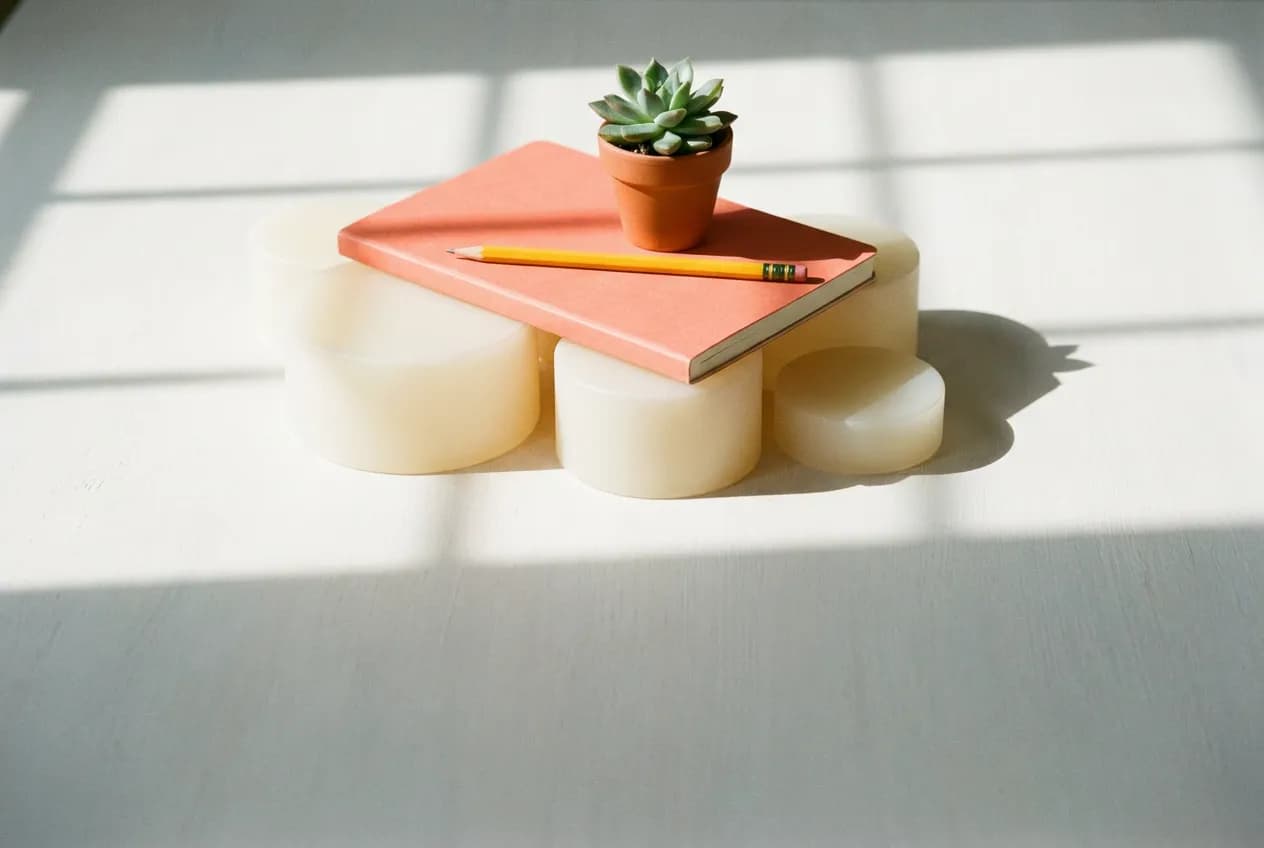
A bright editorial still life of a notebook, pencil and small desk plant. Warm cream background, soft window shadows, plenty of empty space in the upper half for a headline. No text in the image.
Illustrative artwork generated with Nano Banana Pro via fal. Not a sample output or benchmark of this model. Supporting imagery is illustrative too.
Output
1K or 2K
Quality
Low or medium
Tasks
Text-to-image and instruction-based editing
HighReach references
Up to five input images
Why Grok Imagine Image 2.0?
A practical creative workflow for quick campaign concept variants and more.
Grok Imagine Image 2.0 adds another image model to compare on the same creative brief. Its pricing is easier to anticipate than token-priced generation, although editing still adds a charge for each input image.
Useful starting points include quick campaign concept variants, instruction-led image changes, comparing styles against existing image models. Choose one specific outcome for the first pass.
The controls below describe what is available in HighReach, not every option in the underlying API. The integration does not support painted area masks. Use an instruction edit or choose a mask-capable model.
Grok Imagine Image 2.0 capabilities
Explore what Grok Imagine Image 2.0 supports in HighReach, with controls and limits that match the current integration.
01Concept generation
Describe subject placement, materials, light and the space reserved for copy. Generate a campaign concept before committing to final artwork.
 02
02Reference editing
Create Image accepts up to five references; the dedicated editor uses one source. Describe the change and the details that must remain unchanged.
 03
03Clear choices
Choose low or medium quality at 1K or 2K. Image inputs add a per-reference charge to editing, so a simple output price is not the whole quote.
Connected production
Brief, generate, compare, and refine without losing the creative thread.
How it works
Prepare the brief, choose the controls that matter, then review a small first pass before a larger production run.
Draft a square or campaign-format image at 1K.
Compare low and medium quality on the same prompt.
Add references for a revision and review the updated credit estimate before submitting.
Model lineup in HighReach
Open the right tool with the model already selected. Check the live settings and credit estimate before submitting.
Create a Grok image
Create an original visual from a written brief.
Edit an image
Make a written revision to a source image.
Plan your generation
Normal pricing. No temporary launch discount built into your quote.
Normal output rates: 1K low $0.04, 1K medium $0.06, 2K low $0.06, 2K medium $0.08. Editing adds $0.01 per input image, per output. HighReach applies its image margin to the total.
Credits include HighReach's service margin. The tool recalculates the estimate for your settings and references. Actual token usage and output length can differ from an estimate.
Compare HighReach plans →Example credit estimate
200
credits
One 1K medium-quality image without references
This configuration only—not an unlimited plan or a guaranteed price for every result.
Check your settings →Prompt playbook
A useful prompt behaves like a compact director's brief. Give every detail a job instead of stacking visual adjectives.
Starting brief
01A bright editorial still life of a notebook, pencil and small desk plant. Warm cream background, soft window shadows, plenty of empty space in the upper half for a headline. No text in the image.
Another direction
02Keep the arrangement and perspective of the source image. Change the background to warm ivory and the notebook cover to muted coral. Preserve the pencil, plant, shadows and object proportions. No added text.
Choose the right model
No single model is best for every brief. Compare the controls, cost and results that matter for your production workflow.
 OpenAI
Explore product concepts with written art direction
Generate and edit images with GPT Image 2.5 Flare and Sunburst in HighReach. Compare quality controls, reference inputs and token-based pricing.
Explore GPT Image 2.5Production notes
Check 01
The integration does not support painted area masks. Use an instruction edit or choose a mask-capable model.
Check 02
Create Image accepts up to five references; the dedicated editor accepts one source image. Existing Grok jobs retain their original endpoint.
Check 03
Reference consistency and exact text still need human review.
Grok Imagine Image 2.0 FAQ
Practical answers about Grok Imagine Image 2.0, available HighReach workflows, output controls, and prompt direction.
The provider charges for input images as well as the output. Adding more references increases the estimate.
Draft a square or campaign-format image at 1K. Compare low and medium quality on the same prompt. Add references for a revision and review the updated credit estimate before submitting.
Normal output rates: 1K low $0.04, 1K medium $0.06, 2K low $0.06, 2K medium $0.08. Editing adds $0.01 per input image, per output. HighReach applies its image margin to the total. Your HighReach credit estimate includes the service margin and is recalculated in the tool.
Capabilities and normal rates checked against provider documentation on September 27, 2026. These are workflow recommendations, not benchmark results. Page artwork is illustrative and was generated with Nano Banana Pro via fal; it is not a sample output of Grok Imagine Image 2.0.
Grok Imagine Image 2.0 in HighReach
Bring a focused brief to HighReach. Choose your settings, check the quote, and start with one carefully directed result.