✨ Create Stunning Videos with AI!Access Kling 3.0, Seedance, Veo, Flux, Nano Banana and more in one platform. Start Creating

Consent-based AI video effect

AI Kissing VideoGenerator

Turn one shared photo of two consenting adults into a natural, romantic AI kiss video with a complete image-to-video workspace.

One shared photoEditable motionAdult consent required

AI kiss example

5 sec

Photo to romantic motion

Generated with MiniMax H3

What is an AI kissing video generator?

A still couple photo, directed into motion.

An AI kissing video generator uses an image-to-video model to create new movement between two people already visible in a shared source image. It predicts a short sequence of facial, head, body, hair, fabric, atmosphere, and camera motion from the starting frame and your prompt.

HighReach keeps the effect connected to a complete video workflow. After choosing a kissing style, you can select a current model, change output settings, see the estimated credit cost, generate alternatives, and keep the strongest clip for a larger edit.

AI kiss styles

Direct the moment instead of accepting a generic effect.

Use these keyframes and prompts as practical starting points. Keep motion restrained when face consistency matters most.

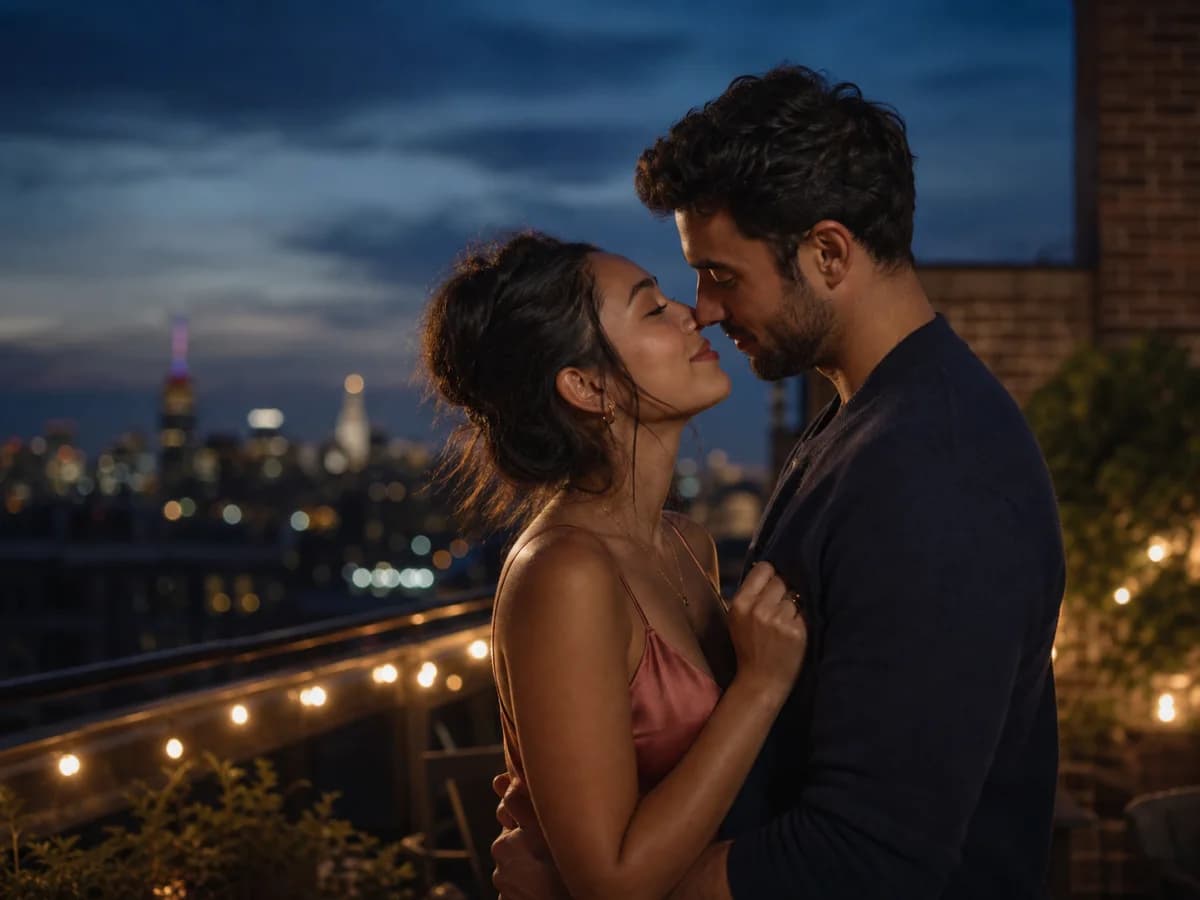
Adult couple facing each other on a rooftop at sunsetNatural motion01

Gentle rooftop kiss

Warm eye contact, a restrained lean-in, a brief kiss, and a soft smile with a stable camera.

View example prompt

The two adults exchange warm eye contact, lean toward each other naturally, share a brief gentle kiss, then smile softly. Preserve identity, clothing, lighting, and the rooftop composition. Stable camera, subtle breathing and hair movement.
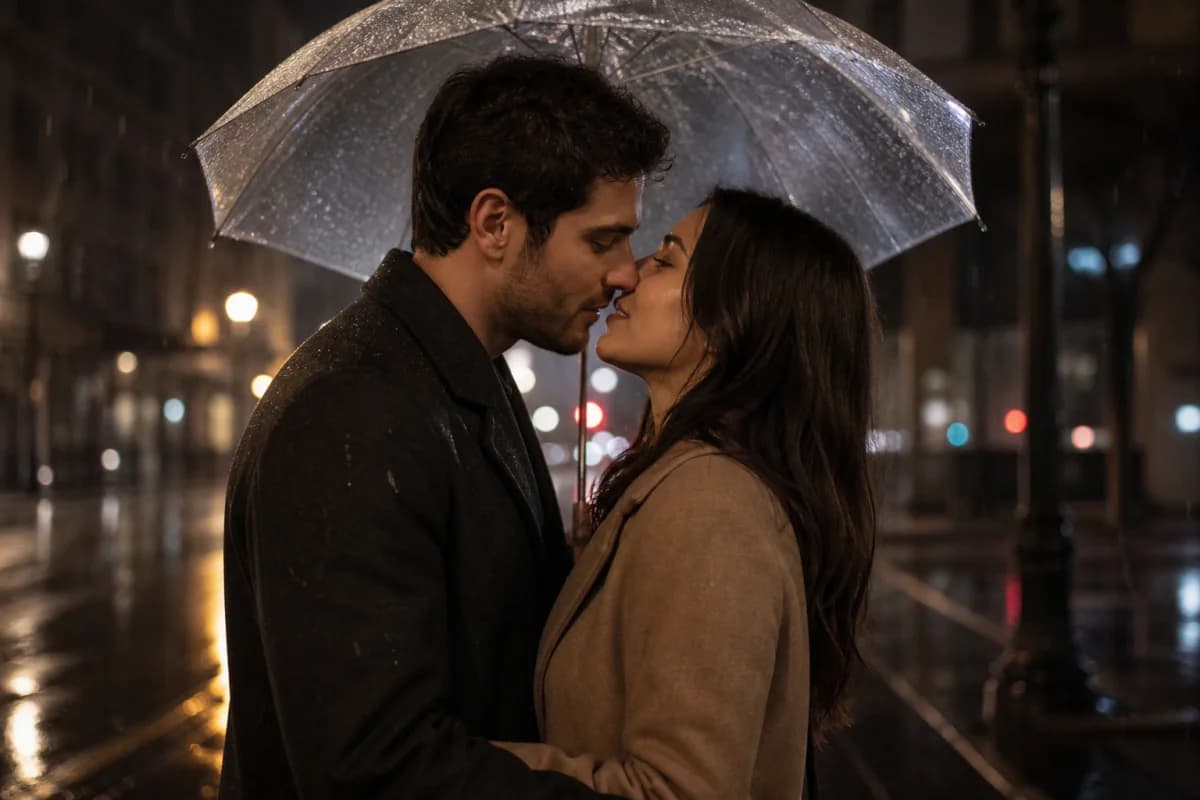
Adult couple beneath an umbrella in a rainy city sceneAtmospheric02

Cinematic rain kiss

Add rain, reflected city light, delicate fabric movement, and a slow cinematic push-in.

View example prompt

The adults lean closer beneath the umbrella and share a brief kiss as gentle rain falls. Preserve their faces, clothing, and pose. Add realistic rain, wet reflections, subtle hair movement, city bokeh, and a slow controlled camera push-in.

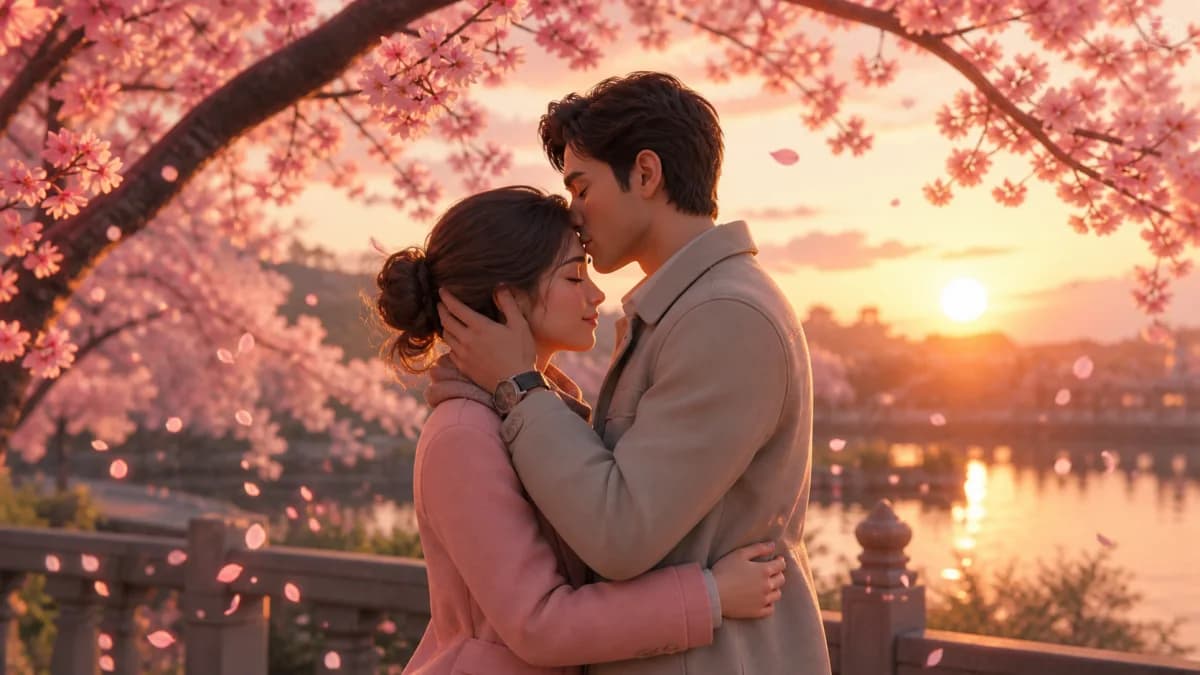
Stylized adult couple sharing a forehead kiss beneath cherry blossomsTender animation03

Forehead kiss

A slower affectionate gesture suited to illustrated, anime-inspired, or polished 3D characters.

View example prompt

One adult gently kisses the other on the forehead. Keep both character designs, outfits, proportions, and the cherry blossom setting consistent. Calm breathing, soft expressions, drifting petals, and a subtle camera push-in.

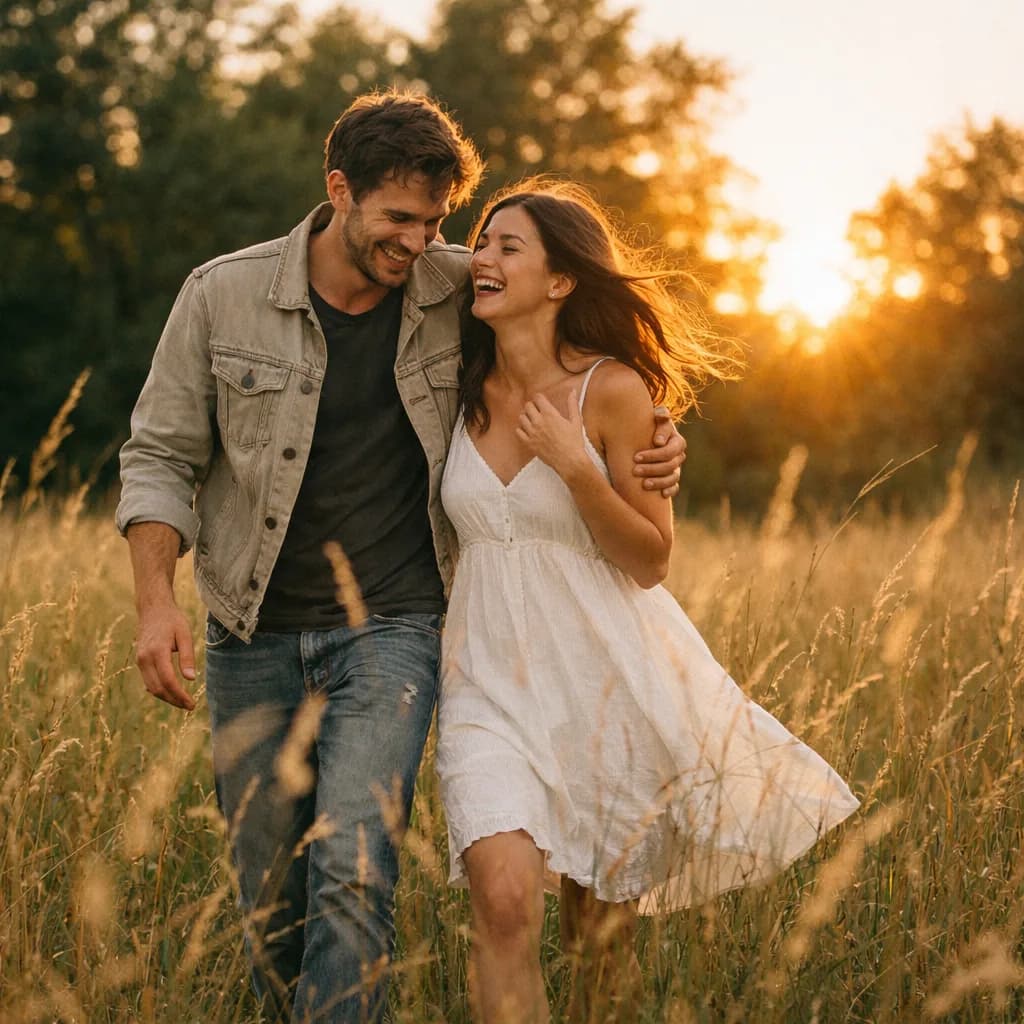
Adult couple laughing together in a field at golden hourCandid04

Golden-hour couple moment

Begin from a relaxed shared moment and guide the model toward a light cheek kiss or gentle embrace.

View example prompt

The adults turn toward each other naturally. One gives the other a quick kiss on the cheek and they laugh afterward. Preserve both identities and the golden-hour field. Add subtle wind in their hair and a gentle handheld camera drift.

Start with a strong keyframe

The source photo does most of the continuity work.

The model can create motion, but it cannot recover reliable identity and geometry from a heavily obscured or mismatched source.

Both faces are visible

Use a front-facing or slight three-quarter angle without sunglasses, hands, hair, or objects covering the mouths and jawlines.

Scale and distance feel natural

Choose subjects at a similar camera distance with enough space for a believable lean-in. Extreme size differences are harder to animate cleanly.

Light and focus are consistent

A sharp, evenly lit source frame gives the model better identity, skin, edge, and expression information throughout the motion.

How to make an AI kiss video

Upload, direct, and review.

1

Step 1

Upload one shared photo

Choose a rights-cleared photo containing two consenting adults. Clear faces, similar head sizes, and visible shoulders give the model a stronger starting frame.

2

Step 2

Choose the kiss motion

Start with a gentle kiss, cheek kiss, forehead kiss, or rain-kiss preset. Edit the prompt to control expression, camera movement, atmosphere, and pacing.

3

Step 3

Generate and review

Open the prepared photo and prompt in Frame to Video, confirm the model settings and credit cost, then inspect faces, hands, motion, and continuity before sharing.

Creative uses

A small effect that can become a real production shot.

Use the kissing animation as a controlled scene inside a broader romance, wedding, character, or social storytelling workflow.

01

Anniversary and couple memories

Animate an authorized photo into a short romantic moment for a private message, montage, or celebration.

02

Wedding and engagement concepts

Explore opening shots, transitions, invitations, or romantic visual directions before finishing a longer edit.

03

Original characters and fan-created worlds

Animate characters you created or have permission to use while preserving their design, wardrobe, and environment.

04

Romance storyboards

Test timing, blocking, atmosphere, and camera direction for a scene before committing to a larger production.

05

Stylized social clips

Create a short illustrated, 3D, cinematic, or dreamy couple moment formatted for vertical or square social video.

06

Connected video edits

Use the generated clip as one shot in a larger sequence, then combine it with voice, music, captions, and other footage.

Responsible AI intimacy

Consent is a product requirement, not fine print.

AI kissing effects must not be used to fabricate intimate behavior involving people who did not agree to the source photo, the transformation, and the intended use.

Use photos you own or have permission to animate
Confirm both depicted people are adults and consent to the edit
Do not create intimate content involving minors
Do not impersonate people, fabricate endorsements, or deceive viewers
Avoid celebrities and private individuals without explicit permission
Disclose AI generation when the context could otherwise mislead

AI kissing video generator FAQ

Practical questions, answered.

Source images, prompts, duration, face consistency, pricing, consent, and commercial use.

01What is an AI kissing video generator?

An AI kissing video generator is an image-to-video workflow that animates a still photo into a short romantic interaction. HighReach transfers one shared source photo and a motion prompt into Frame to Video, where you choose the model and generation settings.

02How do I make an AI kissing video from a photo?

Upload one authorized image containing two consenting adults, select a kiss style, refine the prompt, and continue to Frame to Video. Review the chosen model, duration, resolution, aspect ratio, and displayed credit cost before generating.

03Do I upload one photo or two separate photos?

This effect currently works best with one shared photo that already contains both people. It does not merge two separate portraits. Starting from a shared composition gives the video model more reliable information about scale, position, lighting, and background.

04What kind of image produces the best kissing animation?

Use a sharp, well-lit photo with two unobstructed adult faces at a similar scale. Slight three-quarter or near-profile angles can work well. Avoid heavy blur, covered mouths, extreme head angles, tightly cropped chins, and large depth differences.

05Can I make a cheek kiss or forehead kiss instead?

Yes. The page includes gentle, cheek, forehead, and rain-kiss starting prompts. You can rewrite the motion prompt for an embrace, shared smile, or other consent-based romantic gesture before continuing to the generator.

06Will the AI preserve both faces?

The prompt asks the model to preserve both identities, but image-to-video generation can still introduce facial drift, merged features, or inconsistent expressions. Use a clean source photo, restrained movement, and multiple takes for identity-sensitive work.

07Is the AI kissing video generator free?

HighReach shows the estimated credit cost in the Generate button before a job is submitted. Available trial credits and plan limits can change, so review the current pricing and credit balance in your account rather than assuming every generation is free.

08How long is the generated kiss video?

The effect starts with a five-second setup because short, controlled motion is usually more reliable for face continuity. Available durations depend on the selected video model and resolution, and can be changed in Frame to Video.

09Can I use the result commercially?

Commercial use depends on your rights to the source photo, the consent and releases of depicted people, the selected model terms, and applicable law. Do not use generated intimacy to imply an event, relationship, or endorsement that did not occur.

10Can I make celebrities or other real people kiss?

Do not use the tool to create non-consensual intimate or deceptive media involving celebrities, private individuals, coworkers, former partners, or anyone who has not explicitly agreed. Use your own rights-cleared adult photos or original characters instead.

Animate a consented couple photo

Turn one frame into a romantic moment.

Upload a shared photo, choose the gesture, refine the motion prompt, and continue into HighReach Frame to Video.