Research-backed product profile
Last checked August 6, 2026
VEED.IO review: pricing, features, pros and cons
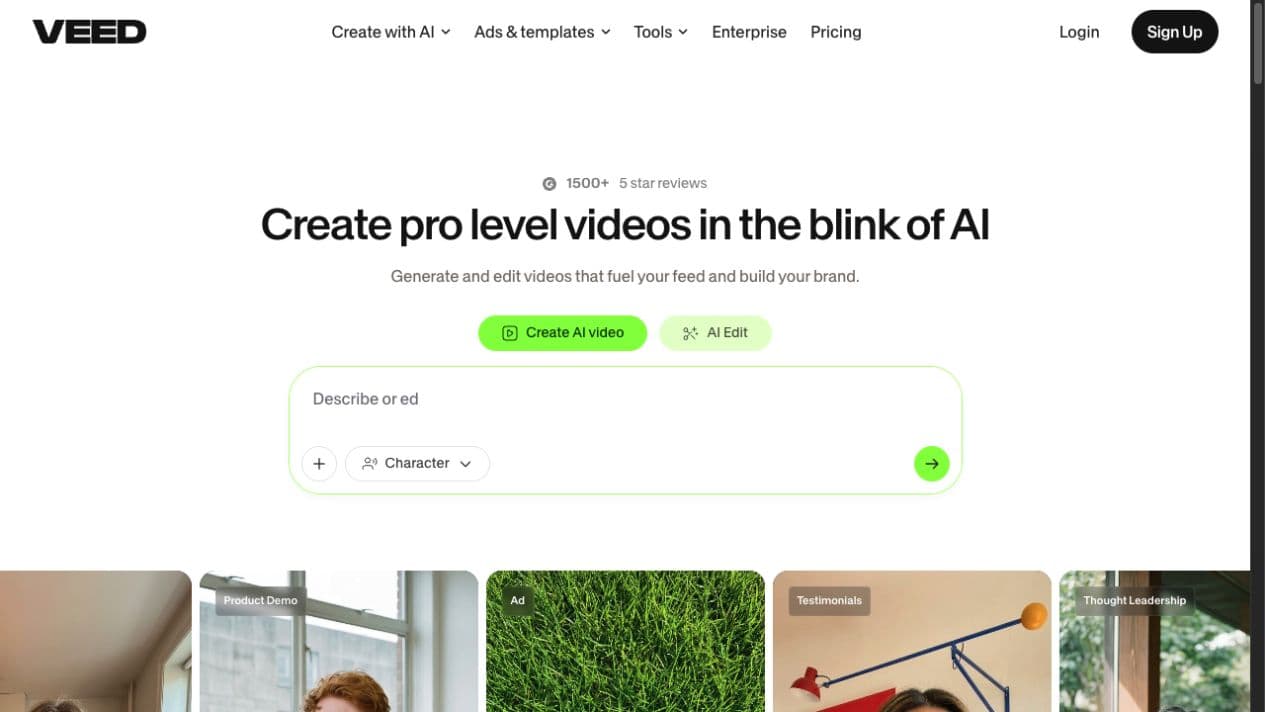
VEED is an accessible browser-based video editor that now combines traditional editing with AI generation, avatars, dubbing, captions, recording, and collaboration. This review explains where it excels, where users report friction, and who should consider it in 2026.
Best for
Fast browser editing, captions, recording and social video
Learning curve
Beginner-friendly compared with advanced desktop editors
Platform
Web browser, with mobile access and cloud projects
Main trade-off
Convenience over deep timeline and effects control
About VEED.IO
An online editor that has grown into an AI video workspace
VEED started with a straightforward promise: make video editing easier in the browser. Its core experience still revolves around importing or recording footage, arranging a timeline, adding text and subtitles, cleaning audio, and exporting content for social or business use. That foundation makes it approachable for people who do not want to learn a complex desktop editor.
The product is now broader. VEED offers text-to-video and image-to-video generation, avatars, talking photos, script tools, text to speech, AI dubbing, eye-contact correction, filler-word removal, background removal, stock media, templates, brand kits, translation, and team review. Because these tools sit beside a conventional editor, users can generate a starting point and continue refining it without leaving the platform.
That breadth is VEED's main attraction, but it also makes plan comparison important. Export resolution, watermark removal, AI credits, storage, translation minutes, voice usage, collaboration, and model access can vary by tier. Buyers should map their expected monthly output before choosing a subscription rather than comparing only the headline price.
Ideal users
Who is VEED best for?
VEED works best when speed, accessibility, captions, and one-place production matter more than advanced compositing or highly technical timeline control.
Social media teams
Fast edits, captions, platform resizing, stock assets, and short-form output without a traditional post-production setup.
YouTubers and podcasters
Talking-head editing, subtitle styling, silence removal, audio cleanup, clips, thumbnails, and screen recording in one browser tab.
Educators and enablement teams
Record lessons and demos, add accessible captions, translate content, and keep production approachable for non-editors.
Small marketing teams
Create campaign videos, testimonials, explainers, ads, and localized variations without managing a complex editing stack.
Capabilities
Top VEED features
The product combines common editing tasks with generative AI and business production workflows. These are the capabilities most likely to affect a buying decision.
Browser-based video editor
Trim footage, arrange a timeline, add text and media, resize projects, and export without installing desktop editing software.
Automatic subtitles
Generate, style, translate, and burn captions into videos. Subtitle speed and accuracy are recurring strengths in G2 feedback.
AI video generation
Create from text or images using a selection of third-party video models, then move the result into VEED's editor for refinement.
AI avatars and voices
Produce presenter-led content with avatars, talking photos, text to speech, voice cloning, eye-contact correction, and lip sync.
Recording and cleanup
Record a screen or webcam, use a teleprompter, remove filler words and silence, clean audio, and improve talking-head footage.
Brand and team workflows
Store brand assets, use templates, collaborate, collect reviews, manage workspaces, and scale repeatable video production.
Feature availability can vary by plan. See the official VEED pricing page for current limits.
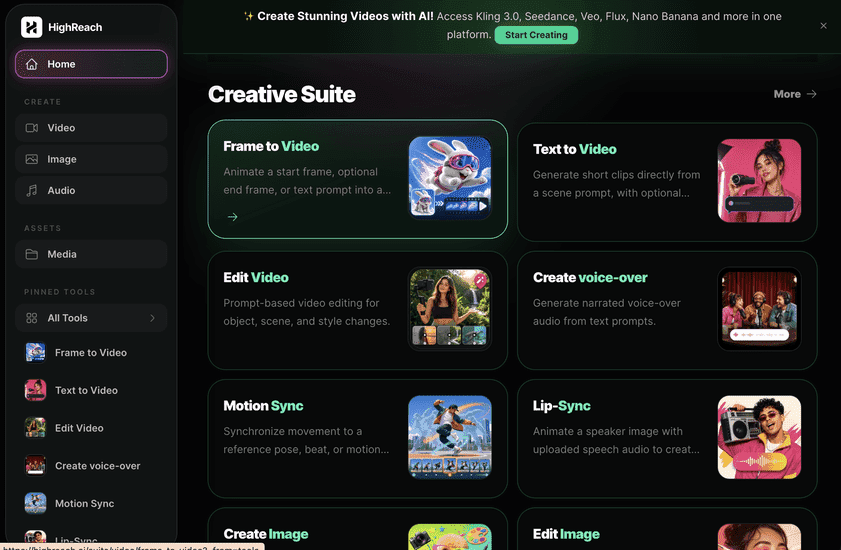
Generate across leading video, image, and audio models from one studio
VEED is compelling when editing, recording, captions, and collaboration are the center of the workflow. HighReach is a stronger fit when your work starts with generation: creating scenes, animating frames, editing media with prompts, producing voices and sound, or comparing output from multiple frontier models.
Pricing
VEED pricing plans in 2026
VEED lists Free, Creator, Pro, Studio, and Enterprise options. Billing terms and regional checkout options can produce different displayed prices.
Free
$0
$0
Useful for testing the editor. G2 lists 720p exports, short project limits, limited AI and subtitle usage, and 2 GB of storage.
Creator
about $12/mo
$20/mo
For individual creators who need watermark-free 1080p exports, stock media, subtitle access, brand tools, and a larger AI allowance.
Pro
about $22/mo
$44/mo
Adds higher AI usage, translations, AI voice capacity, multiple brand kits, and 4K output for professional production.
Studio
about $39/mo
$70/mo
For teams requiring more credits, collaboration, analytics, custom templates, storage, and broader model access.
Enterprise
Custom
Contact sales
Custom usage, security, administration, onboarding, support, review workflows, and centrally managed teams.
Decision guide
VEED pros and cons
These strengths and drawbacks combine product research with recurring themes in G2's verified-review summary.
What VEED does well
- Clean browser interface with a relatively gentle learning curve
- Strong caption generation and flexible subtitle styling
- Recording, editing, AI generation, avatars, and localization in one product
- Useful templates, stock assets, social resizing, and brand controls
- Accessible for creators and business users without formal editing experience
What to consider
- Large or detailed projects may lag in a browser-based workflow
- Fine-grained effects and timeline control are lighter than advanced desktop editors
- AI credits and plan-specific feature limits require careful comparison
- Some reviewers find the price high for occasional or lightweight use
- Generative output quality and controls vary by the selected model
User feedback
What VEED users say
VEED has a 4.5/5 rating across more than 2,100 G2 reviews. The summaries below paraphrase recent reviews and preserve both praise and criticism.
Praised the intuitive interface, reliable trimming, subtitles, optimized exports, and cross-device flexibility. Wanted clearer explanations of what each subscription tier includes.
Emanuel D.
Press officer · May 7, 2026 · 4.5/5
Highlighted fast browser editing and time-saving auto subtitles. Reported that complex edits can feel limited and larger projects may occasionally lag.
Zahra U.
Small-business user · April 28, 2026 · 5/5
Valued audio cleanup, eye-contact correction, resizing, transitions, and subtitles. Felt the timeline could be smoother and the subscription less expensive.
Ian D.
Director of Development · February 26, 2026 · 5/5
Review names, ratings, dates, and themes are attributed to G2's VEED review page. HighReach did not collect or verify these reviews independently.
Verdict
Should you use VEED.IO?
VEED is a strong choice for people who want editing, recording, captions, AI assistance, and publishing convenience without learning professional desktop software.
Choose VEED
You primarily edit existing footage, record screens or presenters, add subtitles, resize social content, and want everything in the browser.
Choose HighReach
You primarily generate new images, videos, voices, and transformations with multiple AI models and specialized creative tools.
Use both
Generate source media in HighReach, then move selected assets into VEED when a project needs detailed timeline editing, captions, and team review.
FAQ
Frequently asked questions about VEED
Quick answers for buyers comparing VEED's editor, AI features, pricing, and alternatives.
What is VEED.IO?+
VEED.IO is a browser-based video creation platform. It combines timeline editing, screen and webcam recording, automatic subtitles, translation, AI video generation, avatars, voice tools, templates, stock media, and team collaboration in one workspace.
Is VEED free to use?+
VEED offers a free plan for testing basic editing and selected AI features. The free tier has tighter limits than paid plans and, according to VEED and G2 pricing materials checked in August 2026, includes 720p output and watermarked exports. Confirm current limits on VEED's pricing page before starting a production workflow.
How much does VEED cost?+
Pricing depends on billing frequency, region, workspace size, and AI usage. Current third-party pricing references list Free, Creator, Pro, Studio, and custom Enterprise tiers. Annual-equivalent rates are lower than month-to-month rates, and the available checkout options can vary by market.
Is VEED good for YouTube and social media?+
Yes. VEED is particularly suitable for YouTube videos, talking-head content, podcasts, tutorials, Reels, Shorts, and social ads because it combines trimming, captions, resizing, templates, stock assets, audio cleanup, and browser-based exporting.
What are the main disadvantages of VEED?+
Common G2 themes include slower performance on large files, lighter advanced editing controls than professional desktop software, plan and credit complexity, and a price that can feel high for casual creators. Whether those limitations matter depends on project length and workflow complexity.
What is the difference between VEED and HighReach?+
VEED is strongest as an accessible all-in-one video editor with recording, captions, and AI assistance. HighReach is designed around generative production across video, image, and audio tools, with direct access to multiple frontier models and specialized workflows. Teams that mainly edit existing footage may prefer VEED; teams generating new creative media may prefer HighReach.
Editorial sources and disclosure
This is an independent HighReach editorial profile. HighReach is not affiliated with or endorsed by VEED. Product capabilities were checked against VEED's public website and pricing pages. User feedback and month-to-month pricing were summarized from G2. Annual-equivalent pricing context was checked against TechRadar's July 2026 review. Features and prices can change after publication.