Research-backed product profile
Last checked August 6, 2026
Submagic review: captions, B-roll, cleanup, and viral short editing
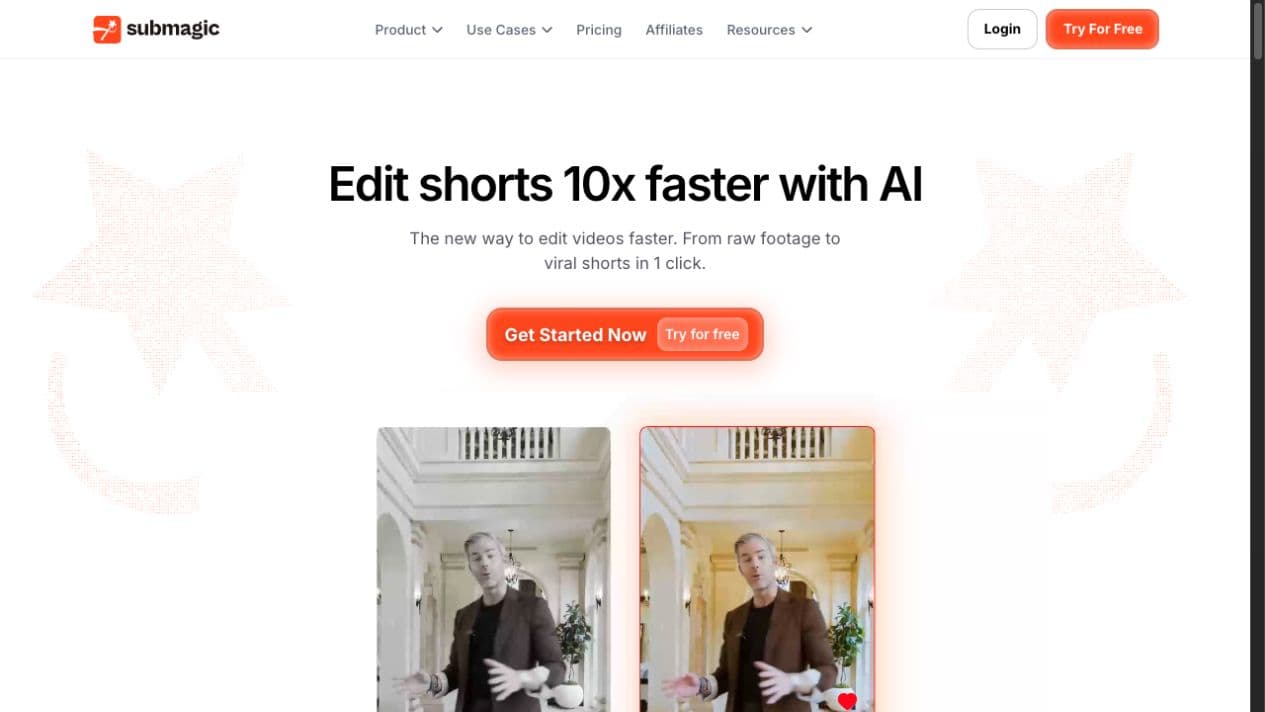
Submagic helps short-form teams add animated captions, B-roll, hooks, transitions, audio cleanup, silence removal, translations, brand styles, publishing, and AI-generated supporting media.
Best for
Creators and agencies polishing short-form talking-head content
Learning curve
Low
Platform
Web browser and API
Main trade-off
It is optimized for short social edits, not deep general-purpose post-production
About Submagic
What the product does and where it fits
Submagic started with a sharp focus on social captions and has expanded into a fuller short-form editing system. Users upload talking-head or social footage, then automate subtitles, pacing, B-roll, hook titles, silence and bad-take removal, audio cleanup, translation, and platform-ready export.
Its workflow is faster than manual caption-by-caption editing, especially for agencies and creators with repeatable formats. It is not a replacement for a detailed long-form timeline editor, and AI-generated cuts or B-roll should be checked for tone and continuity.
Ideal users
Who is Submagic best for?
The strongest use cases for Submagic come from teams whose production needs match its most opinionated workflows.
Short-form creators
Add polished captions, pacing, hooks, and B-roll quickly.
Personal brands
Turn talking-head footage into consistent branded social posts.
Agencies
Use templates, teams, assets, and API workflows for clients.
Podcast marketers
Convert highlights into captioned social clips.
Capabilities
Top Submagic features
These are the capabilities most likely to affect the buying decision and day-to-day creative workflow.
Animated AI captions
Transcribes and styles captions for short-form attention patterns.
B-roll and media
Adds stock, movie clips, and generated supporting assets by plan.
Pacing cleanup
Removes silences, filler words, and weak takes.
Audio enhancement
Cleans speech and improves presentation quality.
Brand templates
Saves caption styles, fonts, logos, and reusable visual rules.
Publishing and API
Supports social publishing and scaled integrations.
Create across leading video, image, and audio models in one studio
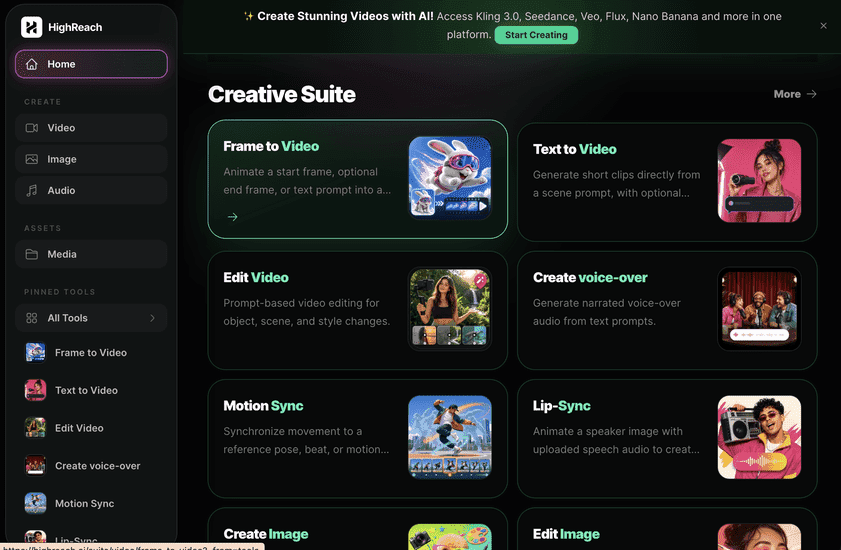
Submagic excels at finishing existing short-form footage. HighReach focuses on generating and transforming original image, video, and audio assets. A creator may generate a scene or voice in HighReach and use a caption-first editor for final social packaging.
Pricing
Submagic pricing snapshot
Starter $24 monthly; Pro $40; Business about $69, with lower annual-equivalent rates. Compare included usage, exports, storage, collaboration, and AI limits rather than choosing on headline price alone.
Starter
$24/mo
15 videos up to two minutes, 1080p, captions, basic B-roll, and no watermark.
Pro
$40/mo
40 videos, premium captions, better B-roll, audio cleanup, translation, and brand kit.
Business
about $69/mo
100 videos, longer uploads, 4K/60 FPS options, templates, API, and priority processing.
Annual billing
From $12/mo
Published annual-equivalent prices are lower and vary by plan and promotion.
Pricing checked August 6, 2026. Promotions, annual discounts, regional pricing, taxes, credits, and plan limits can change.
Check current pricingTrade-offs
Submagic pros and cons
The practical strengths and limitations to consider before adopting the product for a recurring workflow.
Pros
- Fast and attractive caption workflow
- Useful pacing and audio cleanup
- Strong short-form specialization
- Templates and API support agency scale
Cons
- Video limits vary by tier
- AI B-roll can be tonally wrong
- Not designed for detailed long-form editing
- Add-ons can raise the effective monthly cost
User feedback
What G2 reviews say
G2 users generally praise caption quality, speed, ease of use, and polished social output. Recurring concerns include plan limits, occasional transcription or B-roll errors, rendering issues, and the amount of manual adjustment needed for exact brand preferences.
G2
4.7/5
83 reviews
Open review sourceCommon praise
- Fast captions
- Easy social polish
- Time-saving cleanup
Recurring cautions
- Check transcription and B-roll
- Compare video limits and add-ons
Review scores and counts are snapshots and may change. Themes are summarized rather than quoted to avoid overstating any single review.
Verdict
Is Submagic worth it?
Submagic is a focused and approachable short-form editor, especially for caption-heavy talking-head content. It delivers the most value when creators publish frequently enough to use its templates and automation every week.
FAQ
Submagic frequently asked questions
Short answers to the questions buyers commonly ask before choosing a creative software platform.
What is Submagic?
Submagic helps short-form teams add animated captions, B-roll, hooks, transitions, audio cleanup, silence removal, translations, brand styles, publishing, and AI-generated supporting media.
Is Submagic free to use?
A limited trial is available; paid plans remove watermarks. Free-plan limits and availability can change, so confirm the current allowance on Submagic's official pricing page before beginning a production workflow.
How much does Submagic cost?
Starter $24 monthly; Pro $40; Business about $69, with lower annual-equivalent rates. Prices, promotions, included credits, and regional taxes can change. The pricing snapshot on this page was checked on August 6, 2026.
Who is Submagic best for?
Submagic is best for creators and agencies polishing short-form talking-head content. Its strongest fit depends on whether that focused workflow matters more than having broad generative image, video, and audio tools in one studio.
What is the main disadvantage of Submagic?
It is optimized for short social edits, not deep general-purpose post-production
How is Submagic different from HighReach?
Submagic excels at finishing existing short-form footage. HighReach focuses on generating and transforming original image, video, and audio assets. A creator may generate a scene or voice in HighReach and use a caption-first editor for final social packaging.
Research notes
Sources and disclosure
HighReach is not affiliated with Submagic. Product names and trademarks belong to their owners. We checked official product and pricing documentation on , kept factual claims separate from our assessment, and linked the sources below. Features and prices can change after that date.