Research-backed product profile
Last checked August 6, 2026
Revid AI review: automated short-form video workflows
Revid AI combines scripts, generative models, avatars, voiceovers, captions, editing, trend research, publishing, API access, and automated workers for social video production.

Best for
Creators building repeatable faceless, social, or automated video channels
Learning curve
Moderate
Platform
Web browser, API, MCP, and CLI
Main trade-off
Automation increases output volume but also raises the need for editorial QA
About Revid AI
What the product does and where it fits
Revid is designed around repeatable social-video output. Users can start from text, links, audio, or recordings, generate scripts and scenes, add voices and captions, edit the result, and publish to social platforms from the same workflow.
A notable part of the product is automation: Auto-Mode Workers, API, MCP, and CLI options allow creators and operators to turn a successful format into an ongoing production system. That makes governance, brand review, and credit monitoring more important than in a purely manual editor.
Ideal users
Who is Revid AI best for?
The strongest use cases for Revid AI come from teams whose production needs match its most opinionated workflows.
Faceless channel operators
Create scripts, scenes, voices, captions, and regular social output.
Growth teams
Remix trends and publish variations across TikTok, Instagram, and YouTube.
Agencies
Run repeatable formats across brands, niches, and client accounts.
Developers
Integrate workflows using the API, MCP server, or CLI.
Capabilities
Top Revid AI features
These are the capabilities most likely to affect the buying decision and day-to-day creative workflow.
End-to-end video workflows
Moves from source idea through script, media, voice, captions, and export.
Trend and remix library
Surfaces popular formats and millions of reference videos.
AI models and avatars
Supports generative clips, presenters, face tools, and podcasts.
Voice and language
Offers voiceovers in more than 70 languages plus cloning on higher tiers.
Auto-Mode Workers
Runs repeatable video tasks with less manual intervention.
Developer interfaces
Provides API, MCP, and CLI access for custom systems.
Create across leading video, image, and audio models in one studio
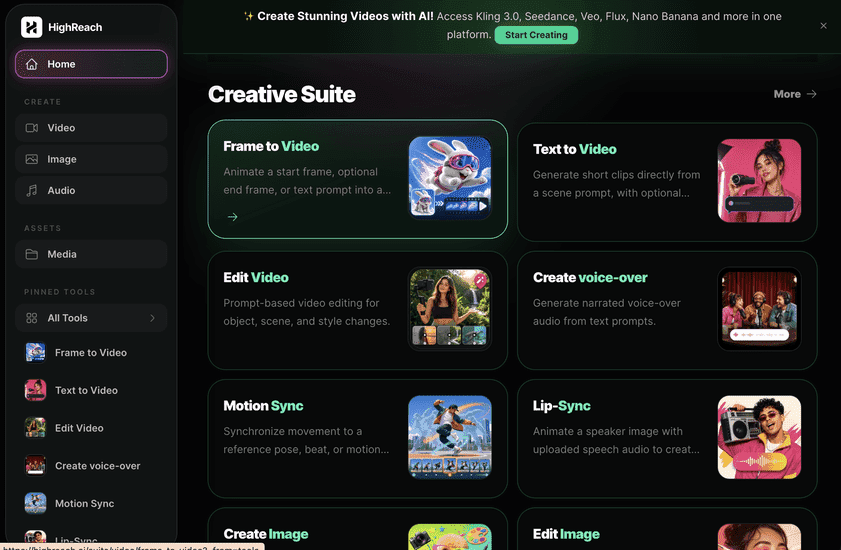
Revid is optimized around assembled social videos and automated publishing systems. HighReach is a media-generation platform where users directly operate image, video, audio, editing, and motion tools. Revid is stronger for channel automation; HighReach is stronger for model-driven asset craft.
Pricing
Revid AI pricing snapshot
Hobby $39; Growth currently promoted at $39; Ultra $199 monthly. Compare included usage, exports, storage, collaboration, and AI limits rather than choosing on headline price alone.
Hobby
$39/mo
Create from text, links, or recordings with editable short-form output.
Growth
$39/mo promo
2,000 credits, all major workflows, publishing, API/MCP/CLI, and three workers.
Ultra
$199/mo
12,000 credits, voice cloning, ten workers, and higher-volume production.
Pricing checked August 6, 2026. Promotions, annual discounts, regional pricing, taxes, credits, and plan limits can change.
Check current pricingTrade-offs
Revid AI pros and cons
The practical strengths and limitations to consider before adopting the product for a recurring workflow.
Pros
- Very broad social-video workflow
- Strong automation and developer access
- Useful scripting, voice, avatar, and publishing stack
- Clear documentation for operators
Cons
- Large catalog can feel fragmented
- Automated output needs brand and factual review
- Promotional pricing may change
- Credits vary by model and scene count
User feedback
What Trustpilot reviews say
Revid publishes a review hub that references independent Trustpilot feedback and public customer posts. Positive themes center on speed and breadth; complaints generally concern credit use, generation variability, billing expectations, and the need for responsive support.
Trustpilot
4.0/5
301 reviews cited by Revid in July 2026
Open review sourceCommon praise
- Broad creation coverage
- Fast social output
- Automation options
Recurring cautions
- Use the original review platform for verification
- Track credits per finished video
Review scores and counts are snapshots and may change. Themes are summarized rather than quoted to avoid overstating any single review.
Verdict
Is Revid AI worth it?
Revid is unusually broad for creators who want both a no-code social workflow and developer automation. Its value rises with repeatable formats, but every autonomous workflow should include approval and budget controls.
FAQ
Revid AI frequently asked questions
Short answers to the questions buyers commonly ask before choosing a creative software platform.
What is Revid AI?
Revid AI combines scripts, generative models, avatars, voiceovers, captions, editing, trend research, publishing, API access, and automated workers for social video production.
Is Revid AI free to use?
No-credit-card trial entry is advertised; ongoing limits vary. Free-plan limits and availability can change, so confirm the current allowance on Revid AI's official pricing page before beginning a production workflow.
How much does Revid AI cost?
Hobby $39; Growth currently promoted at $39; Ultra $199 monthly. Prices, promotions, included credits, and regional taxes can change. The pricing snapshot on this page was checked on August 6, 2026.
Who is Revid AI best for?
Revid AI is best for creators building repeatable faceless, social, or automated video channels. Its strongest fit depends on whether that focused workflow matters more than having broad generative image, video, and audio tools in one studio.
What is the main disadvantage of Revid AI?
Automation increases output volume but also raises the need for editorial QA
How is Revid AI different from HighReach?
Revid is optimized around assembled social videos and automated publishing systems. HighReach is a media-generation platform where users directly operate image, video, audio, editing, and motion tools. Revid is stronger for channel automation; HighReach is stronger for model-driven asset craft.
Research notes
Sources and disclosure
HighReach is not affiliated with Revid AI. Product names and trademarks belong to their owners. We checked official product and pricing documentation on , kept factual claims separate from our assessment, and linked the sources below. Features and prices can change after that date.