Research-backed product profile
Last checked August 6, 2026
OpusClip review: one-click shorts from long videos
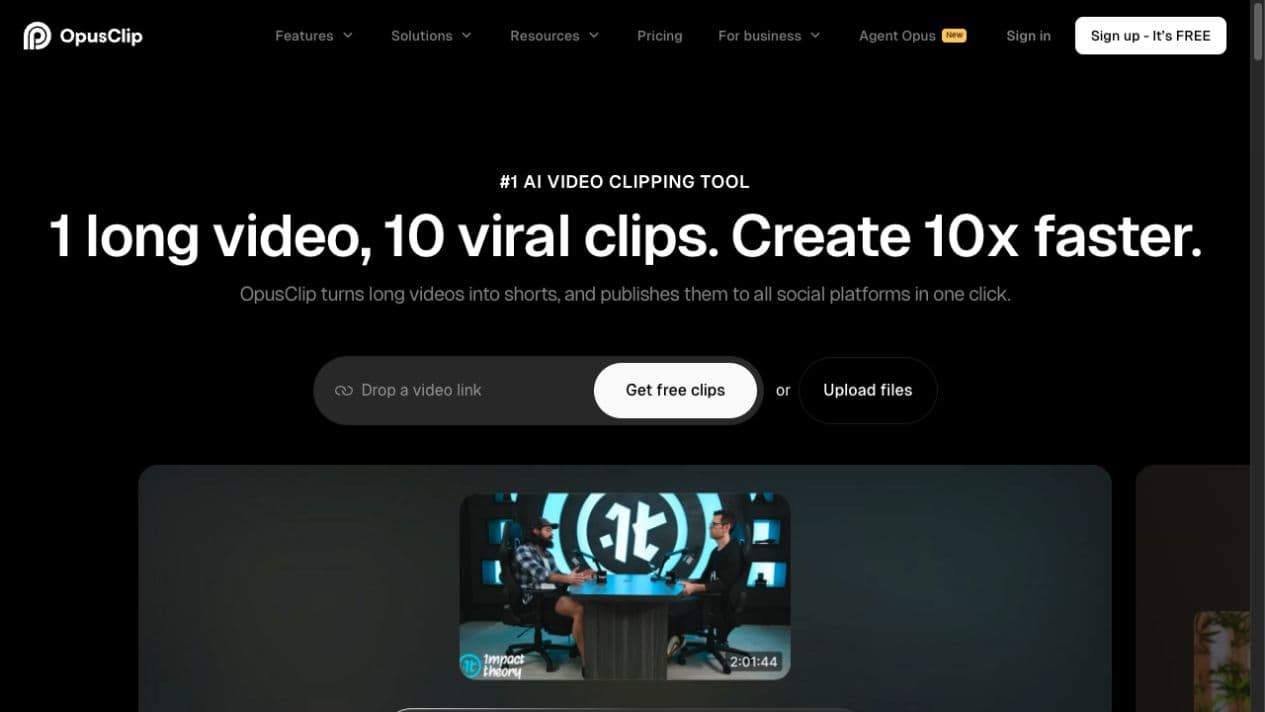
OpusClip analyzes long video, identifies candidate hooks, creates short clips, adds animated captions and reframing, and can schedule the results across major social platforms.
Best for
High-volume clipping of podcasts, interviews, streams, and webinars
Learning curve
Low
Platform
Web browser
Main trade-off
The AI can select technically strong clips that miss narrative context
About OpusClip
What the product does and where it fits
OpusClip is one of the best-known AI clipping products. Its core promise is simple: upload or link a long recording, let the system find high-value moments, and receive multiple vertical clips with captions and a predicted virality score.
The Pro workflow extends beyond clipping with AI B-roll, multiple aspect ratios, team spaces, exports to professional editors, dubbing, analytics, scheduling, and API access. Editorial judgment still matters because an isolated hook can lose the context that made the original conversation useful.
Ideal users
Who is OpusClip best for?
The strongest use cases for OpusClip come from teams whose production needs match its most opinionated workflows.
Creators
Convert every long upload into a batch of Shorts, Reels, and TikToks.
Podcast networks
Scale highlight production across multiple shows and brands.
Social teams
Schedule clips, apply templates, and compare candidate moments.
Agencies
Use team spaces, source integrations, exports, and API workflows.
Capabilities
Top OpusClip features
These are the capabilities most likely to affect the buying decision and day-to-day creative workflow.
AI clipping
Finds hooks using speech, emotion, sound, and visual signals.
Virality score
Ranks candidate clips to speed up editorial review.
Dynamic captions
Adds social-ready captions, emphasis, and visual callouts.
AI B-roll
Suggests or generates supporting imagery for selected clips.
Reframing
Creates vertical, square, and landscape variants.
Publishing and exports
Schedules posts or hands projects to Premiere Pro and DaVinci Resolve.
Create across leading video, image, and audio models in one studio
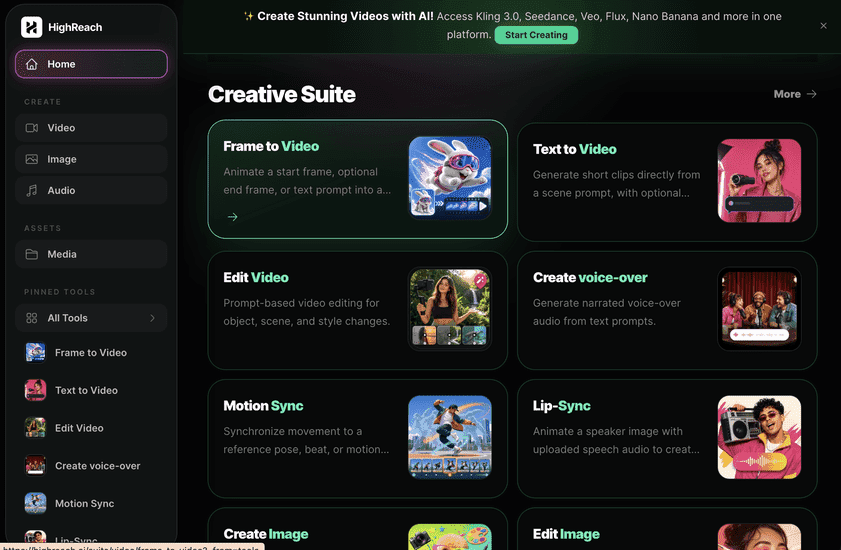
OpusClip is specialized for extracting shorts from completed long-form video. HighReach is designed for creating the source media itself across image, video, and audio models. They solve adjacent stages rather than identical problems.
Pricing
OpusClip pricing snapshot
Free; Starter $15/month; Pro $29/month; Business custom. Compare included usage, exports, storage, collaboration, and AI limits rather than choosing on headline price alone.
Free
$0
60 monthly credits, 1080p clips, captions, watermark, and limited editing.
Starter
$15/mo
150 monthly credits, editing, faster processing, social posting, and no watermark.
Pro
$29/mo
Team workspace, B-roll, more sources, scheduler, multiple ratios, dubbing, and limited API.
Business
Custom
Customized credits, storage, integrations, security, support, and processing priority.
Pricing checked August 6, 2026. Promotions, annual discounts, regional pricing, taxes, credits, and plan limits can change.
Check current pricingTrade-offs
OpusClip pros and cons
The practical strengths and limitations to consider before adopting the product for a recurring workflow.
Pros
- Excellent time savings for long-form creators
- Simple batch workflow
- Strong captions and reframing
- Useful publishing and team features
Cons
- Best-moment detection is not always editorially correct
- Generated B-roll may not match tone
- Credits and storage limits vary by plan
- Advanced manual editing remains lighter than a full NLE
User feedback
What G2 reviews say
Reviewers repeatedly cite major time savings and an easy one-click workflow. The most common reservations concern imperfect snippet selection, occasional off-target captions or callouts, and the need to regenerate or manually refine some clips.
G2
4.6/5
116 reviews
Open review sourceCommon praise
- Large reduction in clipping time
- Good first-pass highlights
- Polished social output
Recurring cautions
- Snippet selection varies
- Some AI additions feel overdone
Review scores and counts are snapshots and may change. Themes are summarized rather than quoted to avoid overstating any single review.
Verdict
Is OpusClip worth it?
OpusClip is a compelling production multiplier for teams with a steady long-form pipeline. Treat virality scores and selected hooks as recommendations, then apply a brief editorial review.
FAQ
OpusClip frequently asked questions
Short answers to the questions buyers commonly ask before choosing a creative software platform.
What is OpusClip?
OpusClip analyzes long video, identifies candidate hooks, creates short clips, adds animated captions and reframing, and can schedule the results across major social platforms.
Is OpusClip free to use?
Yes, with 60 credits per month, watermarking, and three-day export availability. Free-plan limits and availability can change, so confirm the current allowance on OpusClip's official pricing page before beginning a production workflow.
How much does OpusClip cost?
Free; Starter $15/month; Pro $29/month; Business custom. Prices, promotions, included credits, and regional taxes can change. The pricing snapshot on this page was checked on August 6, 2026.
Who is OpusClip best for?
OpusClip is best for high-volume clipping of podcasts, interviews, streams, and webinars. Its strongest fit depends on whether that focused workflow matters more than having broad generative image, video, and audio tools in one studio.
What is the main disadvantage of OpusClip?
The AI can select technically strong clips that miss narrative context
How is OpusClip different from HighReach?
OpusClip is specialized for extracting shorts from completed long-form video. HighReach is designed for creating the source media itself across image, video, and audio models. They solve adjacent stages rather than identical problems.
Research notes
Sources and disclosure
HighReach is not affiliated with OpusClip. Product names and trademarks belong to their owners. We checked official product and pricing documentation on , kept factual claims separate from our assessment, and linked the sources below. Features and prices can change after that date.