Research-backed product profile
Last checked August 6, 2026
InVideo AI review: complete videos from prompts and scripts
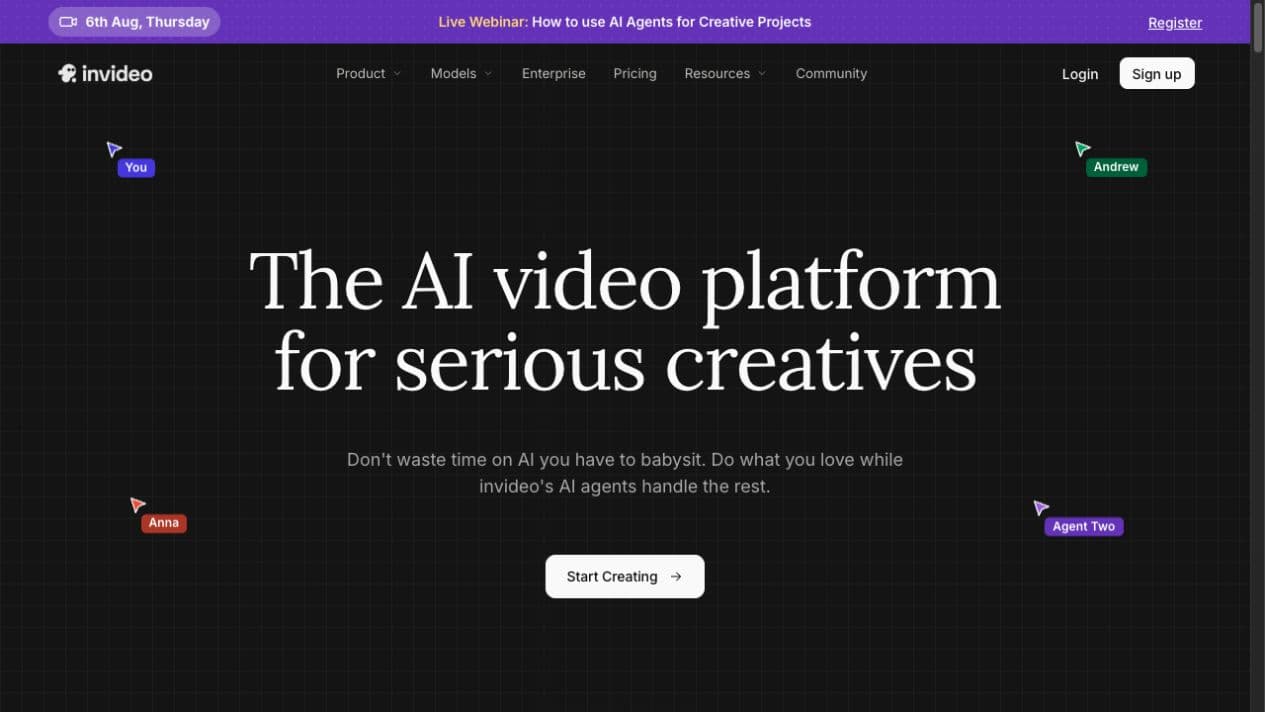
InVideo AI turns a prompt or script into a structured video with scenes, narration, music, stock or generated visuals, captions, and command-based revisions.
Best for
Non-editors who want a complete narrated first cut from a prompt
Learning curve
Low to moderate
Platform
Web browser
Main trade-off
Regeneration can consume credits quickly, and completed videos still need factual and visual QA
About InVideo AI
What the product does and where it fits
InVideo focuses on generating an assembled video rather than a single isolated clip. Its agent-style workflow can write or accept a script, plan scenes, create visuals, add voiceover and music, and produce a shareable first cut for ads, explainers, social content, stories, and presentations.
This automation is valuable for non-editors, but the output is still dependent on source facts, stock selection, model quality, and available credits. Teams should review claims, pronunciation, visual continuity, and each regeneration before treating the result as final.
Ideal users
Who is InVideo AI best for?
The strongest use cases for InVideo AI come from teams whose production needs match its most opinionated workflows.
Solo marketers
Turn campaign ideas into assembled videos without a production crew.
YouTube creators
Draft listicles, explainers, stories, and faceless channel content.
Small businesses
Create product, local-business, and social ad variations quickly.
Learning teams
Produce narrated training and educational videos from scripts.
Capabilities
Top InVideo AI features
These are the capabilities most likely to affect the buying decision and day-to-day creative workflow.
Prompt-to-video agent
Plans script, scenes, media, narration, music, and captions.
Generative and stock media
Combines model-generated clips with licensed library assets.
AI avatars
Creates presenter and UGC-style content without a conventional shoot.
Voice and language tools
Supports narration, translation, dubbing, and voice options.
Command editing
Accepts natural-language requests for revisions.
Workflow templates
Packages repeatable formats for ads, explainers, social content, and stories.
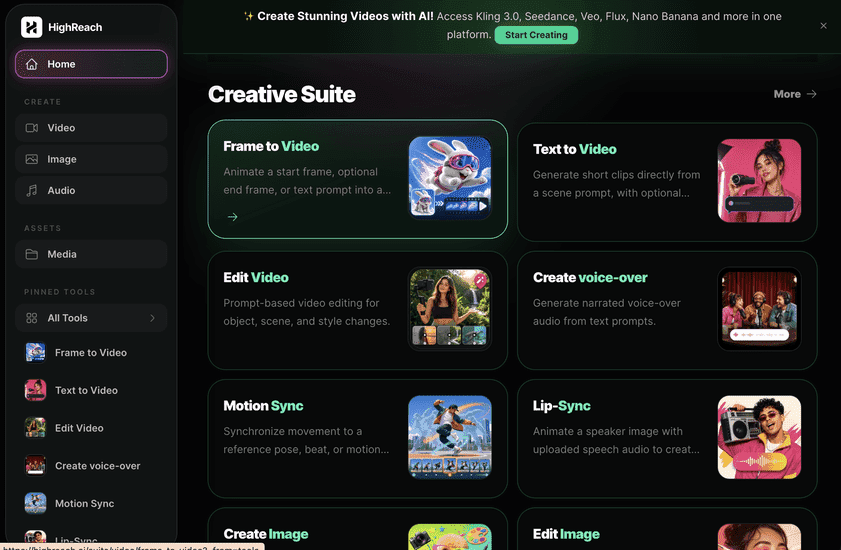
Create across leading video, image, and audio models in one studio
InVideo is strongest when a user wants the platform to assemble a whole video automatically. HighReach provides direct control over specialist image, video, audio, editing, and motion tools, which is better suited to creators who want to choose models and build the final sequence deliberately.
Pricing
InVideo AI pricing snapshot
Plus $35; Max $60; Generative $120 monthly on G2's current listing. Compare included usage, exports, storage, collaboration, and AI limits rather than choosing on headline price alone.
Free
$0
A limited way to test the workflow; watermarks and AI limits apply.
Plus
$35/mo
G2 currently lists 10 AI credits per month.
Max
$60/mo
G2 currently lists 25 AI credits per month.
Generative
$120/mo
G2 currently lists 100 AI credits for heavier generative use.
Higher volume
Varies
Additional generative, team, and enterprise tiers can appear at checkout.
Pricing checked August 6, 2026. Promotions, annual discounts, regional pricing, taxes, credits, and plan limits can change.
Check current pricingTrade-offs
InVideo AI pros and cons
The practical strengths and limitations to consider before adopting the product for a recurring workflow.
Pros
- Produces an assembled first cut, not just a clip
- Approachable for non-editors
- Broad templates and media sources
- Useful narration, avatar, and localization options
Cons
- Credits can disappear quickly during regeneration
- AI output can require significant correction
- Fine timeline control is lighter than a professional editor
- Pricing and credit language deserves careful review
User feedback
What G2 reviews say
G2 feedback is polarized but overall positive. Users praise rapid full-video creation and an approachable interface; critical reviews repeatedly mention restrictive credits, unexpected regeneration cost, uneven avatar or media quality, and refund or billing frustration.
G2
4.5/5
171 reviews
Open review sourceCommon praise
- Fast end-to-end drafts
- Easy for non-editors
- Useful model and media mix
Recurring cautions
- Credit usage can be hard to predict
- Review every generated scene and claim
Review scores and counts are snapshots and may change. Themes are summarized rather than quoted to avoid overstating any single review.
Verdict
Is InVideo AI worth it?
InVideo AI can compress a large amount of production work into one prompt, but its value depends on how much correction the first draft needs and how efficiently the chosen workflow uses credits.
FAQ
InVideo AI frequently asked questions
Short answers to the questions buyers commonly ask before choosing a creative software platform.
What is InVideo AI?
InVideo AI turns a prompt or script into a structured video with scenes, narration, music, stock or generated visuals, captions, and command-based revisions.
Is InVideo AI free to use?
Yes, with restrictive generation limits and watermarked exports. Free-plan limits and availability can change, so confirm the current allowance on InVideo AI's official pricing page before beginning a production workflow.
How much does InVideo AI cost?
Plus $35; Max $60; Generative $120 monthly on G2's current listing. Prices, promotions, included credits, and regional taxes can change. The pricing snapshot on this page was checked on August 6, 2026.
Who is InVideo AI best for?
InVideo AI is best for non-editors who want a complete narrated first cut from a prompt. Its strongest fit depends on whether that focused workflow matters more than having broad generative image, video, and audio tools in one studio.
What is the main disadvantage of InVideo AI?
Regeneration can consume credits quickly, and completed videos still need factual and visual QA
How is InVideo AI different from HighReach?
InVideo is strongest when a user wants the platform to assemble a whole video automatically. HighReach provides direct control over specialist image, video, audio, editing, and motion tools, which is better suited to creators who want to choose models and build the final sequence deliberately.
Research notes
Sources and disclosure
HighReach is not affiliated with InVideo AI. Product names and trademarks belong to their owners. We checked official product and pricing documentation on , kept factual claims separate from our assessment, and linked the sources below. Features and prices can change after that date.