Research-backed product profile
Last checked August 6, 2026
ImagineArt review: images, video, audio, studios, and workflows
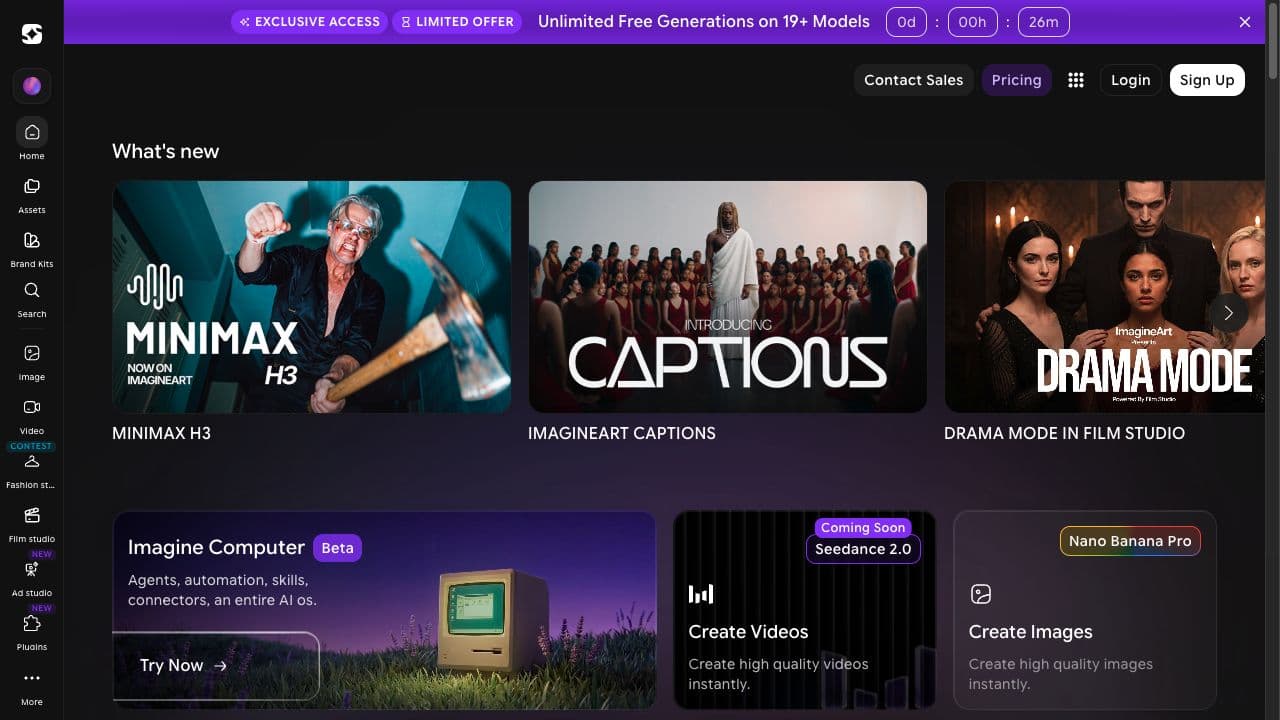
ImagineArt combines image, video, audio, editing, upscaling, brand kits, creative studios, workflows, apps, and many generative models in a unified creator product.
Best for
Creators and teams that want broad media generation under one subscription
Learning curve
Moderate
Platform
Web browser
Main trade-off
The large catalog and varied model costs require active workflow management
About ImagineArt
What the product does and where it fits
ImagineArt has evolved into an all-in-one creative suite rather than a single image generator. Its product surface includes creation and editing tools, film and ad studios, workflows, brand kits, audio, a community, model aggregation, and enterprise administration.
The platform can replace several point tools for creators who value one subscription. As with other credit-based aggregators, practical value depends on the exact model mix, output settings, queue priority, and how often a result needs regeneration.
Ideal users
Who is ImagineArt best for?
The strongest use cases for ImagineArt come from teams whose production needs match its most opinionated workflows.
Generalist creators
Move between image, video, audio, edit, and upscale tools.
Marketing teams
Use ad studios, brand kits, shared assets, and model options.
Film storytellers
Combine video models, references, last frames, audio, and workflows.
Enterprise teams
Use roles, pooled credits, security, training, and governance.
Capabilities
Top ImagineArt features
These are the capabilities most likely to affect the buying decision and day-to-day creative workflow.
Multi-model suite
Offers image, video, and audio generation across model providers.
Creative studios
Packages film, ad, fashion, and other production contexts.
Workflows and apps
Connects multiple steps into repeatable creative processes.
Editing and upscale
Supports refinements and enhancements after generation.
Brand kits
Keeps shared identity assets available across projects.
Enterprise controls
Adds roles, pooled credits, SSO, support, and data protections.
Create across leading video, image, and audio models in one studio
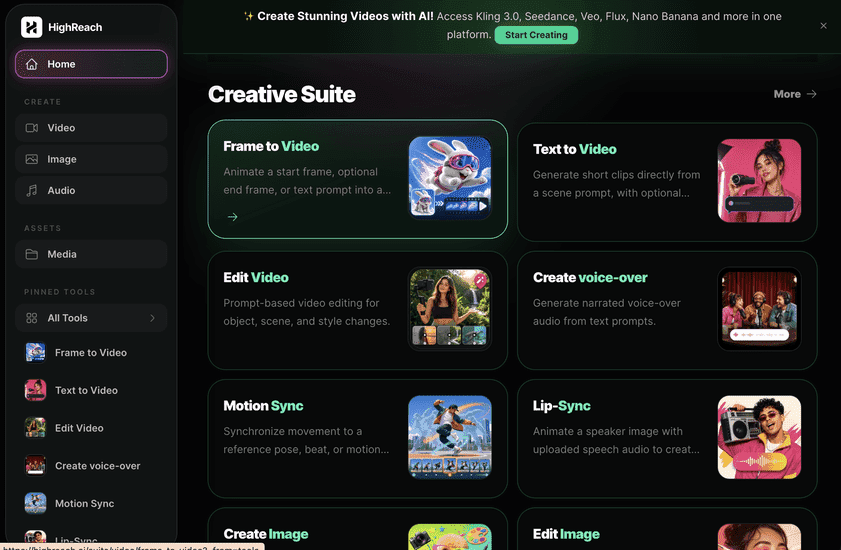
ImagineArt and HighReach both consolidate generative media tools. ImagineArt emphasizes broad studios, apps, and workflow packaging; HighReach emphasizes focused tool forms, transparent model selection, and a consistent generation library across image, video, and audio.
Pricing
ImagineArt pricing snapshot
Basic $13; Standard $30; Ultimate $50; Creator $250 monthly. Compare included usage, exports, storage, collaboration, and AI limits rather than choosing on headline price alone.
Free
$0
100 credits per day, standard models, and limited access.
Basic
$13/mo
3,000 credits, premium models, faster generation, and 720p output.
Standard
$30/mo
8,000 credits, three seats, private work, enhancer, and 1080p.
Ultimate
$50/mo
16,000 credits, six seats, selected unlimited generation, 4K, and priority queue.
Creator
$250/mo
100,000 credits, 20 seats, high concurrency, and highest priority.
Pricing checked August 6, 2026. Promotions, annual discounts, regional pricing, taxes, credits, and plan limits can change.
Check current pricingTrade-offs
ImagineArt pros and cons
The practical strengths and limitations to consider before adopting the product for a recurring workflow.
Pros
- Broad media and model coverage
- Useful studio and workflow packaging
- Competitive mid-tier credit allocations
- Team and enterprise capabilities
Cons
- Large product surface takes time to learn
- Credits expire monthly
- Actual output volume varies by model
- Unlimited claims apply only to selected models and terms
User feedback
What G2 reviews say
G2 feedback highlights variety, accessible generation, customization, and an all-in-one workflow. Cautions include credit consumption, inconsistent results, occasional performance issues, and the complexity of a rapidly growing feature set.
G2
4.6/5
61 reviews on the current features profile
Open review sourceCommon praise
- Wide creative range
- Easy generation
- Strong customization
Recurring cautions
- Monitor credit use
- Expect model-dependent quality
Review scores and counts are snapshots and may change. Themes are summarized rather than quoted to avoid overstating any single review.
Verdict
Is ImagineArt worth it?
ImagineArt is a credible all-in-one option for creators who prefer breadth and packaged studios. Compare output quality and effective credit cost on your most frequent models before selecting a tier.
FAQ
ImagineArt frequently asked questions
Short answers to the questions buyers commonly ask before choosing a creative software platform.
What is ImagineArt?
ImagineArt combines image, video, audio, editing, upscaling, brand kits, creative studios, workflows, apps, and many generative models in a unified creator product.
Is ImagineArt free to use?
Yes, with 100 daily credits and standard-model access. Free-plan limits and availability can change, so confirm the current allowance on ImagineArt's official pricing page before beginning a production workflow.
How much does ImagineArt cost?
Basic $13; Standard $30; Ultimate $50; Creator $250 monthly. Prices, promotions, included credits, and regional taxes can change. The pricing snapshot on this page was checked on August 6, 2026.
Who is ImagineArt best for?
ImagineArt is best for creators and teams that want broad media generation under one subscription. Its strongest fit depends on whether that focused workflow matters more than having broad generative image, video, and audio tools in one studio.
What is the main disadvantage of ImagineArt?
The large catalog and varied model costs require active workflow management
How is ImagineArt different from HighReach?
ImagineArt and HighReach both consolidate generative media tools. ImagineArt emphasizes broad studios, apps, and workflow packaging; HighReach emphasizes focused tool forms, transparent model selection, and a consistent generation library across image, video, and audio.
Research notes
Sources and disclosure
HighReach is not affiliated with ImagineArt. Product names and trademarks belong to their owners. We checked official product and pricing documentation on , kept factual claims separate from our assessment, and linked the sources below. Features and prices can change after that date.