Canva Alternative

Best Canva Alternative for Brands, Creators, and Teams

A side-by-side comparison of Canva and HighReach covering workflows, AI creative features, ad production quality, and campaign readiness so you can choose the right platform for modern ad creation.

Built for brands, ecommerce teams, and marketers who need stronger ad creatives with less manual design work.

Canva vs HighReach workspace comparison illustration
Canva logo
HighReach logoHighReach

Canva vs HighReach: What You Need to Know

Canva is a broad design and visual content platform used for social media graphics, presentations, videos, documents, and branded assets. It combines templates, drag-and-drop editing, brand tools, and AI features like Magic Design, Magic Studio, and AI video generation in one visual suite.

Because of this workflow, Canva is commonly used by creators, social media managers, small businesses, and teams that need a flexible design platform for many different content formats.

HighReach is a Canva alternative focused more specifically on ad creative production. Instead of being a general design suite, HighReach helps brands generate higher-quality image and video ads, stronger creative concepts, and campaign-ready assets for paid channels.
AI ad creative section visual

TL;DR

Canva vs HighReach: The Verdict

Both platforms help teams create visual content, but they solve different problems. Here's the quick breakdown.

Choose Canva if you...

  • Need a general design platform for many content types
  • Want templates for social posts, presentations, documents, and videos
  • Prefer drag-and-drop design and easy editing
  • Need a broad visual suite for brand content and everyday design work
  • Want a familiar all-purpose tool for creators and small teams

Choose HighReach if you...

  • Want higher-quality ad creatives for real campaigns
  • Need both image and video ads for paid advertising
  • Want stronger creative concepts and more polished ad visuals
  • Need campaign-ready assets without as much manual design work
  • Prefer a platform focused on ad creative production rather than generic design

HighReach vs Canva

Practical comparison for teams researching the best Canva alternative in 2026.

Feature-by-feature comparison of Canva vs HighReach.

CapabilityCanvaHighReach
Primary use caseGeneral design and visual content creationAI ad creative generation
Templates for broad content creationStrongModerate
URL-to-video and product-link workflowsPartialYes
AI avatar / spokesperson videosPartialStrong
Product video generationPartialYes
Image ad generationYesYes
Video ad generationYesYes
Creative angle and hook generationLimitedStrong
Ad creative variation generationModerateStrong
Built for ongoing ad testingLimitedModerate
Campaign-ready ad creativesModerateStrong
Image + video creative workflowStrongStrong
Designed for ecommerce brandsModerateYes
Built for paid social campaignsModerateYes
UGC-style video adsPartialYes
Ad creative iteration workflowLimitedStrong
AI ad concept generationLimitedStrong
Creative experimentation toolsModerateModerate
Built for agencies and marketersYesYes

Note: competitor capabilities are based on publicly available product pages and may change over time.

HighReach customer avatar 1HighReach customer avatar 2HighReach customer avatar 3HighReach customer avatar 4HighReach customer avatar 5
Trusted by 1400+ users

Canva vs HighReach: Pros and Cons

Canva

Pros

  • Easy-to-use design suite with a large template library
  • Strong for social graphics, presentations, docs, and everyday brand content
  • Good drag-and-drop editing for non-designers
  • Broad visual suite with AI tools, editing features, and collaboration

Cons

  • Not primarily built for ad creative production
  • Creative angle and hook generation is limited
  • Campaign-ready ad output may require more manual work
  • General-purpose design workflows can be slower for performance ad teams

HighReach

Pros

  • Higher-quality image and video ad creatives for real campaigns
  • Stronger creative concepts and more polished ad visuals
  • Campaign-ready assets built for paid advertising workflows
  • Better fit for teams testing multiple hooks, formats, and messages

Cons

  • Not trying to replace a full visual suite for every design use case
  • Teams focused on broad document or presentation design may still want Canva
  • Creative-production workflows can involve more direction choices than template-first tools
HighReach customer avatar 1HighReach customer avatar 2HighReach customer avatar 3HighReach customer avatar 4HighReach customer avatar 5
Trusted by 1400+ users

Why users look for Canva alternatives

Canva is one of the most popular design tools on the market. However, teams creating ad creatives at scale often start exploring alternatives when they need stronger ad-specific workflows, more campaign-ready output, and less manual design work.

General design tools are not always built for ads

Canva is excellent for broad visual content creation, but ad teams often need a workflow built specifically around ad generation, hooks, concepts, and campaign-ready assets. That is where a more ad-focused platform like HighReach can be a better fit.

Template-heavy workflows can slow down ad iteration

Templates are useful, but performance teams often need to generate many ad angles and concepts quickly. Some marketers look for a Canva alternative when they want faster creative iteration for paid campaigns rather than manual template editing.

Need for stronger image and video ad production

Canva supports many content types, but teams running paid campaigns may need a platform that is more focused on polished ad creatives across both image and video formats. HighReach is built with that use case in mind.

Campaign-ready assets matter more than all-purpose flexibility

A broad visual suite is helpful, but marketers often need assets that are ready to test, launch, and iterate with minimal extra cleanup. That makes specialized ad creative tools attractive as Canva alternatives.

Who Should Use Canva vs HighReach?

Both platforms help teams create visual content. The best choice depends on whether you need a general design suite or a platform focused on ad creative production.

Canva is best for

  • Creators and teams needing an all-purpose design tool

    Create social posts, presentations, brand visuals, documents, and videos from one platform.

  • Non-designers who rely on templates

    Use drag-and-drop editing and prebuilt layouts to create content quickly without advanced design skills.

  • Brands producing many content types

    Manage broad visual content creation beyond ads, including decks, documents, and social media assets.

  • Teams that prioritize design flexibility

    Use Canva when your workflow is broader than ad production and includes many kinds of creative work.

HighReach is best for

  • Brands focused on higher-quality ad creatives

    Generate polished image and video ads designed to perform well in paid campaigns across multiple channels.

  • Performance marketing teams

    Create multiple creative angles, hooks, and variations for continuous ad testing and optimization.

  • Ecommerce brands running paid social campaigns

    Produce campaign-ready ad assets for platforms like Meta, TikTok, Instagram, and YouTube.

  • Teams that prioritize stronger ad concepts

    HighReach emphasizes ad creative production and quality rather than broad, generic design workflows.

HighReach customer avatar 1HighReach customer avatar 2HighReach customer avatar 3HighReach customer avatar 4HighReach customer avatar 5
Trusted by 1400+ users

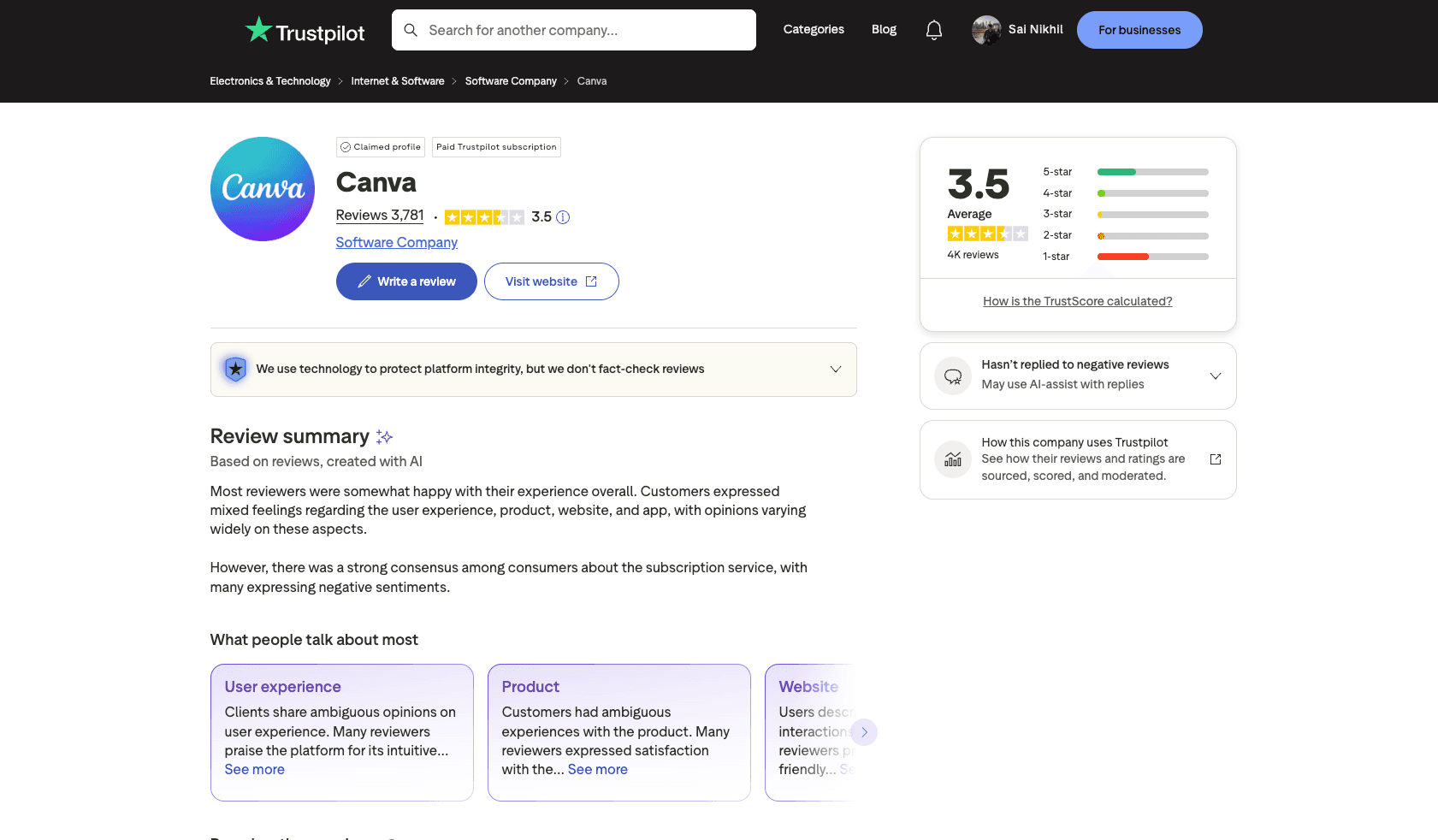
What Users Say About Canva

Ratings from independent review platforms.

Canva Ratings

Canva reviews screenshot
AI-Powered Creative Suite

Why HighReach Is a Better Canva Alternative for Ads

HighReach gives brands a more ad-focused creative workflow than broad design suites, covering image ads, video ads, product visuals, and UGC-style content in one system built for campaign output.

AI UGC

AI UGC Video Ads

Create UGC-style video ads in minutes using AI avatars. No creators or filming required — generate testimonial-style videos designed to drive engagement.

Diverse AI avatarsNatural-sounding voicesMulti-language supportAI-generated scripts
Create UGC Videos
AI UGC Video Ads
AI Photoshoot

AI Product Photoshoots

Turn simple product images into studio-quality photoshoots. Generate lifestyle shots, clean backdrops, and seasonal visuals instantly.

Multiple background stylesLifestyle & studio scenesSeasonal variationsHigh-resolution exports
Create Photoshoots
AI Product Photoshoots
AI Video

AI Video Ads

Generate short-form video ads from product images or URLs. Built for TikTok, Reels, YouTube Shorts, and other vertical platforms.

15s, 30s, and 60s formatsAuto subtitlesBackground music optionsPlatform-ready exports
Create Video Ads
AI Video Ads
AI Images

AI Image Ads

Create clean, high-converting image ads using proven layouts. Perfect for social feeds, display ads, and performance campaigns.

Ready-to-use templatesMultiple creative variationsBrand-consistent designsAll standard ad sizes
Create Image Ads
AI Image Ads
HighReach customer avatar 1HighReach customer avatar 2HighReach customer avatar 3HighReach customer avatar 4HighReach customer avatar 5
Trusted by 1400+ users

Frequently Asked QuestionsAbout Canva Alternatives

What is the best Canva alternative for ad creatives?

If your main goal is creating better image ads, video ads, and campaign-ready marketing creatives, HighReach is one of the best Canva alternatives for ad creation. Unlike broad design tools that are built for many types of visual content, HighReach is more focused on helping brands and marketers generate higher-quality ad creatives, stronger concepts, and polished assets for paid campaigns.

How does HighReach compare to Canva?

Canva is a broad visual design platform used for social media graphics, presentations, documents, videos, and brand content. HighReach is more specialized for ad creative production, helping teams generate image ads, video ads, UGC-style creatives, and campaign-ready assets with AI. If your workflow is centered on advertising rather than general design work, HighReach is often the more relevant Canva alternative.

Is Canva mainly a design tool rather than an ad tool?

Yes. Canva is primarily a general-purpose visual content and design platform. It can absolutely be used to design ads, but it is not mainly built around ad production workflows such as generating multiple ad angles, producing campaign-ready creatives quickly, or supporting rapid paid-media testing. That is why many marketers search for Canva alternatives that are more focused on ad generation.

Does HighReach support both image ads and video ads?

Yes. HighReach is built to help brands and marketers generate both image ads and video ads using AI. This makes it useful for teams running campaigns across channels like Meta, Facebook, Instagram, TikTok, YouTube, and other paid social platforms where creative variety and visual quality matter.

Can I use Canva for ads?

Yes. Many businesses use Canva to manually create ad visuals, resize creatives, and adapt designs for social platforms. However, teams that want a more ad-focused workflow often look for a Canva alternative like HighReach, especially when they need stronger ad concepts, faster creative production, and more campaign-ready image and video assets.

Who should choose HighReach instead of Canva?

Choose HighReach if your team cares more about ad creative quality, stronger paid-media visuals, and moving faster from product context to campaign-ready assets. HighReach is a better fit for ecommerce brands, paid social teams, agencies, and marketers who want ad creatives that are designed specifically for campaigns rather than broad template-based design workflows.

Who should choose Canva instead of HighReach?

Choose Canva if you need a broad design suite for many different types of visual work, such as presentations, documents, social graphics, brand assets, marketing collateral, and general content creation. Canva is often the better choice when your workflow is wider than ad production and you want one tool for many design tasks.

Is HighReach better than Canva for paid social campaigns?

For teams creating and testing ads on a regular basis, HighReach is often the better fit because it is more focused on ad creative production instead of general design tasks. It helps brands produce stronger image ads, video ads, and campaign-ready creative assets faster, which is especially valuable for paid social teams that need more output and better quality.

Does Canva have AI video tools?

Yes. Canva publicly offers AI-assisted video and design features, including video generation, editing tools, and other AI capabilities inside its broader design suite. However, marketers looking for a Canva alternative often want a platform that is more directly focused on generating ad creatives for campaigns rather than supporting a wide range of design use cases.

What should I compare besides pricing when choosing between HighReach and Canva?

Beyond pricing, compare output quality, workflow speed, how much manual editing is still required, the number of usable ad variations you can create, how polished the creatives look, and how well each platform fits your real campaign workflow. For many marketing teams, those factors matter more than the monthly plan price alone.

Is HighReach a good Canva alternative for ecommerce brands?

Yes. HighReach is a strong Canva alternative for ecommerce brands that need product ads, social creatives, UGC-style content, and campaign-ready image and video assets. It is especially useful for brands that want polished creatives they can use in paid campaigns without spending as much time manually designing every asset.

What makes HighReach different from Canva?

The biggest difference is focus. Canva is a broad visual content platform built for many design tasks, while HighReach is more specialized for ad creative generation. HighReach puts more emphasis on higher-quality ad production, stronger creative concepts, image and video ad workflows, and campaign-ready assets for paid channels.

Is HighReach better than Canva for ad creative quality?

If your priority is producing stronger, more polished ad creatives for real campaigns, HighReach is often the better choice. Canva is excellent for flexible design work, but HighReach is more focused on helping brands generate high-quality advertising creatives that feel more campaign-ready from the start.

Can HighReach create multiple ad variations faster than Canva?

Yes. HighReach is designed to help teams generate multiple ad concepts, hooks, formats, and creative variations more efficiently than a manual design workflow. That makes it especially valuable for marketers who need to test many creative directions across paid campaigns.

Is HighReach only for performance marketers?

No. HighReach is useful for ecommerce brands, agencies, startups, creators, and marketing teams that want better ad creatives. While it works very well for testing-focused teams, its broader value is helping brands create higher-quality image and video ads faster than traditional manual workflows.

Can I use HighReach instead of Canva for social media ads?

Yes. HighReach is a strong Canva alternative for social media ads, especially if your goal is to generate campaign-ready ad creatives for platforms like Facebook, Instagram, TikTok, and YouTube. It is better suited for ad production workflows than a general design tool used primarily for manual editing.

What is the best Canva alternative for ecommerce ads?

For ecommerce brands focused on paid ads, HighReach is one of the strongest Canva alternatives because it helps generate product ads, image ads, video ads, and creative variations with a stronger emphasis on advertising quality and campaign readiness.

Does HighReach work for both brands and agencies?

Yes. HighReach is designed for both in-house brand teams and agencies that need to produce high-quality ad creatives efficiently. It is especially useful for teams managing multiple campaigns, testing many creative concepts, or producing image and video assets at scale.

Canva vs HighReach: which is better for marketers?

It depends on the workflow. Canva is better for broad visual content creation across many formats, while HighReach is better for marketers whose main priority is generating stronger image and video ad creatives for campaigns. If you are choosing based on ad performance and campaign output, HighReach is often the better Canva alternative.

What is the difference between Canva and HighReach for video ads?

Canva includes video design and AI-assisted editing inside a larger design suite, while HighReach is more focused on generating video ads as part of a dedicated ad creative workflow. If you want stronger ad concepts, more polished paid-media visuals, and campaign-ready outputs, HighReach is generally the better fit.

What is the difference between Canva and HighReach for image ads?

Canva is useful for manually designing image ads using templates and drag-and-drop editing. HighReach is more focused on helping brands generate polished image ad creatives that are built for advertising workflows, which can make it a stronger Canva alternative for paid campaign teams.

How do I decide between Canva and HighReach?

Choose Canva if you need a broad tool for many design tasks beyond ads. Choose HighReach if you want a more specialized platform for ad creative generation, stronger creative quality, faster production of image and video ads, and assets that are more ready for real campaigns.

Compare HighReach to More AI Ad Tools

Explore more alternatives related to Canva and compare HighReach across other AI ad generation, creative, and campaign workflows.

CapCut Alternative

Compare a short-form video editor with an AI ad creative workflow for paid campaigns.

Open comparison →

Higgsfield Alternative

Compare cinematic AI video generation with a campaign-ready ad creative workflow.

Open comparison →

AdCreative.ai Alternative

Compare static-first ad generation with a broader AI advertising creative workflow.

Open comparison →

Omneky Alternative

Compare AI ad orchestration workflows with a more direct creative production workflow.

Open comparison →

VEED Alternative

Compare a browser-based video editor with an AI ad creative workflow.

Open comparison →

Synthesia Alternative

Compare a training-video avatar workflow with an AI ad creative workflow for marketers.

Open comparison →

Pictory Alternative

Compare a text-to-video content workflow with an AI ad creative workflow for advertisers.

Open comparison →

InVideo Alternative

Compare HighReach vs InVideo for AI video workflows, ad creative quality, and campaign output.

Open comparison →

AI Advertising GuidesCreative Playbooks

Learn how to generate better ads with AI using practical examples, optimization frameworks, and campaign testing playbooks.

How to Make an AI Twin Character Creator, Talking Avatar, and Lip Sync Guide for 2026

How to Make an AI Twin

Character Creator, Talking Avatar, and Lip Sync Guide for 2026

Read article
What Is UGC Advertising? Complete 2026 Guide (Examples, Templates, Tools)

What Is UGC Advertising?

Complete 2026 Guide (Examples, Templates, Tools)

Read article
Funny Ads: Best Hilarious Commercials That Make You Laugh (With Videos)

Funny Ads: Best Hilarious Commercials That Make You Laugh (With Videos)

Read article
OpenDream AI Art Review (2026): Features, Pricing & Best Alternative

OpenDream AI Art Review (2026): Features, Pricing & Best Alternative

Read article
Persuasive Ads: Top Examples That Changed Advertising (With Videos)

Persuasive Ads: Top Examples That Changed Advertising (With Videos)

Read article
Remaker AI Review (2026): Features, Pricing, Pros & Cons + Better Alternative

Remaker AI Review (2026): Features, Pricing, Pros & Cons + Better Alternative

Read article
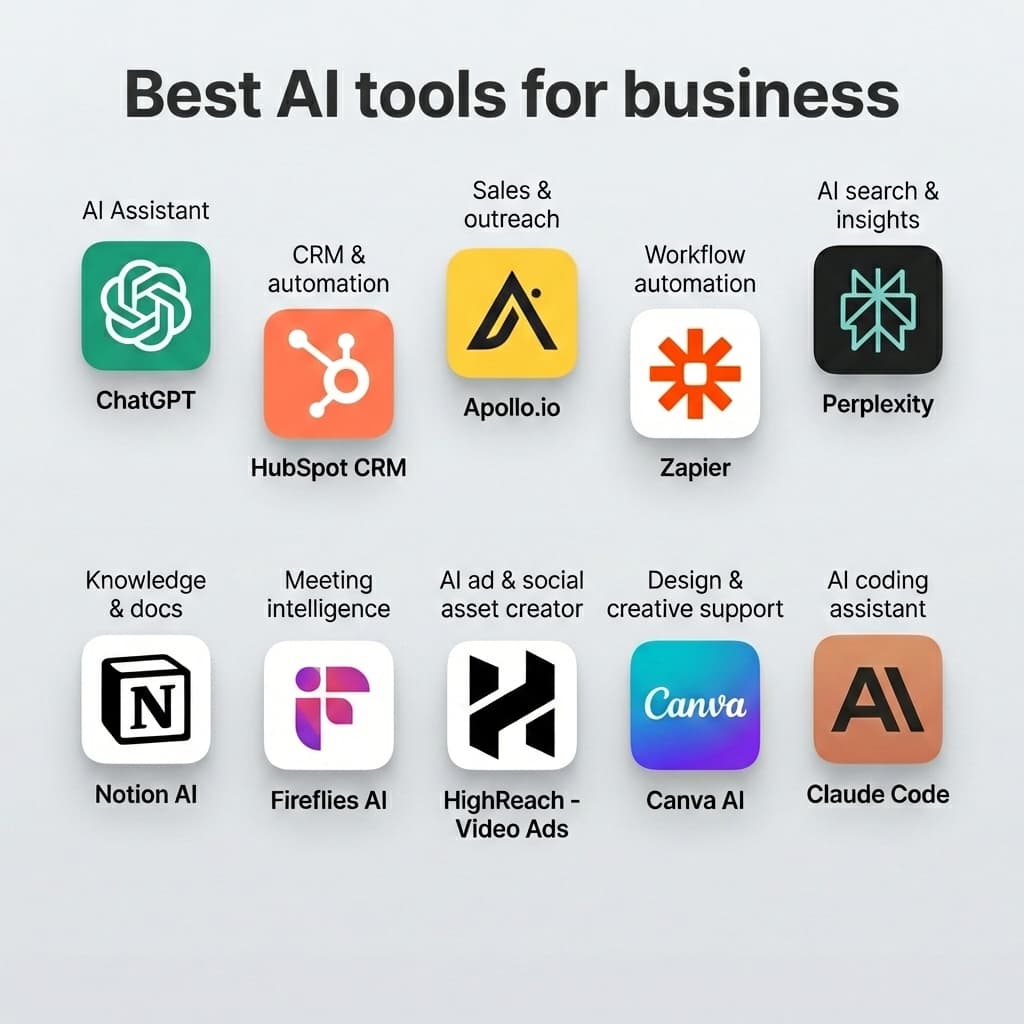
Best AI Tools for Business in 2026: Top 10 Tools for Growth & Productivity

Best AI Tools for Business in 2026: Top 10 Tools for Growth & Productivity

Read article
Meta's Andromeda Update: The Complete Guide to AI-Powered Facebook Advertising in 2025

Meta's Andromeda Update: The Complete Guide to AI-Powered Facebook Advertising in 2025

Read article

Explore More HighReach Features

Connect this tool with the rest of your ad creative workflow.

URL to Ad

URL to Ad

Turn any product link into launch-ready ad creatives in minutes.

Open feature
AI Video Generator

AI Video Generator

Create platform-ready marketing videos from text, images, or URLs.

Open feature
Asset Generator

Asset Generator

Generate image ads, video ads, and UGC assets in one workflow.

Open feature
AI Script Generator

AI Script Generator

Generate conversion-focused scripts for ads, demos, and social videos.

Open feature
Talking Avatar

Talking Avatar

Generate presenter-style videos without filming yourself.

Open feature
Photo to Avatar

Photo to Avatar

Turn one photo into a realistic talking avatar for marketing videos.

Open feature
Custom Avatar

Custom Avatar

Train your own AI digital twin for premium business video workflows.

Open feature
Stock Avatars

Stock Avatars

Choose a ready-made presenter and generate spokesperson videos instantly.

Open feature
Lip Sync AI

Lip Sync AI

Generate frame-accurate lip-synced videos with realistic mouth movement.

Open feature
UGC Video Ads

UGC Video Ads

Build native-feeling short-form creatives for paid social.

Open feature
Product Photoshoot

Product Photoshoot

Generate studio-quality product images for ads and PDPs.

Open feature
Image Ads

Image Ads

Create static ad variations optimized for every major platform.

Open feature

Use Cases

Industry-focused workflows you can launch with HighReach.

For Real Estate Teams

For Real Estate Teams

Convert listings and neighborhood context into local campaigns.

Explore use case
For Performance Marketers

For Performance Marketers

Produce more hooks and test more angles every week.

Explore use case
For Restaurants

For Restaurants

Promote offers, new menus, and local awareness campaigns quickly.

Explore use case
For SaaS Teams

For SaaS Teams

Turn product value props into clear, high-intent video ads.

Explore use case
For Amazon Sellers

For Amazon Sellers

Create listing-focused creatives for catalog growth campaigns.

Explore use case
For Shopify Stores

For Shopify Stores

Launch paid social creatives directly from product pages.

Explore use case
For Startups

For Startups

Run lean creative operations without sacrificing output volume.

Explore use case
For Marketing Agencies

For Marketing Agencies

Scale multi-client ad production with fast creative variation.

Explore use case

Try a Better Canva Alternative

Generate image, video, and UGC ads in minutes with HighReach.

No credit card required