Best Canva Alternative for Brands, Creators, and Teams
A side-by-side comparison of Canva and HighReach covering workflows, AI creative features, ad production quality, and campaign readiness so you can choose the right platform for modern ad creation.
Built for brands, ecommerce teams, and marketers who need stronger ad creatives with less manual design work.
HighReach
Canva vs HighReach: What You Need to Know
Canva is a broad design and visual content platform used for social media graphics, presentations, videos, documents, and branded assets. It combines templates, drag-and-drop editing, brand tools, and AI features like Magic Design, Magic Studio, and AI video generation in one visual suite.
Because of this workflow, Canva is commonly used by creators, social media managers, small businesses, and teams that need a flexible design platform for many different content formats.
HighReach is a Canva alternative focused more specifically on ad creative production. Instead of being a general design suite, HighReach helps brands generate higher-quality image and video ads, stronger creative concepts, and campaign-ready assets for paid channels.
TL;DR
Canva vs HighReach: The Verdict
Both platforms help teams create visual content, but they solve different problems. Here's the quick breakdown.
Choose Canva if you...
Need a general design platform for many content types
Want templates for social posts, presentations, documents, and videos
Prefer drag-and-drop design and easy editing
Need a broad visual suite for brand content and everyday design work
Want a familiar all-purpose tool for creators and small teams
Choose HighReach if you...
Want higher-quality ad creatives for real campaigns
Need both image and video ads for paid advertising
Want stronger creative concepts and more polished ad visuals
Need campaign-ready assets without as much manual design work
Prefer a platform focused on ad creative production rather than generic design
HighReach vs Canva
Practical comparison for teams researching the best Canva alternative in 2026.
Feature-by-feature comparison of Canva vs HighReach.
Capability
Canva
HighReach
Primary use case
General design and visual content creation
AI ad creative generation
Templates for broad content creation
Strong
Moderate
URL-to-video and product-link workflows
Partial
Yes
AI avatar / spokesperson videos
Partial
Strong
Product video generation
Partial
Yes
Image ad generation
Yes
Yes
Video ad generation
Yes
Yes
Creative angle and hook generation
Limited
Strong
Ad creative variation generation
Moderate
Strong
Built for ongoing ad testing
Limited
Moderate
Campaign-ready ad creatives
Moderate
Strong
Image + video creative workflow
Strong
Strong
Designed for ecommerce brands
Moderate
Yes
Built for paid social campaigns
Moderate
Yes
UGC-style video ads
Partial
Yes
Ad creative iteration workflow
Limited
Strong
AI ad concept generation
Limited
Strong
Creative experimentation tools
Moderate
Moderate
Built for agencies and marketers
Yes
Yes
Note: competitor capabilities are based on publicly available product pages and may change over time.
Canva is one of the most popular design tools on the market. However, teams creating ad creatives at scale often start exploring alternatives when they need stronger ad-specific workflows, more campaign-ready output, and less manual design work.
General design tools are not always built for ads
Canva is excellent for broad visual content creation, but ad teams often need a workflow built specifically around ad generation, hooks, concepts, and campaign-ready assets. That is where a more ad-focused platform like HighReach can be a better fit.
Template-heavy workflows can slow down ad iteration
Templates are useful, but performance teams often need to generate many ad angles and concepts quickly. Some marketers look for a Canva alternative when they want faster creative iteration for paid campaigns rather than manual template editing.
Need for stronger image and video ad production
Canva supports many content types, but teams running paid campaigns may need a platform that is more focused on polished ad creatives across both image and video formats. HighReach is built with that use case in mind.
Campaign-ready assets matter more than all-purpose flexibility
A broad visual suite is helpful, but marketers often need assets that are ready to test, launch, and iterate with minimal extra cleanup. That makes specialized ad creative tools attractive as Canva alternatives.
Who Should Use Canva vs HighReach?
Both platforms help teams create visual content. The best choice depends on whether you need a general design suite or a platform focused on ad creative production.
Canva is best for
Creators and teams needing an all-purpose design tool
Create social posts, presentations, brand visuals, documents, and videos from one platform.
Non-designers who rely on templates
Use drag-and-drop editing and prebuilt layouts to create content quickly without advanced design skills.
Brands producing many content types
Manage broad visual content creation beyond ads, including decks, documents, and social media assets.
Teams that prioritize design flexibility
Use Canva when your workflow is broader than ad production and includes many kinds of creative work.
HighReach is best for
Brands focused on higher-quality ad creatives
Generate polished image and video ads designed to perform well in paid campaigns across multiple channels.
Performance marketing teams
Create multiple creative angles, hooks, and variations for continuous ad testing and optimization.
Ecommerce brands running paid social campaigns
Produce campaign-ready ad assets for platforms like Meta, TikTok, Instagram, and YouTube.
Teams that prioritize stronger ad concepts
HighReach emphasizes ad creative production and quality rather than broad, generic design workflows.
Why HighReach Is a Better Canva Alternative for Ads
HighReach gives brands a more ad-focused creative workflow than broad design suites, covering image ads, video ads, product visuals, and UGC-style content in one system built for campaign output.
AI UGC
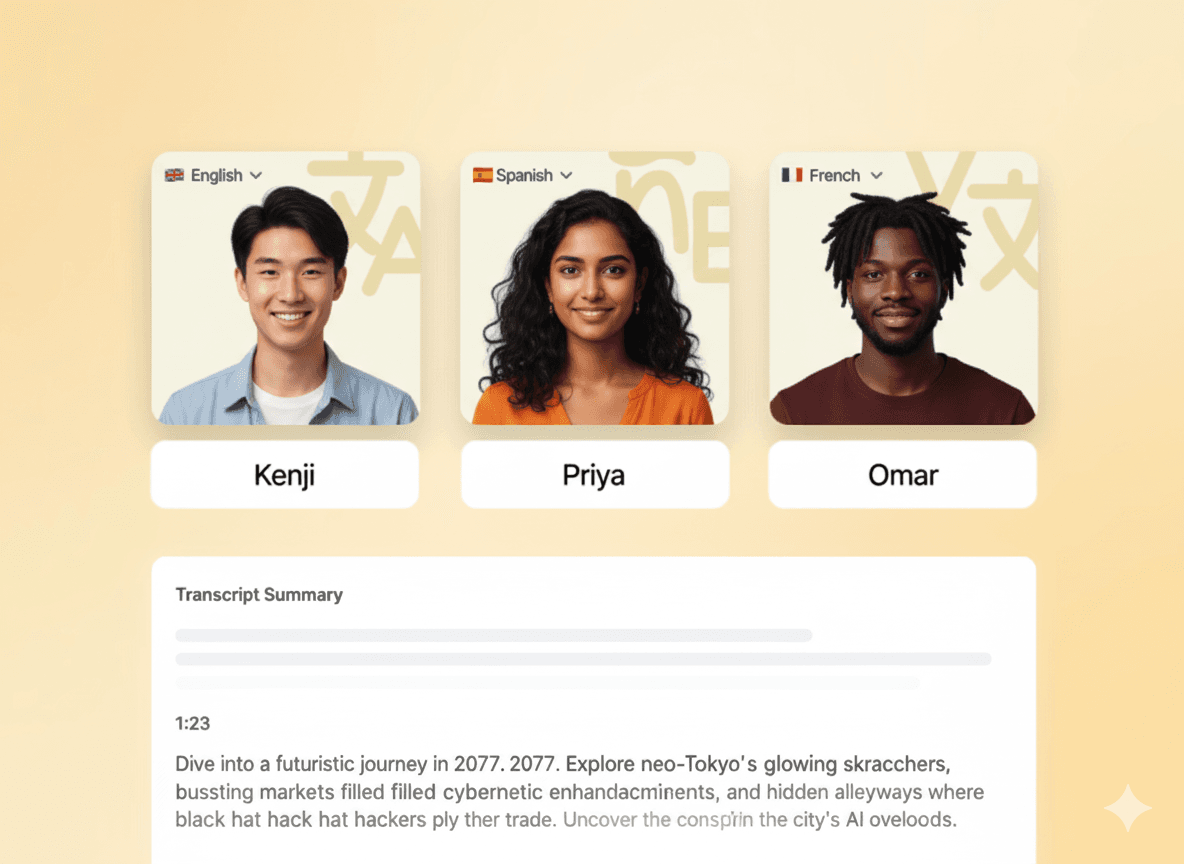
AI UGC Video Ads
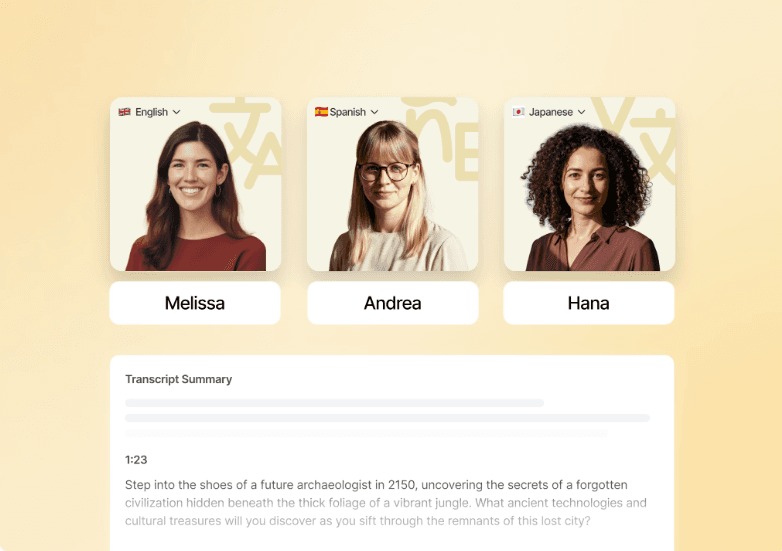
Create UGC-style video ads in minutes using AI avatars. No creators or filming required — generate testimonial-style videos designed to drive engagement.
Diverse AI avatarsNatural-sounding voicesMulti-language supportAI-generated scripts
What is the best Canva alternative for ad creatives?
If your main goal is creating better image ads, video ads, and campaign-ready marketing creatives, HighReach is one of the best Canva alternatives for ad creation. Unlike broad design tools that are built for many types of visual content, HighReach is more focused on helping brands and marketers generate higher-quality ad creatives, stronger concepts, and polished assets for paid campaigns.
How does HighReach compare to Canva?
Canva is a broad visual design platform used for social media graphics, presentations, documents, videos, and brand content. HighReach is more specialized for ad creative production, helping teams generate image ads, video ads, UGC-style creatives, and campaign-ready assets with AI. If your workflow is centered on advertising rather than general design work, HighReach is often the more relevant Canva alternative.
Is Canva mainly a design tool rather than an ad tool?
Yes. Canva is primarily a general-purpose visual content and design platform. It can absolutely be used to design ads, but it is not mainly built around ad production workflows such as generating multiple ad angles, producing campaign-ready creatives quickly, or supporting rapid paid-media testing. That is why many marketers search for Canva alternatives that are more focused on ad generation.
Does HighReach support both image ads and video ads?
Yes. HighReach is built to help brands and marketers generate both image ads and video ads using AI. This makes it useful for teams running campaigns across channels like Meta, Facebook, Instagram, TikTok, YouTube, and other paid social platforms where creative variety and visual quality matter.
Can I use Canva for ads?
Yes. Many businesses use Canva to manually create ad visuals, resize creatives, and adapt designs for social platforms. However, teams that want a more ad-focused workflow often look for a Canva alternative like HighReach, especially when they need stronger ad concepts, faster creative production, and more campaign-ready image and video assets.
Who should choose HighReach instead of Canva?
Choose HighReach if your team cares more about ad creative quality, stronger paid-media visuals, and moving faster from product context to campaign-ready assets. HighReach is a better fit for ecommerce brands, paid social teams, agencies, and marketers who want ad creatives that are designed specifically for campaigns rather than broad template-based design workflows.
Who should choose Canva instead of HighReach?
Choose Canva if you need a broad design suite for many different types of visual work, such as presentations, documents, social graphics, brand assets, marketing collateral, and general content creation. Canva is often the better choice when your workflow is wider than ad production and you want one tool for many design tasks.
Is HighReach better than Canva for paid social campaigns?
For teams creating and testing ads on a regular basis, HighReach is often the better fit because it is more focused on ad creative production instead of general design tasks. It helps brands produce stronger image ads, video ads, and campaign-ready creative assets faster, which is especially valuable for paid social teams that need more output and better quality.
Does Canva have AI video tools?
Yes. Canva publicly offers AI-assisted video and design features, including video generation, editing tools, and other AI capabilities inside its broader design suite. However, marketers looking for a Canva alternative often want a platform that is more directly focused on generating ad creatives for campaigns rather than supporting a wide range of design use cases.
What should I compare besides pricing when choosing between HighReach and Canva?
Beyond pricing, compare output quality, workflow speed, how much manual editing is still required, the number of usable ad variations you can create, how polished the creatives look, and how well each platform fits your real campaign workflow. For many marketing teams, those factors matter more than the monthly plan price alone.
Is HighReach a good Canva alternative for ecommerce brands?
Yes. HighReach is a strong Canva alternative for ecommerce brands that need product ads, social creatives, UGC-style content, and campaign-ready image and video assets. It is especially useful for brands that want polished creatives they can use in paid campaigns without spending as much time manually designing every asset.
What makes HighReach different from Canva?
The biggest difference is focus. Canva is a broad visual content platform built for many design tasks, while HighReach is more specialized for ad creative generation. HighReach puts more emphasis on higher-quality ad production, stronger creative concepts, image and video ad workflows, and campaign-ready assets for paid channels.
Is HighReach better than Canva for ad creative quality?
If your priority is producing stronger, more polished ad creatives for real campaigns, HighReach is often the better choice. Canva is excellent for flexible design work, but HighReach is more focused on helping brands generate high-quality advertising creatives that feel more campaign-ready from the start.
Can HighReach create multiple ad variations faster than Canva?
Yes. HighReach is designed to help teams generate multiple ad concepts, hooks, formats, and creative variations more efficiently than a manual design workflow. That makes it especially valuable for marketers who need to test many creative directions across paid campaigns.
Is HighReach only for performance marketers?
No. HighReach is useful for ecommerce brands, agencies, startups, creators, and marketing teams that want better ad creatives. While it works very well for testing-focused teams, its broader value is helping brands create higher-quality image and video ads faster than traditional manual workflows.
Can I use HighReach instead of Canva for social media ads?
Yes. HighReach is a strong Canva alternative for social media ads, especially if your goal is to generate campaign-ready ad creatives for platforms like Facebook, Instagram, TikTok, and YouTube. It is better suited for ad production workflows than a general design tool used primarily for manual editing.
What is the best Canva alternative for ecommerce ads?
For ecommerce brands focused on paid ads, HighReach is one of the strongest Canva alternatives because it helps generate product ads, image ads, video ads, and creative variations with a stronger emphasis on advertising quality and campaign readiness.
Does HighReach work for both brands and agencies?
Yes. HighReach is designed for both in-house brand teams and agencies that need to produce high-quality ad creatives efficiently. It is especially useful for teams managing multiple campaigns, testing many creative concepts, or producing image and video assets at scale.
Canva vs HighReach: which is better for marketers?
It depends on the workflow. Canva is better for broad visual content creation across many formats, while HighReach is better for marketers whose main priority is generating stronger image and video ad creatives for campaigns. If you are choosing based on ad performance and campaign output, HighReach is often the better Canva alternative.
What is the difference between Canva and HighReach for video ads?
Canva includes video design and AI-assisted editing inside a larger design suite, while HighReach is more focused on generating video ads as part of a dedicated ad creative workflow. If you want stronger ad concepts, more polished paid-media visuals, and campaign-ready outputs, HighReach is generally the better fit.
What is the difference between Canva and HighReach for image ads?
Canva is useful for manually designing image ads using templates and drag-and-drop editing. HighReach is more focused on helping brands generate polished image ad creatives that are built for advertising workflows, which can make it a stronger Canva alternative for paid campaign teams.
How do I decide between Canva and HighReach?
Choose Canva if you need a broad tool for many design tasks beyond ads. Choose HighReach if you want a more specialized platform for ad creative generation, stronger creative quality, faster production of image and video ads, and assets that are more ready for real campaigns.
Compare HighReach to More AI Ad Tools
Explore more alternatives related to Canva and compare HighReach across other AI ad generation, creative, and campaign workflows.
CapCut Alternative
Compare a short-form video editor with an AI ad creative workflow for paid campaigns.